Micro Body Camcorder: A Comprehensive Guide
Micro Body Camcorder: A Comprehensive Guide
What is a Micro Body Camcorder?
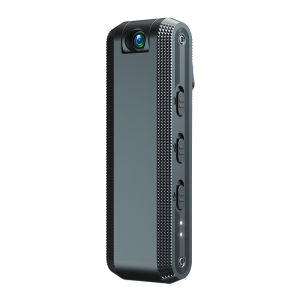
A micro body camcorder is a compact, wearable camera designed to capture high-quality video footage in various settings. These devices are ideal for sports enthusiasts, security professionals, and individuals who want to document their daily lives. Micro body camcorders come equipped with features such as night vision, full HD 1080P resolution, and WiFi connectivity, making them versatile and easy to use.
Key Features
-
Night Vision Security Camera Capabilities: Micro body camcorders often come equipped with infrared LEDs that allow them to capture clear footage in low-light environments.
-
Full HD 1080P Camera Quality: These cameras offer crisp, high-resolution video footage, ensuring that every moment is captured in stunning detail.
-
Smart Home Camera Integration: Many micro body camcorders can be integrated with smart home systems, allowing users to monitor their homes remotely and receive real-time alerts.
Benefits of Using a Micro Body Camcorder
-
Convenience: Micro body camcorders are small and lightweight, making them easy to wear and carry around.
-
Versatility: These devices can be used for various purposes, including sports, security, and personal documentation.
-
Cost-Effective: Micro body camcorders offer a more affordable alternative to larger, more expensive cameras while still delivering high-quality video footage.
How to Choose the Right Micro Body Camcorder
When selecting a micro body camcorder, consider the following features:
-
Night Vision Security Camera Capabilities: If you plan to use the camera in low-light environments, look for a device with infrared LEDs that provide clear footage.
-
Full HD 1080P Camera Quality: Ensure that the camera offers high-resolution video footage to capture every moment in stunning detail.
-
Smart Home Camera Integration: If you have a smart home system, choose a camera that can be easily integrated into your existing setup.
How to Set Up Your Micro Body Camcorder
Setting up your micro body camcorder is a straightforward process. Follow these steps:
Installing the Camera
-
Attach the camera: Secure the micro body camcorder to your clothing or equipment using the included mount or strap.
-
Insert the battery: Insert the rechargeable battery into the camera according to the manufacturer's instructions.
Connecting to WiFi
-
Enable WiFi: Turn on the WiFi function on your micro body camcorder.
-
Connect to network: Connect the camera to your home WiFi network using the camera's app or manual settings.
Configuring Audio & Video Settings
- Adjust settings: Customize the audio and video settings according to your preferences, such as resolution, frame rate, and audio volume.
How to Use Your Micro Body Camcorder
Using your micro body camcorder is simple and intuitive. Follow these steps:
Recording Videos
-
Start recording: Press the record button on the camera or use the app to begin capturing video footage.
-
Stop recording: Press the stop button on the camera or use the app to end the recording session.
Sharing Videos
-
Upload videos: Share your recorded videos by uploading them to social media platforms, email, or cloud storage services.
-
Download videos: Download your videos to your computer or mobile device for easy access and sharing.
Viewing Recorded Footage
-
Access footage: View your recorded videos directly on the camera's screen or through the camera's app.
-
Edit footage: Edit your videos using the camera's built-in editing features or third-party software.
Troubleshooting Common Issues
If you encounter any problems while using your micro body camcorder, refer to the following troubleshooting tips:
Connectivity Problems
-
Check WiFi connection: Ensure that the camera is connected to the correct WiFi network and that the network is functioning properly.
-
Restart the camera: Turn off and restart the camera to resolve any connectivity issues.
Audio & Video Quality Issues
-
Adjust settings: Fine-tune the audio and video settings according to your preferences and the shooting environment.
-
Check camera firmware: Update the camera's firmware to ensure that it is running the latest version.
Camera Malfunctions
-
Check battery level: Ensure that the camera's battery is fully charged before use.
-
Contact customer support: If the camera continues to malfunction, contact the manufacturer's customer support team for assistance.
By following these guidelines, you'll be able to make the most of your micro body camcorder and enjoy capturing high-quality video footage in various settings.

fengwan123
Review

You May Also Like
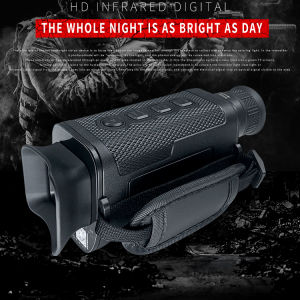
BekinTek Handheld Night Vision Monocular Rechargeable Telescope NVG Goggles Full Dark Observing Adjustment 8x Digital Zoom 1080P Video Recording 8M Photo Support PC Control with 32G TF Card
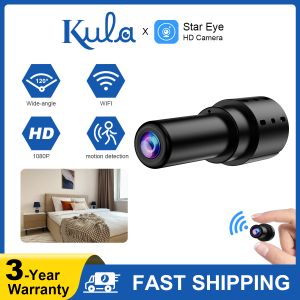
Wireless mini WIFI HD 1080P Micro Camera Motion DV Small Camera Motion Detection Security Camera
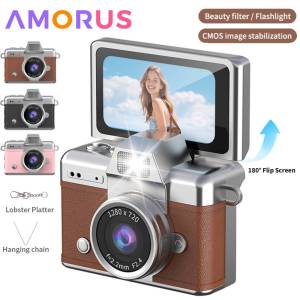
Mini Keychain Camera 1.47 Inch Flip Screen Digital CameraHD Pocket Camcorder CCD for Kids Adults Gift for Birthdays New Year

KEBETEME Hidden Camera Detector Portable Lnfrared Detection Security Protection for Public Protection

tp-link VIGI C320I 2MP Outdoor IR Bullet Network Camera | TP-Link VIGI by EJD
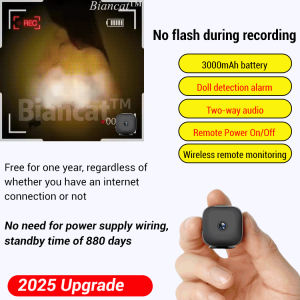
Home Smart Ultra Small Battery Camera
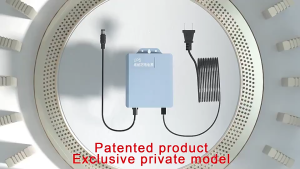
Double Output 12V 1.5A UPS Power Supply Heavy Duty for WiFi Modem Router

AKASO Brave 4 Pro | 4K30FPS Ultra HD Video | 20MP Photos | EIS 2.0 SuperSmooth Stabilization
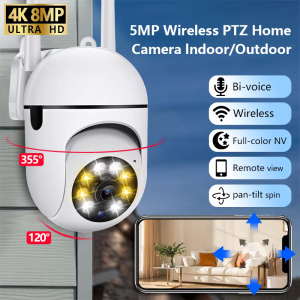
8MP Wifi IP Camera 8X Digital Zoom AI Human Tracking Surveillance Camera Two-Way Audio HD Night Color Home Security Monitor CCTV
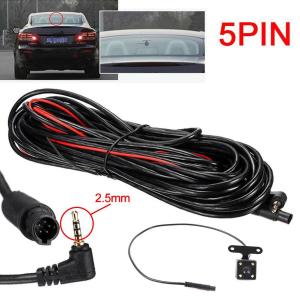
5 Pin HD Car Rear View Camera Reverse 4LED Night Vision Camera Parking Wide For Car Video Angle Camera 170 Accessories Degree P4C9
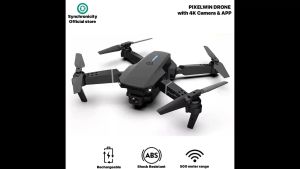
Xiaomi Mini Drone With 4K Dual Camera: A Compact Drone for Photography