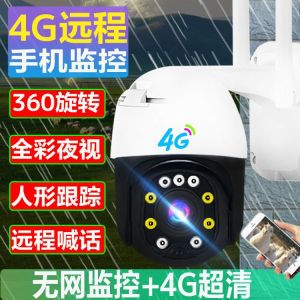
4G Solar Monitor No Electricity No Net Camera 360 Duye Outdoor Mobile Phone Remote Home HD Night Vision
4G Solar Monitor No Electricity No Net Camera 360 Duye Outdoor Mobile Phone Remote Home HD Night Vision
What is a 4G Solar Monitor No Electricity No Net Camera?
The 4G Solar Monitor No Electricity No Net Camera, also known as the 360 Duye Outdoor Camera, is a highly advanced remote home security camera designed to provide peace of mind for homeowners in the United States. This camera is manufactured by Tengcan, a reputable brand based in Guangdong Province, China. It offers a unique combination of features, including solar power, 4G connectivity, and HD night vision, making it an ideal choice for those looking for a reliable and energy-efficient outdoor surveillance solution.
Key Features & Benefits
The 360 Duye Outdoor Camera boasts several key features that set it apart from other home security cameras:
-
Solar Power: This camera is equipped with a built-in solar panel, allowing it to operate without electricity. This makes it an eco-friendly and cost-effective option for homeowners who want to monitor their property without relying on traditional power sources.
-
4G Connectivity: With built-in 4G connectivity, the camera can transmit live video feeds and recordings to your mobile device, even if there is no Wi-Fi network available. This ensures that you can access your camera's footage from anywhere, at any time, without worrying about network limitations.
-
HD Night Vision: The camera is equipped with advanced night vision technology, allowing it to capture clear and sharp images even in low-light conditions. This makes it an ideal choice for monitoring your property around the clock, regardless of the time of day.
-
Mobile Phone Remote Control: The camera can be easily controlled via a mobile app, allowing you to access live video feeds, recordings, and customize settings from the convenience of your smartphone.
Comparison with Other Home Security Cameras
Compared to other home security cameras, the 360 Duye Outdoor Camera offers several advantages:
-
Energy Efficiency: Unlike traditional security cameras that require electricity, the 360 Duye Outdoor Camera operates using solar power, making it a more eco-friendly and cost-effective option.
-
Reliability: With built-in 4G connectivity, the camera can transmit live video feeds and recordings without relying on Wi-Fi networks, ensuring that you can always access your footage.
-
Ease of Use: The camera's mobile app allows for easy remote control, making it simple to access live video feeds, recordings, and customize settings from your smartphone.
How to Install & Set Up the Camera
Installing and setting up the 360 Duye Outdoor Camera is a straightforward process. Follow the steps below to get started:
Required Tools & Equipment
Before beginning the installation process, make sure you have the following tools and equipment:
- Camera: The 360 Duye Outdoor Camera itself
- Mounting Bracket: A mounting bracket for securing the camera to a wall or pole
- Screwdriver: A screwdriver for attaching the mounting bracket
- Mobile Device: A mobile device with the camera's app installed
Step-by-Step Installation Guide
- Mounting the Camera: Attach the mounting bracket to a wall or pole using screws and a screwdriver. Then, secure the camera to the mounting bracket.
- Connecting the Camera: Connect the camera to a power source if needed. However, since the camera operates using solar power, this step may not be necessary.
- Setting Up the App: Download and install the camera's app on your mobile device. Follow the on-screen instructions to connect the camera to your mobile device.
- Customizing Settings: Customize the camera's settings, such as motion detection alerts and recording schedules, using the app.
Troubleshooting Common Issues
If you encounter any issues during the installation process, refer to the troubleshooting guide included with the camera. Some common issues include:
- Camera Not Connecting: Ensure that the camera is within range of a 4G network and that the app is properly installed on your mobile device.
- Low Battery: If the camera is not receiving enough sunlight, it may experience low battery levels. Move the camera to a location with better sunlight exposure.
How to Use the Camera for Remote Home Security
Once the camera is installed and set up, you can begin using it for remote home security. Follow the steps below to access live video feeds, set up motion detection alerts, and customize camera settings:
Accessing Live Video Feed & Recording
Access the camera's live video feed and recordings using the mobile app. This allows you to monitor your property from anywhere, at any time.
Setting Up Motion Detection Alerts
Set up motion detection alerts to receive notifications when the camera detects movement. This feature helps you stay informed about any activity around your property.
Customizing Camera Settings & Functions
Customize the camera's settings and functions using the app. This includes adjusting recording schedules, changing camera angles, and enabling/disabling features such as night vision.
Important Notes for Ordering & Customer Support
When ordering the 360 Duye Outdoor Camera, please keep the following notes in mind:
Order Confirmation & Shipping Information
Once you place your order, you will receive an order confirmation email with shipping information. Please note that we do not accept changes to the name, phone number, address, or item after the order has been placed.
Customer Satisfaction Guarantee & Return Policy
We strive to provide our customers with high-quality products and excellent customer service. If you receive a damaged product or if the product does not meet your requirements, please contact our support team before leaving a negative review. We will work with you to resolve any issues and ensure your satisfaction.
Contacting Tengcan Support for Assistance
If you have any questions or concerns about the 360 Duye Outdoor Camera, please contact our support team at [support email]. Our team is dedicated to providing prompt and effective solutions to help you make the most of your remote home security system.

The Collude Shop95rhrt9hy
Review

You May Also Like
![[CAMERA ONLY] KODAK i60 35mm 135 Reusable Film Camera Upgrade of M35 M38 Fullframe MVP CAMERA](https://img.lazcdn.com/g/ot/common/f3ad5d97cbea4ca59811491523bc75e0.png_300x300q80.png)
[CAMERA ONLY] KODAK i60 35mm 135 Reusable Film Camera Upgrade of M35 M38 Fullframe MVP CAMERA
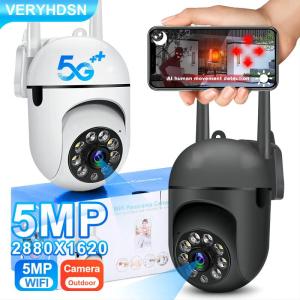
Buy 1 Take 1 CCTV Camera Connect Cellphone V380 Pro Wifi CCTV Camera No Need Internet 8MP HD Wireless IP Security Cameras Drone CCTV With Audio and Speaker Two-way Audio Auto Tracking 360° rotation Smart Surveillance Indoor Outdoor Waterproof
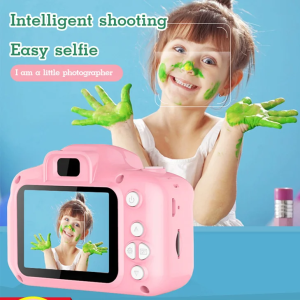
Mini Cartoon Camera Small SLR Digital Camera Sports Camera
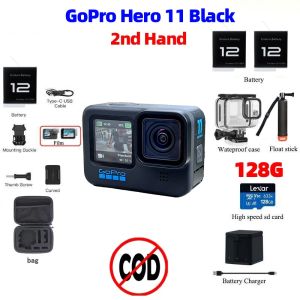
Action Camera For Gopro Hero 11 Black 5.3K Vlog Motorcycle Stabilization Sport Camera Used
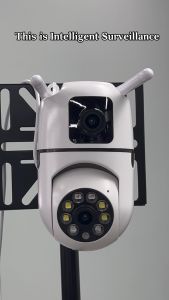
V380 Pro CCTV Camera: A Comprehensive Guide
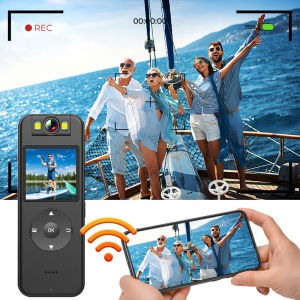
BOBLOV A27 WIFI Camera 2K Mini Body Worn Camera HD 1440P 180° Rotating Lens Video Camera Body Camera Vlogging Camera Video Camcorder with Adjustable Belt for Delivery Sports Cycling Motorcycles
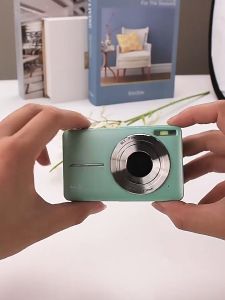
Mini Digital Camera for Kids & Students: A Comprehensive Guide
V380 PRO HD 1080P WiFi CCTV Camera: AI Motion Detection Baby Monitor, Infrared Night Vision Security Camera, Mini Indoor IP Camera, Two Way Audio Home Surveillance

tp-link Tapo C310 Outdoor Security Wi-Fi Camera | TP-Link Tapo by EJD
FeiyuTech Pocket 3 Pocket Pan Tilt Camera Cordless Detachable 3-Axis Stabilizer Gimbal Camera Footage Magnetic Attach AI Tracking Follow Action Camera Sport Camera Gimbal Q3 - Lazada
7Artisans Photoelectric 4mm F/2.8 APS-C Format Sony E Mount Circular Fisheye Prime Lens MF Manual Focus for Mirrorless Cameras | JG Superstore