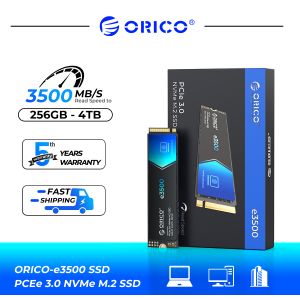
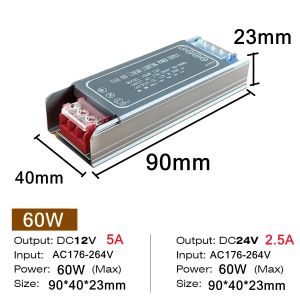
DC 12V 24V Switching Power Supply AC176-264V LED Light Driver Power Adapter 60W 100W 200W 300W 400W Mute Lighting Transformers
DC 12V 24V Switching Power Supply AC176-264V LED Light Driver Power Adapter 60W 100W 200W 300W 400W Mute Lighting Transformers
Understanding the Basics
What is a DC 12V 24V Switching Power Supply?
A DC 12V 24V switching power supply is a type of electronic device designed to convert AC input voltage into a stable DC output voltage suitable for powering low-voltage electrical devices, such as LED lights, electronic circuits, and more. This type of power supply is highly efficient, providing a reliable source of power for various applications.
Key Features of 60W 200W Power Adapter
The 60W and 200W power adapters are available in different configurations to cater to various needs. Here are some of their key features:
- High Efficiency: Both power adapters boast a high efficiency rating, ensuring minimal energy loss during the conversion process.
- Wide Input Voltage Range: The power adapters can handle a wide range of input voltages, making them compatible with various power sources.
- Short-Circuit Protection: Built-in short-circuit protection helps prevent damage to the power supply and connected devices.
- Overload Protection: Overload protection safeguards the power adapter from excessive current draw, ensuring a longer lifespan.
Choosing the Right Power Supply
Factors to Consider When Selecting a Power Supply
When choosing a power supply, consider the following factors to ensure optimal performance and compatibility with your devices:
- Power Output: Ensure the power supply can provide sufficient wattage to meet the requirements of your devices.
- Voltage Compatibility: Verify that the power supply's output voltage matches the required voltage of your devices.
- Physical Size: Choose a power supply that fits within the space constraints of your installation.
- Certifications: Look for power supplies that have relevant certifications, such as UL, CE, and RoHS, to ensure safety and compliance with industry standards.
How to Choose Between DC 12V 24V Power Supply and AC176-264V Transformer
When deciding between a DC 12V 24V power supply and an AC176-264V transformer, consider the following:
- Output Voltage: A DC power supply provides a stable DC output voltage, whereas an AC transformer outputs an alternating current voltage.
- Efficiency: DC power supplies are generally more efficient than AC transformers, resulting in lower energy consumption.
- Application: DC power supplies are ideal for powering LED lights and low-voltage electronic devices, while AC transformers are better suited for higher-power applications.
Installation & Usage Guide
How to Install a Mute Lighting Power Supply
Installing a Mute Lighting power supply is straightforward. Follow these steps to ensure proper installation:
- Turn off the power source before installing the power supply.
- Connect the input wires to the power supply according to the manufacturer's instructions.
- Connect the output wires to the LED lights or other devices.
- Turn on the power source and test the installation.
Tips for Using LED Light Driver Adapter Effectively
To get the most out of your LED light driver adapter, keep the following tips in mind:
- Proper Wiring: Ensure all connections are secure and correctly wired to avoid potential issues.
- Avoid Overloading: Do not exceed the maximum wattage rating of the power adapter to prevent damage.
- Regular Maintenance: Periodically inspect the connections and replace any damaged components to maintain optimal performance.
Troubleshooting Common Issues
Addressing Problems with DC 12V 24V Power Supply
If you encounter issues with your DC 12V 24V power supply, try the following troubleshooting steps:
- Check Connections: Verify that all connections are secure and properly wired.
- Inspect Components: Inspect the power supply and connected devices for any visible signs of damage or wear.
- Replace Faulty Components: Replace any faulty components to restore proper functionality.
How to Fix Issues with AC176-264V Transformer
If you experience problems with your AC176-264V transformer, try these troubleshooting steps:
- Check Input Voltage: Ensure the input voltage is within the specified range.
- Inspect Wires: Inspect the wires for any signs of damage or wear.
- Replace Faulty Components: Replace any faulty components to restore proper functionality.

GlobalLifestyle
Review
You May Also Like

USB Fan Foldable Fan Quiet Fan Fashion Fan Travel Fan Modern Outdoor Fan Small Pocket Fan ABS Texture for Children Adult
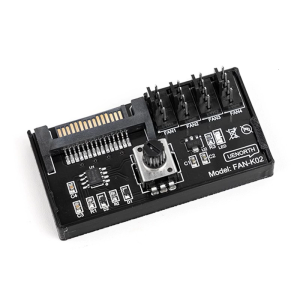
Intelligent PWM Fan Controller for PC Workstations Synchronizes 4 Cooling Fan with Stable RPM Regulation
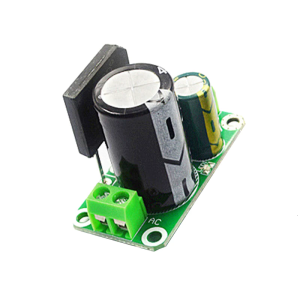
35V 8A Rectifier Board Unregulated Power Supply Module For High Current Amplifiers And Industrial
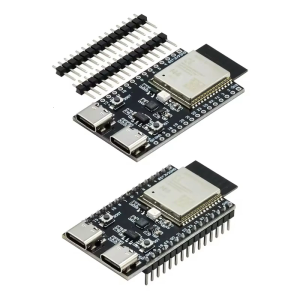
ESP32-C6-N16 Development Board 16MB Flash Demo Board WiFi6 Bluetooth-compatible Double Type C Interfaces Expansion Board
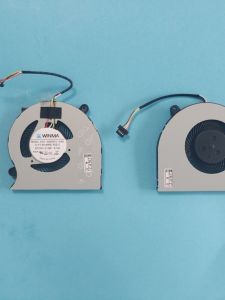
Haier Ling Yue S4 plus S4 S4 X Yi14 One Grid F1 Blue Sky NL4 NL5 Yi15 Fan Notebook Computer Accessory Built-In Fan
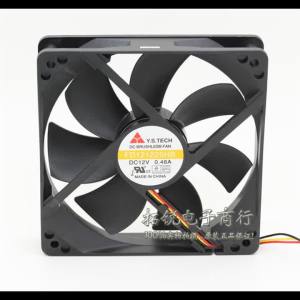
Y.S. Tech FD12125HB 120mm 12025 12V 0.46A Cooling Fan - High Performance Reliable Airflow for PC Servers and Cabinets

AN-5-203R AVR Denyo GenSet Replacement Automatic Voltage Regulator AN 5 203R
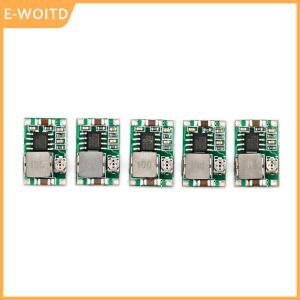
【E-WOITD】 5pcs set Mini 3A DC Adjustable Converter Step Down Power Supply Replace LM2596
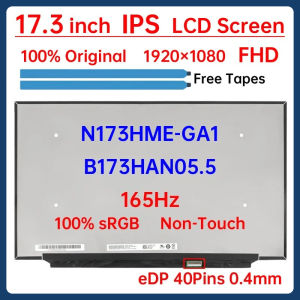
17.3 Inch 165Hz Laptop LCD Screen N173HME-GA1 B173HAN05.5 Display Matrix Panel Replacement 1920x1080 IPS 100% sRGB eDP 40 Pins

【Free USB Hub+Mouse+Laptop Bag】BMAX X15 Laptop brand new original sale lowest price for Student Intel Gemini Lake N4120/N4100 15.6 inch Intel UHD Graphics 600 8GB LPDDR4 RAM 512GB SSD Computer windows10 Notebook
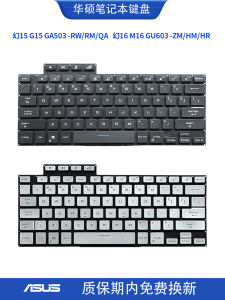
适用华硕 幻15 G15 GA503 RW/RM/QA 幻16 M16 GU603 ZM/HM/HR键盘