


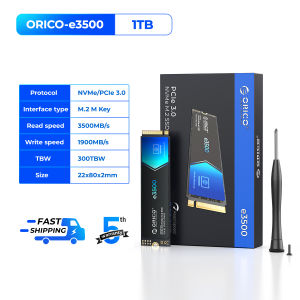
ORICO PCIe3.0 3600MB/s M.2 NVME SSD 256GB 512GB 1TB/2TB/4TB M.2 NVMe SSD Drive Internal Solid State Drive For Laptop PC

ORICO PCIe3.0 3600MB/s M.2 NVME SSD 256GB 512GB 1TB/2TB/4TB M.2 NVMe SSD Drive Internal Solid State Drive For Laptop PC
Orico 1 TB 2 TB 256 GB 4 TB 512 GB DDR5 16GB 256GB SSD DDR5 16GB 512GB SSD

ORICO HOME
Seller ratings 98%
You May Also Like
00:14
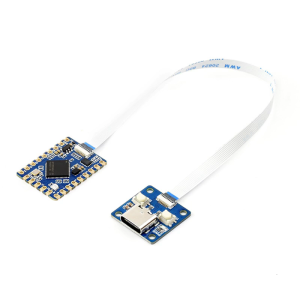
RP2350 Tiny Microcontroller Board With 520KB And 4MB Flashing Development Board For Home Applications
00:14
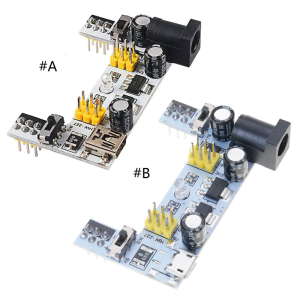
MB102 Breadboard Power Supply Module 2 Way 3.3V 5V MB102 Solderless Bread Board Breadboard Dedicated Power Module
00:25
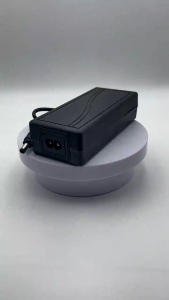
DC 12V US Plug AC/DC Power Adapter 3A/5A/6A/8A Power Cable 1.2m Monitor CCTV Power Supply
00:20
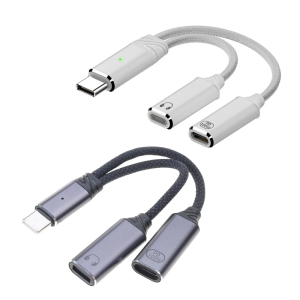
Type C To Type C Headphone Adapter 2 in 1 100W Type C Adapter USB C Sound Adapter Cable For Mobile Phone Tablet

00:18
LED Screen Replacement for Asus Laptops: A Comprehensive Guide
00:14
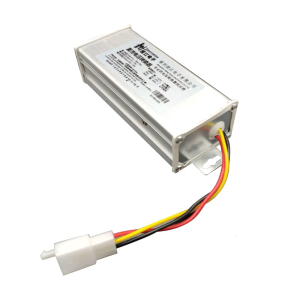
DC-DC 24V-120V to 12V 15A Power Converter Voltage Regulators Step Down Power Module for Car Audio Led Lighting
00:29
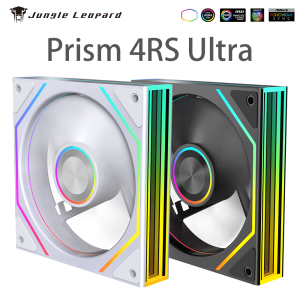
Jungle Leopard Prism 4 RS Ultra Quiet Case Fan 12CM Cooling Desktop Silent ARGB Divine Light Synchronous Unlimited Mirror

01:43
Beelink Dedicated Graphics Card Docking Station Design For GTi14 185H/GTi14 155H/GTi12 12900H
00:43
GD900 Mini Bag Packaging Thermal Paste Grease Thermal Compound Silicone 0.5g For CPU GPU Printer Heat Sink Cooling Cooler
00:13
Dell Laptop: New Original Intel Core i5/i7, 14 Inch, 24GB RAM & 512GB SSD
00:40
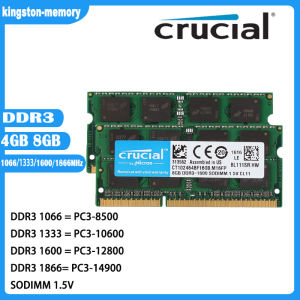
Crucial 8GB & 4GB DDR3 1866Mhz RAM: A Comprehensive Guide\\n\\n What is Crucial DDR3 Laptop RAM?\\n\\nCrucial DDR3 Laptop RAM is a type of Random Access Memory (RAM) designed specifically for laptops and notebooks. This particular RAM module is available in two capacities - 8GB and 4GB - and operates at various speeds including 1866MHz, 1600MHz, 1333MHz, and 1066MHz. It supports PC3-14900, PC3-12800, PC3-10600, and PC3-8500 speed ratings, making it compatible with a wide range of notebook models.\\n\\n Key Features of Crucial DDR3 RAM\\n\\n- **Capacity**: Available in 8GB and 4GB configurations\\n- **Speed**: Supports 1866MHz, 1600MHz, 1333MHz, and 1066MHz speeds\\n- **Voltage**: 1.5V 204pin SO-DIMM memory\\n- **Compatibility**: PC3-14900, PC3-12800, PC3-10600, and PC3-8500 speed ratings\\n\\n Compatibility with Various Notebooks\\n\\nCrucial DDR3 Laptop RAM is compatible with a wide range of notebook models, including those from popular manufacturers like Dell, HP, Lenovo, and Acer. To ensure compatibility with your specific laptop model, refer to the manufacturer's specifications or consult Crucial's compatibility checker.\\n\\n How to Choose the Right Crucial RAM for Your Notebook\\n\\nChoosing the right Crucial DDR3 Laptop RAM for your notebook involves understanding your laptop's RAM requirements and identifying the appropriate speed rating.\\n\\n Understanding PC3-14900 & Other Speed Ratings\\n\\nThe speed ratings of Crucial DDR3 Laptop RAM include PC3-14900, PC3-12800, PC3-10600, and PC3-8500. These ratings represent the theoretical peak transfer rate of the memory module, measured in megabytes per second (MB/s).\\n\\n- **PC3-14900**: 1866MHz speed, 14,900 MB/s transfer rate\\n- **PC3-12800**: 1600MHz speed, 12,800 MB/s transfer rate\\n- **PC3-10600**: 1333MHz speed, 10,600 MB/s transfer rate\\n- **PC3-8500**: 1066MHz speed, 8,500 MB/s transfer rate\\n\\n Identifying Your Laptop's RAM Requirements\\n\\nTo determine the appropriate Crucial DDR3 Laptop RAM for your notebook, consult the manufacturer's specifications or use Crucial's compatibility checker. Consider factors such as the maximum supported capacity, voltage, and speed rating when selecting the right RAM module for your laptop.\\n\\n Installing Crucial DDR3 RAM: A Step-by-Step Guide\\n\\nInstalling Crucial DDR3 Laptop RAM is a straightforward process that involves preparing for installation, inserting the RAM module into your notebook, and verifying installation success.\\n\\n Preparing for Installation\\n\\nBefore installing Crucial DDR3 Laptop RAM, ensure that your laptop is powered off and unplugged from any power sources. Gather necessary tools, such as a screwdriver, and prepare a clean, static-free workspace.\\n\\n Inserting the RAM Module into Your Notebook\\n\\n1. Open your laptop's RAM compartment by removing the screws securing the panel.\\n2. Align the notches on the Crucial DDR3 Laptop RAM module with the slots on your notebook's motherboard.\\n3. Gently press the RAM module into place until it clicks.\\n4. Replace the screws securing the RAM compartment panel.\\n\\n Verifying Installation Success\\n\\nAfter installing Crucial DDR3 Laptop RAM, power on your laptop and enter the BIOS/UEFI settings to verify that the new RAM module is recognized. Check your operating system's system information to confirm that the correct amount of RAM is installed.\\n\\n Maximizing Performance with Crucial DDR3 RAM\\n\\nTo maximize performance with Crucial DDR3 Laptop RAM, optimize your laptop's settings and enhance system stability and speed.\\n\\n Optimizing Your Laptop's Settings\\n\\nAdjust your laptop's power settings, disable unnecessary startup programs, and configure the operating system's virtual memory settings to improve overall performance.\\n\\n Enhancing System Stability & Speed\\n\\nRegularly update your operating system and drivers, defragment your hard drive, and run system maintenance tasks to maintain optimal system stability and speed.\\n\\n Conclusion: Upgrade Your Notebook with Crucial DDR3 RAM\\n\\nUpgrading your notebook with Crucial DDR3 Laptop RAM can significantly enhance performance and stability. By understanding your laptop's RAM requirements, choosing the right Crucial DDR3 Laptop RAM, and following the installation process, you can enjoy faster system speeds and improved overall performance.\"
00:12

















