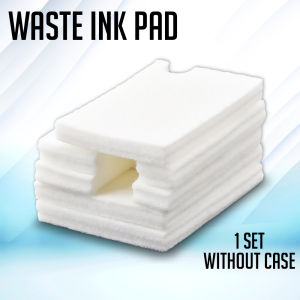
Print Digital Waste Ink Pad Maintenance Box Sponge Pad Set With Shell & Without Shell for Epson Printer
Print Digital Waste Ink Pad Maintenance Box Sponge Pad Set With Shell & Without Shell for Epson Printer
Introduction to Digital Waste Ink Pad Maintenance Box
A digital waste ink pad maintenance box is a crucial component for maintaining the print quality of your Epson printer. This maintenance box consists of a sponge pad that absorbs excess ink and prevents clogging, which can lead to poor print quality. The maintenance box comes in two options: shell and non-shell. Both options are effective in maintaining print quality, but they differ in terms of ease of installation and durability.
What is a Digital Waste Ink Pad Maintenance Box?
A digital waste ink pad maintenance box is a device that attaches to your Epson printer's print head. It helps absorb excess ink and prevent clogging, which can cause poor print quality. The maintenance box consists of a sponge pad that absorbs excess ink and prevents clogging.
Shell & Non-Shell Options: A Brief Overview
The maintenance box comes in two options: shell and non-shell. The shell option is enclosed in a protective case, which makes it easier to install and provides better protection against damage. The non-shell option does not have a protective case, which makes it slightly more difficult to install, but it is still effective in maintaining print quality.
How to Choose the Right Digital Waste Ink Pad Maintenance Box
When choosing the right digital waste ink pad maintenance box, there are several key considerations to keep in mind.
Key Considerations for Selecting the Right Maintenance Box
- Compatibility: Make sure the maintenance box is compatible with your Epson printer model.
- Ease of installation: Consider the ease of installation when choosing between shell and non-shell options.
- Durability: Consider the durability of the maintenance box, especially if you plan to use it frequently.
- Price: Compare prices to find the best value for your budget.
Comparing Shell & Non-Shell Options
| Option | Pros | Cons | | --- | --- | --- | | Shell | Easier to install, better protection against damage | Slightly more expensive | | Non-shell | Slightly cheaper | Slightly more difficult to install |
Epson Printer Ink Pad Maintenance: Best Practices
Maintaining your Epson printer's ink pad is crucial for ensuring optimal print quality. Here are some best practices for maintaining your ink pad.
Regular Cleaning and Replacement
It is recommended to clean your ink pad regularly to prevent clogging and maintain optimal print quality. Replace the ink pad every 6 months or when you notice a decline in print quality.
Troubleshooting Common Issues
If you experience issues with your Epson printer, such as poor print quality or clogging, try cleaning the ink pad or replacing it with a new one.
Tips for Maintaining Print Quality
- Clean the ink pad regularly to prevent clogging.
- Replace the ink pad every 6 months or when you notice a decline in print quality.
- Follow the manufacturer's instructions for cleaning and replacing the ink pad.
Enhancing Print Quality with a Digital Waste Ink Pad Maintenance Box
A digital waste ink pad maintenance box can significantly enhance the print quality of your Epson printer.
Improving Print Quality with a Maintenance Box
By absorbing excess ink and preventing clogging, a maintenance box can help maintain optimal print quality.
Choosing the Right Sponge Pad for Your Printer
Choose a sponge pad that is compatible with your Epson printer model and has a high absorbency rate.
Maximizing the Benefits of a Digital Waste Ink Pad Maintenance Box
Regularly clean and replace the ink pad to maximize the benefits of a maintenance box. Follow the manufacturer's instructions for cleaning and replacing the ink pad.

Print Digital PH
You May Also Like
Card punching machine Face recognition scanner Attendance machine with password Biometric fingerprint absenteeism machine Commuting recorder
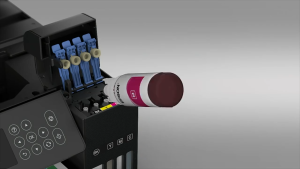
Epson Original 003 Ink Black Cyan Magenta Yellow for L1110/L3110/L3116/L3150/L3156/L5190/L5196/L1210/L3210/L3216/L3250/L3256/L3260/L5290
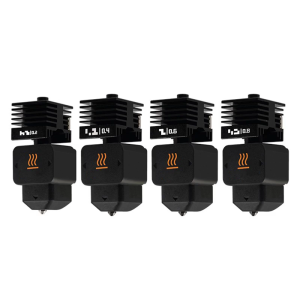
Detachable Nozzle Hotend High Temperatured 0.2/0.4/0.6/0.8mm Steel Nozzles Brass Heater Block For Mini 3D Printer
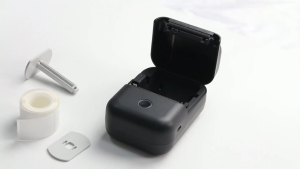
YiHero YP10S Mini Label Printer: Portable & Bluetooth Wireless Thermal Sticker Printer

Brother BTD60BK & BT6000BK Ink Bottle Set: Compatible Inks for T-Series Printers

LIOTOG M1 Mini Laber Thermal Printer for Student 1200mAh Rechargeable Bluetooth Receipt Printer with Free 1 Rolls Thermal Paper
GTCODESTAR GT-8801D Supermarket Price Checker Scanner Auto Scan Omnidirectional Barcode Scanner Desktop Qr Code Reader 2D Barcode Scanner
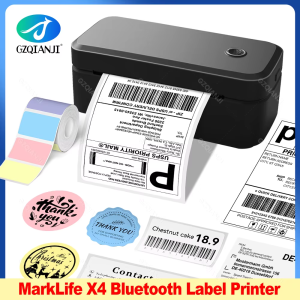
4inch 110mm Marklife X4 Bluetooth Thermal Label Printer Wireless Shipping Express Maker Compatible with iPhone Android Windows
High-Quality HP 965 Ink Cartridge Alternatives for HP Officejet Pro Printers
ZONESUN ZS-QA24 Semi-automatic Intelligent Batch Production Date Coding Machine For Labeling Machine
Brother DCP-L2540DW Mono Laser Multi-function Printer