ANBIUX 4K 8MP PTZ WIFI Camera: Features & Setup
ANBIUX 4K 8MP PTZ WIFI Camera: Features & Setup
What is ANBIUX 4K 8MP PTZ WIFI Camera?
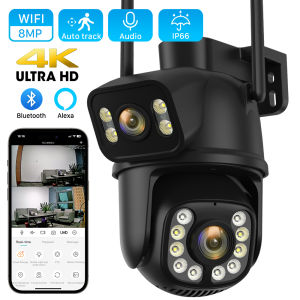
The ANBIUX 4K 8MP PTZ WIFI Camera is a state-of-the-art surveillance camera designed for optimal performance and ease of use. This Onvif CCTV Camera boasts a range of features that make it stand out from the competition, including its 4K PTZ WiFi capability, 4X Digital Zoom Surveillance, Dual Lens Auto Tracking, and 8MP Outdoor IP Camera functionality.
Introduction to Onvif CCTV Camera
Onvif stands for Open Network Video Interface Forum, which is an international standard for video surveillance products. ANBIUX 4K 8MP PTZ WIFI Camera complies with this standard, making it compatible with a wide range of devices and software.
Key Features: 4K PTZ WiFi Camera & 4X Digital Zoom Surveillance
One of the standout features of the ANBIUX 4K 8MP PTZ WIFI Camera is its 4K resolution, which provides crystal-clear images and videos. The camera also has a 4X Digital Zoom Surveillance capability, allowing users to zoom in on specific areas without losing image quality.
Dual Lens Auto Tracking & 8MP Outdoor IP Camera
The camera's dual lens auto tracking feature ensures that it can automatically track moving objects, making it ideal for monitoring large areas. Additionally, the 8MP Outdoor IP Camera functionality ensures that the camera can withstand harsh weather conditions and provide reliable surveillance even in challenging environments.
Setting Up Your ANBIUX Camera
Setting up your ANBIUX 4K 8MP PTZ WIFI Camera is easy and straightforward. Follow these steps to get started:
Connecting the Camera to Wi-Fi
- Power on the camera by connecting it to a power source.
- Connect your smartphone or computer to the camera's Wi-Fi network.
- Open the ANBIUX app and follow the on-screen instructions to connect the camera to your Wi-Fi network.
Configuring the Camera Settings
Once the camera is connected to your Wi-Fi network, you can configure its settings to suit your needs. Here are some settings you may want to adjust:
- Resolution: Choose the desired resolution (4K, 1080p, or 720p).
- Field of view: Adjust the camera's field of view to cover the desired area.
- Motion detection: Enable motion detection to receive alerts when the camera detects movement.
Setting Up Dual Screen Auto Tracking
To set up dual screen auto tracking, follow these steps:
- Enable the auto tracking feature in the camera settings.
- Choose the desired tracking mode (single target or multiple targets).
- Adjust the sensitivity settings to ensure accurate tracking.
Maximizing Your ANBIUX Camera Experience
To get the most out of your ANBIUX 4K 8MP PTZ WIFI Camera, here are some tips and tricks:
Tips for Optimal Performance
- Position the camera at a height and angle that allows it to cover the desired area.
- Ensure that the camera has a clear view of the area being monitored.
- Adjust the camera's settings to suit your needs.
Troubleshooting Common Issues
If you encounter any issues with your ANBIUX 4K 8MP PTZ WIFI Camera, here are some troubleshooting tips:
- Check the camera's Wi-Fi connection.
- Reset the camera to its default settings.
- Update the camera's firmware.
Expanding Your Surveillance System
To expand your surveillance system, consider adding additional ANBIUX cameras or integrating the camera with other Onvif CCTV Cameras. This will allow you to monitor multiple areas simultaneously and increase the overall security of your property.

Global Merch Park
Review

You May Also Like
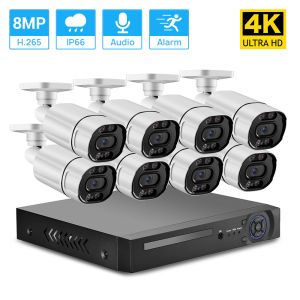
Hamrol 8CH 4K Ultra HD 8MP H.265 POE NVR Kit Color Night Vision CCTV Security Camera System Outdoor Video Surveillance Camera Set
Techvortex 12MP CCTV Camera Wireless WiFi Camera 3-Lens 3-Screen IP Camera Automatic Tracking Alarm 360 Intelligent Night Vision Bidirectional Communication 10x Zoom Outdoor CCTV WiFi Security Camera IPC 360 HOME
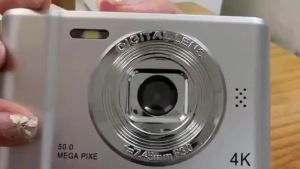
4K 50MP Digital Camera Portable HD Camera Photography Selfie Autofocus Flash take vedio Mini Pocket

TP-Link VIGI C540V VIGI 4MP Outdoor Full-Color Dual- Varifocal Pan Tilt Network Camera
LIOTOG Z9 Kid Mini Digital Photo Camera Instant Print Camera Video Record for Kid Birthday Gift Toys
1080P HD Security Body Camera Infrared Body Cam Night Vision Camera Recorder
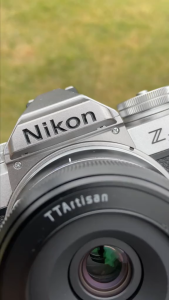
TTArtisan 27mm f/2.8 AF Autofocus APS-C Format Nikon Z Mount Portrait Pancake Prime Lens with STM Stepping AF Motor 13.8" Focusing Distance and USB-C Port Firmware Upgrade for Smooth Bokeh Landscape Scenic Photography | JG Superstore
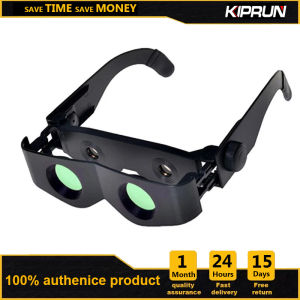
KIPRUN Adjustable Focus Glasses: Wearable Binoculars & Magnifier Glasses for Fishing, Bird Watching & More
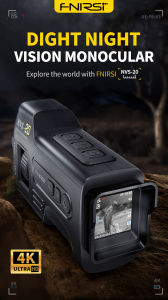
FNIRSI NVS-20 4K High Definition Night Vision Device with Infrared 6x Digital Zoom
Waterproof Outdoor escope Binoculars 30X60 Binocular Night Vision escope High Power
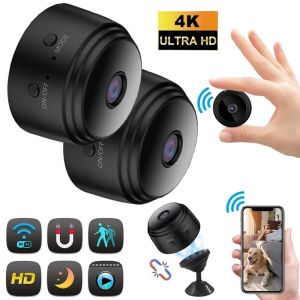
A9 Mini IP Camera HD 1080P Remote Wireless Voice Recorder Video Camcorder Day Night Home Security Surveillance WiFi Camera