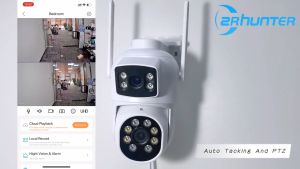
Camera Wifi 5MP SH052 Srihome Wireless PTZ IP AI Auto Tracking CCTV Sound&Light Alarm Starlight Color Night Vision Outdoor
Camera Wifi 5MP SH052 Srihome Wireless PTZ IP AI Auto Tracking CCTV Sound&Light Alarm Starlight Color Night Vision Outdoor
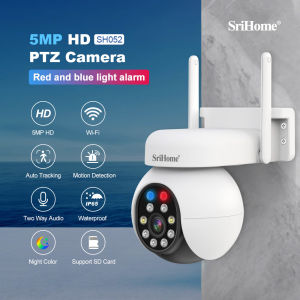
Camera Wifi 5MP SH052 Srihome is a versatile and high-quality wireless PTZ IP camera designed to provide comprehensive security solutions for both indoor and outdoor environments. This article aims to provide a comprehensive guide to understanding its features, installation process, and troubleshooting common issues.
What is Camera Wifi 5MP SH052 Srihome?
The Camera Wifi 5MP SH052 Srihome is a state-of-the-art wireless PTZ IP camera that offers exceptional image quality, advanced AI auto tracking capabilities, and reliable sound&light alarm functionality. With its starlight color night vision feature, this camera can provide clear visuals even in low-light conditions.
Key Features
- Wireless PTZ IP Camera: The camera can pan, tilt, and zoom remotely, providing a wide range of coverage.
- AI Auto Tracking CCTV: Advanced AI algorithms allow the camera to automatically track moving objects.
- Camera Wifi 5MP: With a 5-megapixel sensor, the camera delivers crisp and clear images.
- Starlight Color Night Vision: The camera's night vision feature allows it to capture color images even in low-light conditions.
- Sound&Light Alarm Functionality: The camera can emit sound and light alarms to deter potential intruders.
Benefits of Using This Camera
- Enhanced Security: The camera's advanced features provide comprehensive security solutions for both indoor and outdoor environments.
- Easy Installation: The wireless design allows for quick and hassle-free installation.
- Remote Monitoring: Users can monitor their property remotely using a smartphone app.
- Energy Efficiency: The camera's low power consumption makes it an eco-friendly choice.
How to Install and Set Up Camera Wifi 5MP SH052 Srihome
Step-by-Step Installation Process
- Unpack the camera and accessories.
- Mount the camera in a suitable location.
- Connect the power supply.
- Download the Srihome app on your smartphone.
- Follow the app's instructions to connect the camera to your Wi-Fi network.
Connecting to Wi-Fi Network
Once the camera is mounted and powered on, open the Srihome app and follow the on-screen instructions to connect the camera to your Wi-Fi network. The app will guide you through the process, ensuring a seamless connection.
Maximizing the Features of Camera Wifi 5MP SH052 Srihome
Utilizing AI Auto Tracking CCTV
The AI auto tracking feature allows the camera to automatically track moving objects within its field of view. To enable this feature, go to the camera settings in the Srihome app and turn on the AI auto tracking option.
Exploring Starlight Color Night Vision
The starlight color night vision feature allows the camera to capture color images even in low-light conditions. To enable this feature, go to the camera settings in the Srihome app and select the appropriate night vision mode.
Sound&Light Alarm Functionality
The sound&light alarm functionality can be activated through the Srihome app. To enable this feature, go to the camera settings and turn on the sound&light alarm option. When triggered, the camera will emit sound and light alarms to deter potential intruders.
Troubleshooting Common Issues
Connectivity Problems
If you experience connectivity issues, try resetting the camera and reconnecting it to your Wi-Fi network. If the problem persists, check your router settings and ensure that the camera is within range of the Wi-Fi signal.
Image Quality Concerns
If you notice poor image quality, try adjusting the camera's settings in the Srihome app. You can also check the camera's firmware for updates and install them if available.
Sound&Light Alarm Malfunctions
If the sound&light alarm functionality is not working properly, try resetting the camera and re-enabling the feature through the Srihome app. If the problem persists, contact customer support for further assistance.

Global Merch Park
You May Also Like
【New】DJI A21 Pro Avata 2 - Camera Drones | Immersive Flight Experience | Intuitive Motion Control | Easy ACRO
Tuya Smart Life APP 3MP WiFi Battery Solar Auto Motion Tracking PIR Surveillance Security Outdoor PTZ Color Night Vision Camera
Dome CCTV Virtual Security Camera Fake Monitor with Infrared Flash
AN/PVS31 Dual-Tube Binocular Night Vision Goggles Dummy Props Airsoft Helmet Accessories Model for Tactical Hunting Cosplay
TP-Link Tapo C222 2K 4MP QHD Pan/Tilt AI Home Security Wi-Fi Camera Night Vision | Two-Way Audio
Xiaomi CCTV Camera Connect Cellphone V380 Pro Buy 1 Take 1 IP Security Cameras CCTV With Audio and Speaker 360 ° Panoramic Automatic tracking Indoor Outdoor IP66 Waterproof Wireless WiFi HD Night Vision Samsung Smart CCTV Security Cameras
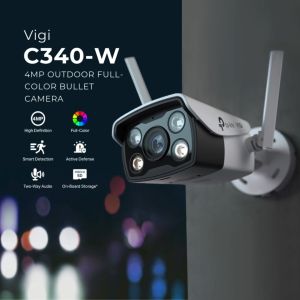
TP-Link Official | VIGI C340-W | 4MP Outdoor Home Security Network CCTV Camera Connect to Cellphone
Binoculars 30x60 Folding Telescope Night Vision Ultra HD Extra Long Distance 1000m Bird Watching Travelling Hunting Camping

Rover Systems 15U Wall Mount CCTV Camera Data Server RackCabinet 600mm*600mm Endura
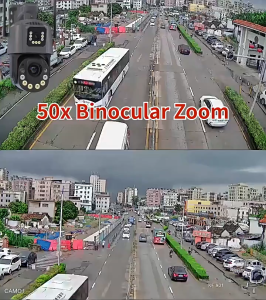
optical zoom wireless wifi CCTV outdoor camera 360 4K 8MP two-way call full color night vision automatic tracking alarm IP66 waterproof
![[Fast delivery] Pen Hidden Camera HD 1080P Audio Vodeo Recorder Mini Body camera](https://img.lazcdn.com/g/ff/kf/S7d93396aeec74d8d853e220ffb5d7709K.jpg_300x300q80.jpg)
[Fast delivery] Pen Hidden Camera HD 1080P Audio Vodeo Recorder Mini Body camera