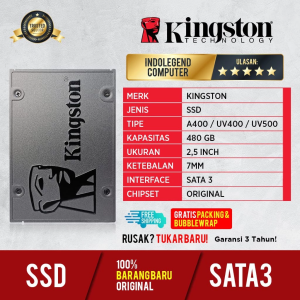
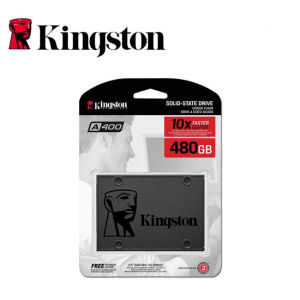
Kingston A400 SSD 480GB SATA3 2.5inch Internal Solid State Drive For Desktop laptop
Kingston A400 SSD 480GB SATA3 2.5inch Internal Solid State Drive For Desktop laptop
Introduction to Kingston A400 SSD 480GB
The Kingston A400 SSD 480GB is a compact internal storage solution designed for desktops and laptops, offering high performance and efficiency. With its SATA3 2.5inch interface, this solid state drive delivers reliable and fast data transfer speeds, making it an ideal choice for users who want to enhance their system's overall speed and efficiency.
Key Features of Kingston A400 SSD 480GB
- SATA3 2.5inch Internal SSD interface
- 480GB storage capacity
- Compact design for desktops and laptops
- High performance and efficiency
Compatibility with SATA3 2.5inch Internal SSD
The Kingston A400 SSD 480GB is compatible with most desktops and laptops that support SATA3 2.5inch internal solid state drives. Its compact size makes it easy to install and integrate into existing systems, ensuring seamless compatibility and performance.
High Performance SSD for Desktop & Laptop
Enhancing System Speed & Efficiency
By replacing your old hard drive with the Kingston A400 SSD 480GB, you can significantly improve your system's overall speed and efficiency. The solid state drive's fast read and write speeds enable faster boot times, quicker application launches, and smoother multitasking, making it perfect for power users and professionals who demand top-notch performance.
Boosting Gaming & Multimedia Experience
For gamers and multimedia enthusiasts, the Kingston A400 SSD 480GB offers unparalleled performance and responsiveness. With its high-speed data transfer capabilities, you can enjoy faster load times, reduced lag, and smoother gameplay, ensuring an immersive gaming experience. Additionally, the solid state drive's compact size and low power consumption make it ideal for laptops, allowing you to take your gaming and multimedia experience on the go.
Installation & Setup Guide
How to Install Kingston A400 SSD 480GB
Installing the Kingston A400 SSD 480GB is a straightforward process. First, ensure your system is powered off and unplugged. Next, open the case and locate the SATA3 port and data cable. Connect the SSD to the SATA3 port and data cable, then secure it in place using screws or clips. Finally, close the case, reconnect the power supply, and turn on your system.
Configuring SATA3 2.5inch Internal SSD
Once installed, you may need to configure your system's BIOS settings to recognize the new SSD. Enter the BIOS by pressing the designated key during startup, typically F2, F12, or Del. Navigate to the storage or boot options and ensure the Kingston A400 SSD 480GB is set as the primary boot device. Save the changes and exit the BIOS.
Comparison with Other High Performance SSDs
Kingston A400 SSD 480GB vs Competitors
When compared to other high-performance SSDs, the Kingston A400 SSD 480GB stands out for its excellent value for money, reliability, and compatibility. While some competitors may offer higher read and write speeds, the Kingston A400 SSD 480GB provides a well-balanced combination of performance, durability, and affordability, making it an attractive option for a wide range of users.
Value for Money: Kingston A400 SSD 480GB
Considering its high performance, reliability, and compatibility, the Kingston A400 SSD 480GB offers excellent value for money. Its compact size, fast data transfer speeds, and low power consumption make it an ideal choice for desktops and laptops, ensuring a smooth and efficient computing experience.
Conclusion & Final Thoughts
In conclusion, the Kingston A400 SSD 480GB is a top-notch solid state drive that delivers high performance, efficiency, and reliability. With its SATA3 2.5inch interface, compact design, and excellent value for money, this SSD is perfect for desktops and laptops, enhancing system speed and efficiency while providing a seamless gaming and multimedia experience.

EnterDigital
Review
You May Also Like

LPO Laptop LCD Screen 14.0 inches 30 Pins HD+ 1600 x 900 Slim Type Top and Bottom Bracket B140RTN03.0

COMPUTER SET 1 DELL SFF I5-3RD GEN 8GB 256GB SSD
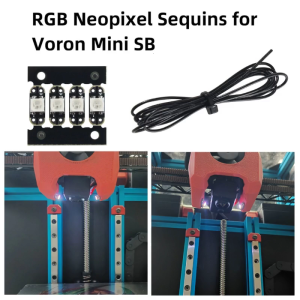
Sequins Board with 1M 26AWG wire and RGB LED WS2812 3535 Bright For Voron Mini SB Extruder
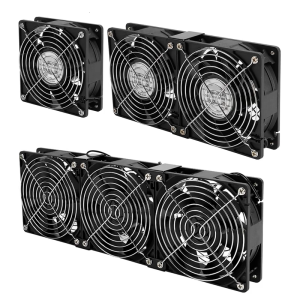
12038 AC Axial Fan 100V 240V Universal Voltage High CFM Cooling For Computer Case Electronics Ventilation

V380 12V 1.5A Uninterruptible Power Supply Mini UPS Battery Backup for TV Monitor WiFi Router Modem
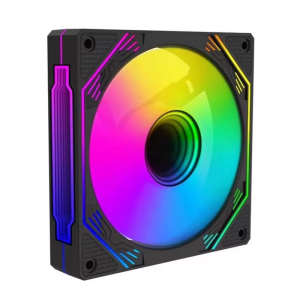
ARGB Infinitys Mirror 120mm Computer Case Fan High Performances Cooling PWM Adjustable Speed 600-1500RPM
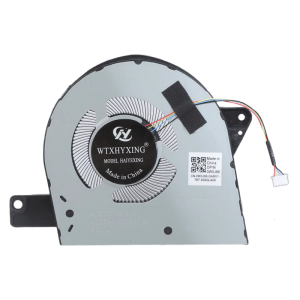
Replacement CPU Cooling Fan For Latitude 5580 E5580 C5F86 EG50060S1-C330-S9A DC28000IZSL DFS541105FC0T DC5V 0.5A
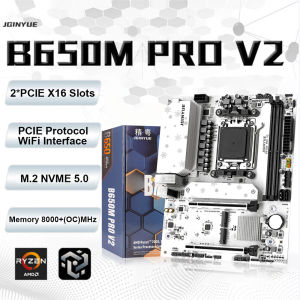
B650M PRO V2 AM5 DDR5 Computer Gaming Motherboard M.2 NVME 5.0 M-ATX supports Ryzen 7000-9000 Series Desktop PC ARGB
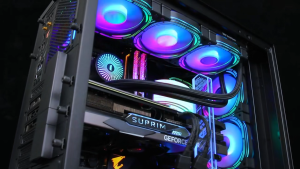
DarkFlash Infinity 24 ARGB 3in1 ARGB with Controller Remote Cooling Fan
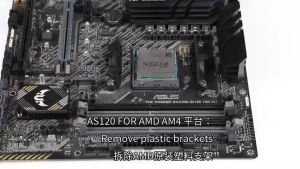
Thermalright Assassin Spirit 120 Vision ARGB Air Cooler
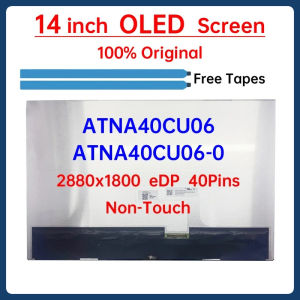
14 Inch Laptop LCD OLED Screen ATNA40CU06 ATNA40CU06-0 Display Matrix Panel Replacement 2880x1800 eDP 40 Pins Non-Touch