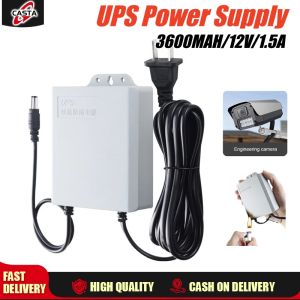
V380 12V 1.5A Uninterruptible Power Supply Mini UPS Battery Backup for TV Monitor WiFi Router Modem
V380 12V 1.5A Uninterruptible Power Supply Mini UPS Battery Backup for TV Monitor WiFi Router Modem
Understanding the V380 Mini UPS
The V380 12V 1.5A mini battery backup is a versatile solution that provides uninterrupted power supply to your TV monitor, WiFi router, modem, and other essential devices. This article will guide you through the key features, benefits, installation process, troubleshooting common issues, and provide a conclusion about the V380 mini UPS.
Key Features
-
Compact Design: The V380 mini UPS is small enough to fit anywhere, making it perfect for home or office use. It measures just 3.5 x 2.5 x 1.5 inches, so it won't take up much space on your desk or entertainment center.
-
High Capacity: With a 12V 1.5A output, the V380 mini UPS provides enough power to keep your devices running during short power outages. It has a built-in 12V 7Ah sealed lead-acid battery that can provide up to 4 hours of runtime.
-
Wide Compatibility: The V380 mini UPS is compatible with a wide range of devices, including TV monitors, WiFi routers, modems, and other low-power devices. It has two DC outputs and one AC output, allowing you to connect multiple devices simultaneously.
-
Intelligent Protection: The V380 mini UPS features overcharge, over-discharge, and short-circuit protection to ensure the safety of your devices and the battery. It also has a low-battery alarm to alert you when the battery is running low.
Benefits of V380 Mini UPS
-
Reliable Power Supply: The V380 mini UPS ensures uninterrupted power supply to your devices, preventing data loss and damage caused by sudden power outages.
-
Cost-Effective: By providing a reliable power source, the V380 mini UPS can help you avoid the cost of replacing damaged devices caused by power surges or outages.
-
Easy Installation: The V380 mini UPS is easy to install and requires minimal setup. It comes with all the necessary cables and connectors, making it simple to connect to your devices.
How to Install the V380 Mini UPS
Connecting the V380 Mini UPS to TV Monitor
To connect the V380 mini UPS to your TV monitor, follow these steps:
- Connect the DC output cable to the appropriate port on the V380 mini UPS.
- Connect the other end of the cable to the power input port on your TV monitor.
- Plug the AC input cable into the wall socket and the V380 mini UPS.
Connecting the V380 Mini UPS to WiFi Router & Modem
To connect the V380 mini UPS to your WiFi router and modem, follow these steps:
- Connect the DC output cables to the appropriate ports on the V380 mini UPS.
- Connect the other ends of the cables to the power input ports on your WiFi router and modem.
- Plug the AC input cable into the wall socket and the V380 mini UPS.
Troubleshooting Common Issues
Power Supply Problems
If your devices are not receiving power from the V380 mini UPS, check the following:
- Ensure that the AC input cable is properly connected to the wall socket and the V380 mini UPS.
- Check that the DC output cables are securely connected to both the V380 mini UPS and your devices.
- Verify that the battery is charged and functioning correctly.
Connectivity Issues
If you're experiencing connectivity issues with your WiFi router or modem, check the following:
- Ensure that the WiFi router and modem are properly connected to the V380 mini UPS.
- Check that the WiFi router and modem are powered on and functioning correctly.
- Verify that the network settings are configured correctly.
Conclusion
The V380 12V 1.5A mini battery backup is a reliable solution for providing uninterrupted power supply to your TV monitor, WiFi router, modem, and other essential devices. With its compact design, high capacity, wide compatibility, and intelligent protection features, the V380 mini UPS is a cost-effective and easy-to-install option for protecting your devices from power surges and outages. By following the installation and troubleshooting steps outlined in this article, you can ensure that your devices receive the power they need to function properly and avoid costly damage caused by sudden power outages.

Surima Store
You May Also Like
MAXSUN Terminator B650M WIFI ICE AMD B650 Supports DDR5 4800/5200/OC+Mhz 192GB AMD Ryzen 7000 8000 Series motherboard Socket AM5
TOSHIBA DTB410-1TB Hard Drive
High Compatibility eDP LCD Driver Board 10-17.3Inch Screens TYPE C Quick Installation Multi Language and Resolution
Vktech 12cm 4 Pin High Speed Desktop Air Compressor for PC Case Cooling and Radiator with Large Airflow
Outlet And Play Link Board Converts 2.54mm To 2.00mm Pin Spacing Consistent Multiple Programming Devices
YUYIN4 1 Piece Cooling Fan 2wire 30x30x7mm 3007 30mm Fan DC 5V 12V 24V 3D Printer Fan Graphics Card Fan DIY Accessories
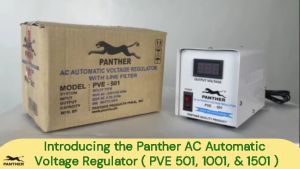
Panther PVE 1001 AVR Relay Type 220V AC Output Automatic Voltage Regulator / Voltage Stabilizer Proudly Philippine Made Power Stabilizer Panther Tank - Lazada
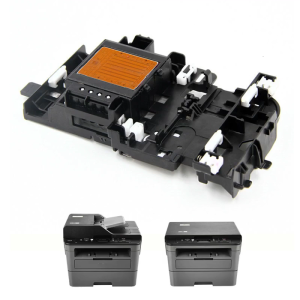
High Speed Printhead Printer Print Head for Brother DCP J105 J200 J25 J152W J132W J152 J205 T300 Printer Spare Parts Kit
![[🇵🇭 24h Delivery] Dollyy Desktop RAM DDR2 DDR3 2GB 800MHz 1333MHz PC Memory Laptop DIMM Memory For AMD intel 8gb 4gb](https://img.lazcdn.com/g/ff/kf/S7a4393b4d3f1411dbe65ace83cf2e8a6Z.jpg_300x300q80.jpg)
[🇵🇭 24h Delivery] Dollyy Desktop RAM DDR2 DDR3 2GB 800MHz 1333MHz PC Memory Laptop DIMM Memory For AMD intel 8gb 4gb
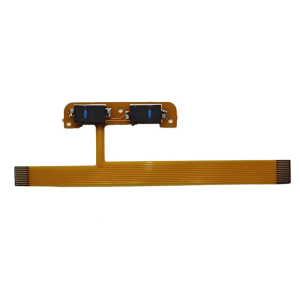
Mouse Side Button Flexible Cable for V3Pro Mouse Motherboards Circuit Board Line Wire Repair Parts
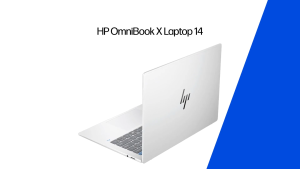
HP Omnibook X Laptop 14 inch Qualcomm Snapdragon 8/12 Core Adreno GPU 2 year wrty FREE MS OFFICE