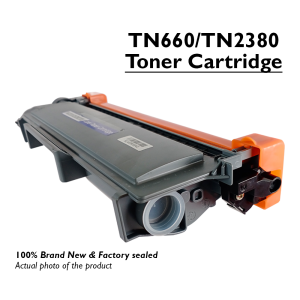
Compatible Toner Cartridge TN2380 Drum unit Dr2355 for Brother DCP-2540 Series
Compatible Toner Cartridge TN2380 Drum unit Dr2355 for Brother DCP-2540 Series
Understanding the Brother DCP-2540 Series Printer Toner
What is a Compatible Toner Cartridge?
A compatible toner cartridge, such as the TN2380 for the Brother DCP-2540 series, is designed to be used in place of the original manufacturer's cartridge. These cartridges offer a cost-effective alternative while maintaining print quality and performance.
Identifying the Right Toner Cartridge for Your Printer
To ensure compatibility, it's crucial to identify the correct toner cartridge for your Brother DCP-2540 series printer. In this case, the TN2380 drum unit and Dr2355 toner cartridge are specifically designed for optimal performance with your printer model.
Benefits of Choosing Compatible Toner Cartridges
Choosing a compatible toner cartridge, like the TN2380 drum unit and Dr2355 toner cartridge, offers several advantages, including:
- Cost savings: Compatible cartridges often come at a lower price point compared to original manufacturer's cartridges.
- High-quality prints: With proper selection and installation, compatible cartridges can produce prints comparable in quality to those from original cartridges.
- Extended printer life: By using high-quality compatible cartridges, you can help extend the lifespan of your Brother DCP-2540 series printer.
TN2380 Drum Unit Replacement: A Comprehensive Guide
Steps to Replace the TN2380 Drum Unit
Replacing the TN2380 drum unit is a straightforward process. Follow these steps:
- Turn off your Brother DCP-2540 series printer and unplug it from the power source.
- Open the front cover of the printer and remove the depleted TN2380 drum unit.
- Insert the new TN2380 drum unit into the printer, following the manufacturer's instructions.
- Close the front cover of the printer and reconnect the power source.
Common Issues & Troubleshooting Tips
Some common issues associated with the TN2380 drum unit include:
- Print quality degradation: If you notice a decline in print quality, it may be time to replace the drum unit.
- Paper jams: Ensure that the drum unit is properly installed and aligned to prevent paper jams.
- Error messages: Consult the printer's user manual for troubleshooting tips related to error messages.
Maintaining Optimal Printer Performance
To maintain optimal performance of your Brother DCP-2540 series printer, follow these tips:
- Regularly clean the printer's exterior and interior components.
- Replace the TN2380 drum unit and Dr2355 toner cartridge as needed.
- Keep the printer software and firmware up to date.
Maximizing Your Investment with Brother Printer Toner Accessories
Essential Accessories for Your Brother Printer
To enhance the functionality and efficiency of your Brother DCP-2540 series printer, consider investing in these accessories:
- Extra TN2380 drum units and Dr2355 toner cartridges: Having spare cartridges on hand can minimize downtime and ensure consistent print quality.
- Printer maintenance kit: Regular cleaning and maintenance can help extend the life of your printer.
- Printer stand or cover: Protect your investment with a sturdy stand or protective cover.
Cost-Effective Solutions for Your Printing Needs
Maximize your investment in the Brother DCP-2540 series printer by exploring cost-effective solutions such as:
- Compatible toner cartridges: Save money on printing costs without sacrificing print quality.
- Bulk purchasing: Buying compatible toner cartridges in bulk can lead to additional savings.
- Refill kits: Extend the life of your toner cartridges with refill kits, reducing waste and saving money.
Extending the Life of Your Printer with Quality Toner Cartridges
By choosing high-quality compatible toner cartridges, like the TN2380 drum unit and Dr2355 toner cartridge, you can help extend the lifespan of your Brother DCP-2540 series printer. Regular maintenance, timely cartridge replacements, and investing in essential accessories will ensure your printer continues to perform optimally for years to come.

Mesa Center
Review

You May Also Like
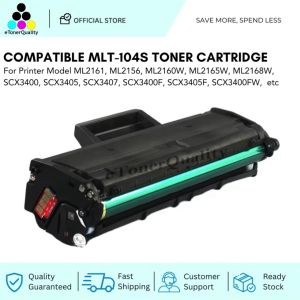
ETQ Compatible Toner Cartridge for Samsung Xpress SCX-3400 SCX-3401 F FH FW SCX-3405 SCX-3407
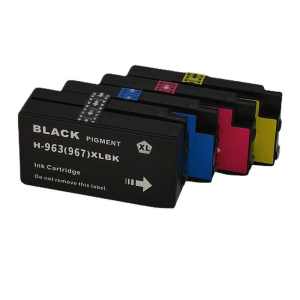
For HP 963 963XL Combo Ink Cartridge for OfficeJet Pro 9010 9010e 9012 9012e 9014 9014e 9020 9025 9022
Replacement Set Epson L360 T664 L350 L358 L380 Maintenance Box Waste Ink Tank Sponge Pad Absorber
Metal 3D Printer Hotend 0.4mm Nozzle Set 300℃ High Temperature Block for Ender 3 KE Various Filaments
Original Zebra Ribbon Cartridge Printing Consumables 800300-301CN/250CN /252CN/250DW/250TW YMCKO Color Ribbon Printing Supplies For PVC Card Printer Zebra ZC100/300 Printing Supplies
Quaff Photo Top Cold Laminating Film Glossy
Genuine Original Brother Ink LC3617 Black or Colored
Modulars V Slot Rollers Assembly V Gantry Plate for 2020V slot Aluminum Profile in DIY 3D Printing Automation Projects
T664 664 Compatible Epson Ink Dye Ink Refill Ink Continues Ink for Epson L120 L360 - 70ml
![Canon Selphy KP-108IN Color Ink Paper Set ORIGINAL [3pcs Ink Set + 108 Sheets 4\\\" x 6\\\" Photo Paper]](https://img.lazcdn.com/g/ff/kf/S52efc812350b4be595f3c46e50eab355J.jpg_300x300q80.jpg)
Canon Selphy KP-108IN Color Ink Paper Set ORIGINAL [3pcs Ink Set + 108 Sheets 4\\\" x 6\\\" Photo Paper]
4G POS PDA Terminal Android 10 with Keyboard Barcode 1D 2D Scanner 6602 Industrial PDA NFC GPS WiFi Bluetooth for Warehouse Scan