2-Bay SATA HDD Docking Station: A Comprehensive Guide
2-Bay SATA HDD Docking Station: A Comprehensive Guide
What is a 2-Bay SATA HDD Docking Station?
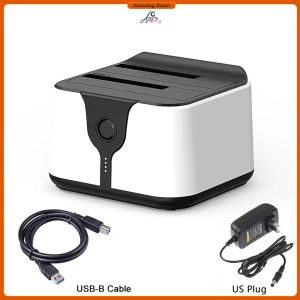
A 2-bay SATA HDD docking station is a versatile storage solution that enables users to connect two hard drives simultaneously, providing easy access to data stored on them. This docking station supports both 3.5" and 2.5" storage enclosures, offering flexibility in managing various types of hard drives and solid-state drives (SSDs).
Key Features & Benefits
- Dual Bay Support: Connect two hard drives at once, streamlining data transfer and backup processes.
- Compatibility: Supports both 3.5" and 2.5" storage enclosures, making it suitable for a wide range of drives.
- SATA Storage Solution: Utilizes SATA interface, ensuring reliable and fast data transfer.
- USB3.0 Connectivity: Offers high-speed data transfer rates, enhancing overall performance.
Types of 2-Bay SATA HDD Docking Stations
There are two primary types of 2-bay SATA HDD docking stations:
- External Enclosure: A standalone unit that houses two hard drives and connects to a computer via USB3.0.
- Internal Docking Station: A device that attaches to a computer's motherboard, allowing two hard drives to be connected internally.
How to Choose the Right 2-Bay SATA HDD Docking Station
Selecting the appropriate 2-bay SATA HDD docking station depends on several factors:
Factors to Consider
- Compatibility: Ensure the docking station supports both 3.5" and 2.5" storage enclosures.
- Connectivity: Look for USB3.0 connectivity to ensure fast data transfer rates.
- Capacity: Consider the maximum storage capacity supported by the docking station.
- Durability: Opt for a durable design to protect your hard drives during transportation.
Popular Brands & Models
Some popular brands and models of 2-bay SATA HDD docking stations include:
- Sabrent 2-Bay SATA Docking Station: A reliable and affordable option with USB3.0 connectivity.
- StarTech 2-Bay SATA Docking Station: A high-performance solution with support for up to 2TB drives.
- OWC 2-Bay SATA Docking Station: A versatile option with support for both internal and external hard drives.
How to Use a 2-Bay SATA HDD Docking Station
Using a 2-bay SATA HDD docking station is straightforward and involves several simple steps:
Connecting Your Hard Drives
- Insert the hard drives into the docking station's bays.
- Connect the docking station to your computer using a USB3.0 cable.
- Power on the computer and access the connected hard drives through the operating system.
Cloning & Duplicating HDDs & SSDs
To clone or duplicate hard drives using a 2-bay SATA HDD docking station, follow these steps:
- Connect the source and destination hard drives to the docking station.
- Install a cloning software on your computer.
- Run the cloning software and select the source and destination drives.
- Initiate the cloning process and wait for it to complete.
Troubleshooting Common Issues
If you encounter issues while using a 2-bay SATA HDD docking station, try the following solutions:
- Hard Drive Not Detected: Ensure the hard drive is properly inserted into the bay and the docking station is connected to the computer.
- Slow Data Transfer Rates: Verify that the USB3.0 cable is functioning correctly and the computer's USB port is not damaged.
- Hard Drive Not Cloning: Check the compatibility of the cloning software with the hard drives being used.
3.5" & 2.5" Storage Enclosures: An Overview
Understanding the differences between 3.5" and 2.5" storage enclosures is crucial when choosing a 2-bay SATA HDD docking station.
Understanding the Differences
- 3.5" Storage Enclosures: Larger form factor, typically used for desktop computers and external hard drives.
- 2.5" Storage Enclosures: Smaller form factor, commonly used in laptops and portable devices.
Choosing the Right Size for Your Needs
Consider the following factors when selecting the appropriate storage enclosure size:
- Storage Capacity: Larger enclosures generally offer higher storage capacity.
- Portability: Smaller enclosures are more portable and easier to transport.
- Compatibility: Ensure the chosen docking station supports the desired storage enclosure size.
USB3.0 HDD & SSD Duplicators: Enhancing Your Storage Experience
USB3.0 HDD & SSD duplicators offer numerous benefits for users seeking high-performance storage solutions.
Benefits of Using USB3.0
- High-Speed Data Transfer Rates: USB3.0 offers significantly faster data transfer speeds compared to older USB standards.
- Backward Compatibility: USB3.0 is compatible with previous USB versions, ensuring seamless integration with existing devices.
- Energy Efficiency: USB3.0 consumes less power, extending battery life in portable devices.
Compatible Devices & Applications
USB3.0 HDD & SSD duplicators are compatible with a wide range of devices and applications, including:
- Desktop Computers: Ideal for managing large amounts of data and performing complex tasks.
- Laptops: Portable and convenient for on-the-go users.
- Servers: Suitable for high-performance computing environments.
- Data Backup & Recovery: Reliable solution for backing up and restoring critical data.

EcoDigital
You May Also Like
SD Card Housing Repair Universal for Various Brands Inner Storage Card Shell Digital Accessories Simple Style Other World Computing
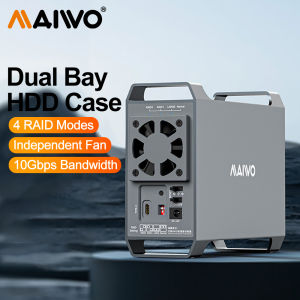
MAIWO Aluminum 3.5\" HDD Case: A Comprehensive Guide
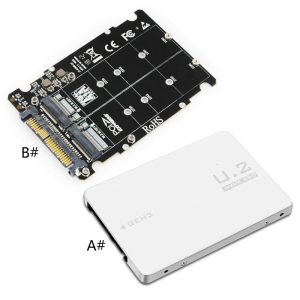
Adapter Riser for M.2 SSD To U.2 Adapter for M.2 NVMe + for M.2 NGFF SSD To PCI-e U.2 SFF-8639 Adapter PCIe M2 Conv
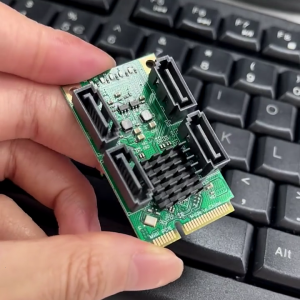
mSata Mini PCIE to Expansion Connecting Multiple Devices to Your PC with 2/ 4 Ports Sata3.0
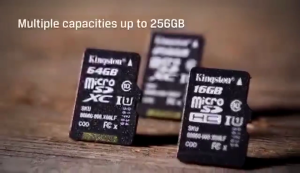
Kingston Micro SD memory card 64gb/128gb memory card SDXC 32gb 256gb 512gb Class 10 with SD card holder + adapter
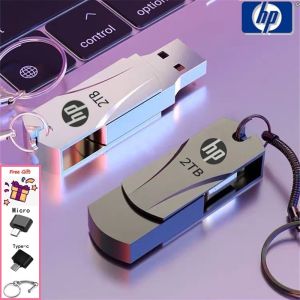
Ready Stock + FREE Shipping + COD: HP USB Flash Drive & Metal Waterproof USB2.0 Pen Drive
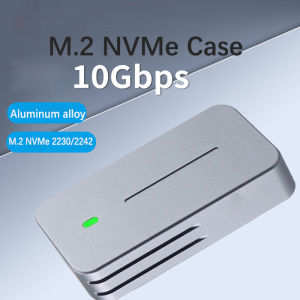
2230 2242 M.2 NVMe Case Enclosure NVMe to USB Adapter M.2 Box 10Gbps USB3.1 Gen 2 PCIe M2 SSD Case For 2230 2242 Drive 583 Chip
![[COD] REMAI0 USB 3.0 Flash Drive 2TB High-Speed Data Memory Storage Thumb Stick For USB PC](https://img.lazcdn.com/g/p/0cbdef4bc2ab194c46d7be1359541e29.jpg_300x300q80.jpg)
[COD] REMAI0 USB 3.0 Flash Drive 2TB High-Speed Data Memory Storage Thumb Stick For USB PC
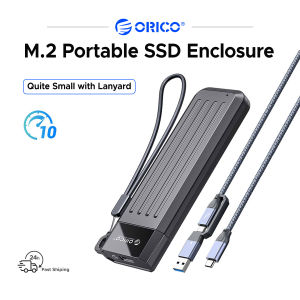
ORICO Portable Case 10Gbps M.2 NVMe Enclosure 6Gbps SATA Support USB3.2 Gen 2 Protocol
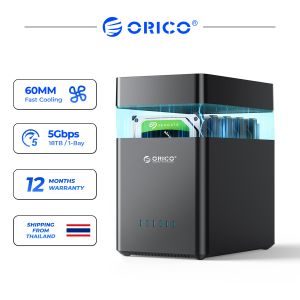
ORICO DS Series 2 Bay 3.5 USB3.0 Type C Hard Drive Enclosure HDD Case Support UASP 12V4A Power
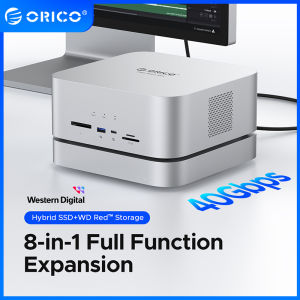
ORICO Data Matrix 40Gbps Enclosure: The Ultimate Docking Solution