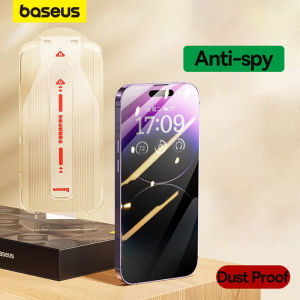
Baseus Screen Protector for iPhone 15, 14, 13 Pro Max: Corning Glass Anti Spy Full Tempered Glass Protection
Baseus Screen Protector for iPhone 15, 14, 13 Pro Max: Corning Glass Anti Spy Full Tempered Glass Protection
What is Baseus Screen Protector?
Baseus Screen Protector is a high-quality, durable screen protector designed specifically for iPhone 15, 14, and 13 Pro Max models. It offers excellent protection against scratches, impacts, and other potential damage while maintaining optimal screen clarity and touch sensitivity.
Key Features
- Corning Glass Anti Spy: The Baseus Screen Protector utilizes Corning Glass technology, providing an anti-spy feature that reduces glare and reflections, allowing you to enjoy your device without distractions.
- Full Tempered Glass Protection: This screen protector is made from high-quality tempered glass, which is highly resistant to scratches, cracks, and impacts, ensuring long-lasting protection for your iPhone.
- Easy Installation: The Baseus Screen Protector comes with a simple, step-by-step installation guide, making it easy to apply the protector to your device with minimal effort.
Benefits of Using Baseus Screen Protector
Using the Baseus Screen Protector for your iPhone 15, 14, or 13 Pro Max offers numerous benefits, including:
- Protection Against Scratches: The tempered glass material ensures that your device remains free from scratches and other minor damage.
- Impact Resistance: The screen protector provides excellent impact resistance, reducing the risk of cracks and other damage caused by accidental drops or impacts.
- Optimal Screen Clarity: The anti-spy technology and high-quality glass material ensure that your screen remains crystal clear, providing an excellent viewing experience.
How to Install Baseus Screen Protector
Installing the Baseus Screen Protector is a straightforward process that requires minimal effort. Here's a step-by-step guide to help you get started:
Preparation Before Installation
Before installing the Baseus Screen Protector, make sure to:
- Clean your iPhone's screen thoroughly using a microfiber cloth.
- Remove any existing screen protectors or stickers.
- Ensure your hands are clean and dry before handling the screen protector.
Step-by-Step Installation Guide
- Remove the Baseus Screen Protector from its packaging.
- Carefully peel off the protective film from the screen protector.
- Align the screen protector with your iPhone's screen, making sure it is centered.
- Slowly press down on the screen protector, starting from the center and working your way outward.
- Use a squeegee tool or credit card to remove any air bubbles or dust particles trapped underneath the screen protector.
Choosing the Right Screen Protector for Your iPhone
When it comes to choosing a screen protector for your iPhone, there are many options available on the market. Here's a comparison between the Baseus Screen Protector and some popular alternatives:
Comparing Baseus Screen Protector with Corning Glass Anti Spy
The Baseus Screen Protector offers excellent protection against scratches, impacts, and other potential damage. Additionally, it utilizes Corning Glass technology, which provides an anti-spy feature that reduces glare and reflections, allowing you to enjoy your device without distractions.
Full Tempered Glass Protection vs. Other Options
The Baseus Screen Protector is made from high-quality tempered glass, which is highly resistant to scratches, cracks, and impacts. This makes it a superior choice compared to other screen protectors made from less durable materials.
Maintaining Your Screen Protector
To keep your Baseus Screen Protector in top condition, it's essential to follow these cleaning and maintenance tips:
Cleaning and Maintenance Tips
- Regular Cleaning: Clean your screen protector regularly using a microfiber cloth and mild cleaning solution to remove dirt, dust, and fingerprints.
- Avoid Harsh Chemicals: Refrain from using harsh chemicals or abrasive cleaning agents, as they can damage the screen protector and reduce its effectiveness.
- Store Properly: When not in use, store your screen protector in a clean, dry place to prevent dust and debris from accumulating.
Troubleshooting Common Issues
If you encounter any issues with your Baseus Screen Protector, here are some troubleshooting tips:
- Air Bubbles: If you notice air bubbles under the screen protector, use a squeegee tool or credit card to gently press down on the area, removing the air bubble.
- Scratches or Cracks: If your screen protector becomes scratched or cracked, it may be time to replace it with a new one.
- Touch Sensitivity Issues: If you experience touch sensitivity issues, try cleaning the screen protector with a microfiber cloth and mild cleaning solution to remove any dirt or debris that may be interfering with the touch screen."

Global Merch Park
You May Also Like
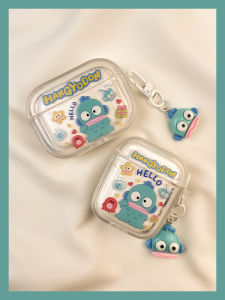
Cute Cartoon Octopus Clownfish AirPods Case Wireless Bluetooth Apple pro Earphone Cover Second Generation Third Generation Fourth Generation
Chinese Style Phone Cases: A Comprehensive Guide
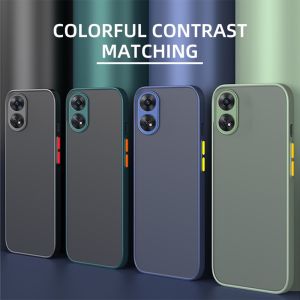
Casing Phone For Vivo Y100 5G: Protect Your Device with Style
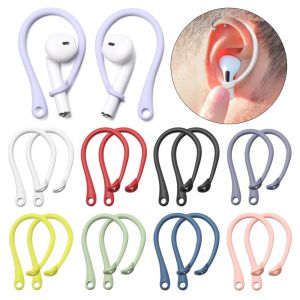
LONGB Soft Anti Loss Strap Protector Sports Earphone Holders Protective Ear Hook Secure Fit Hooks Silicone Anti-lost Earhooks
2.5 to 3.5 Adapter Cable Headset Overhead Audio Video Line Adapter Converter for Senhe HD447 HD437 HD202 HD212 And Other Headphones

Yunnan Dali AR Flowing Sand Fridge Magnet Decorative Puer Lijiang Tourism Cultural Creative Museum Souvenir New Chinese Style
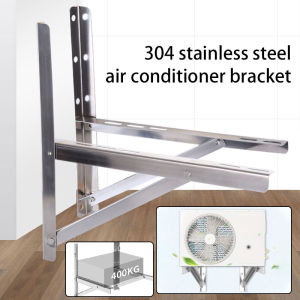
2pcs Air Conditioner Holder: A Comprehensive Guide

Ultra-thin VCD/DVD-ROM CD-RW external mobile burner driver player is used for USB3.0/Type-C dual-interface external hard disk of notebook computer.
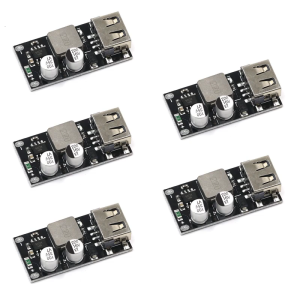
USB Voltages Convert Module Multiple Device Charging with Multiple Protections Wide Compatibility
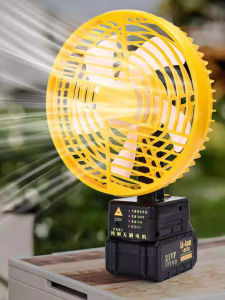
Wireless Portable Battery Fan High Wind Power for Outdoor Camping Fishing Stall Charging Brushless Fan Digital Accessories
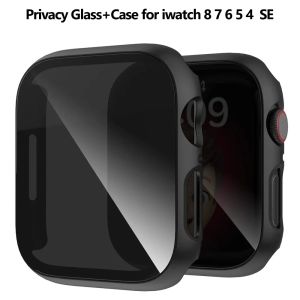
Privacy Glass+Case for Apple Watch 49mm 45mm 41mm 44mm 40mm Tempered Anti-Peeping Screen Protector for IWatch 8 7 6 5 4 9 Cover