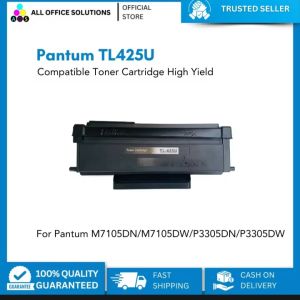
Epson 003 Genuine Ink: Perfect Fit for L3210, L3150, L5290 & More
Epson 003 Genuine Ink: Perfect Fit for L3210, L3150, L5290 & More
Introduction to Compatible Ink for Epson Printers
When it comes to finding the perfect fit for your Epson printer, compatible ink is a viable option. Compatible ink offers numerous benefits, such as cost savings and high-quality printing, making it an excellent alternative to genuine ink cartridges. This article will guide you through choosing compatible ink for your Epson printer, focusing on the Epson 003 genuine ink and its compatibility with various models.
Understanding the Benefits of Compatible Ink
Compatible ink cartridges offer several advantages over their genuine counterparts. Firstly, they provide significant cost savings, allowing you to print more documents without breaking the bank. Secondly, compatible ink is designed to meet high-quality standards, ensuring that your prints are crisp, clear, and vibrant. Lastly, compatible ink is compatible with a wide range of Epson printers, making it a versatile choice for any home or office environment.
Choosing Compatible Ink for Your Epson Printer
When selecting compatible ink for your Epson printer, consider the following factors:
- Compatibility: Ensure that the ink cartridge is compatible with your specific Epson model.
- Quality: Look for ink cartridges that meet high-quality standards, producing sharp and vibrant prints.
- Price: Compare prices of compatible ink cartridges to find the best value for your budget.
Key Features of Epson 003 Genuine Ink
The Epson 003 genuine ink cartridges offer several key features that make them an excellent choice for your Epson printer:
- High-Quality Printer Ink: Epson 003 ink cartridges provide high-quality printing, producing sharp and vibrant prints.
- Cost-Effective Printing Solution: While slightly more expensive than compatible ink, Epson 003 ink cartridges offer a cost-effective solution for those who prioritize print quality.
- Compatibility with Various Epson Models: Epson 003 ink cartridges are compatible with a wide range of Epson printers, including the L3210, L3150, and L5290 models.
Installation & Usage Guide
Installing Epson 003 ink cartridges is a straightforward process. Follow these steps to ensure a smooth installation:
- Turn off your printer and unplug it from the power source.
- Open the printer lid and remove the old ink cartridge.
- Carefully remove the new Epson 003 ink cartridge from its packaging.
- Insert the new ink cartridge into the designated slot and close the printer lid.
- Plug the printer back into the power source and turn it on.
Troubleshooting Common Issues
If you encounter any issues during the installation process, refer to the troubleshooting guide below:
- Printer not recognizing new ink cartridge: Ensure that the ink cartridge is properly inserted and the printer lid is closed.
- Print quality issues: Check if the ink cartridge is compatible with your printer model and ensure that the print head is clean.
Maintaining Printer Performance
To maintain optimal printer performance, follow these tips:
- Regularly clean the print head: A clean print head ensures consistent print quality.
- Store ink cartridges properly: Store unused ink cartridges in a cool, dry place to prevent clogging.
Epson L3210, L3150, L5290 Ink Cartridge Guide
This section provides specific guidance for installing and maintaining ink cartridges for the Epson L3210, L3150, and L5290 printers.
Epson L3210 Ink Cartridge Guide
The Epson L3210 printer requires the use of Epson 003 ink cartridges. Follow the installation steps outlined above to install the ink cartridge. For optimal print quality, regularly clean the print head and store unused ink cartridges properly.
Epson L3150 Ink Cartridge Guide
The Epson L3150 printer also requires the use of Epson 003 ink cartridges. Follow the installation steps outlined above to install the ink cartridge. For optimal print quality, regularly clean the print head and store unused ink cartridges properly.
Epson L5290 Ink Cartridge Guide
The Epson L5290 printer requires the use of Epson 003 ink cartridges. Follow the installation steps outlined above to install the ink cartridge. For optimal print quality, regularly clean the print head and store unused ink cartridges properly.

ONE CLICK NET
You May Also Like
Original Sealed Canon CLI-751 & PGI-750 Ink Cartridges
Brother DCP-T820dw Ink Tank w/ Original Ink Printer with Scanner and Xerox Long Legal ADF Continuous Ink CISS 220gsm Duplex Printing Automatic 2-sided Borderless | Brother Official Flagship Store Partner Dealer | Print Scan Copy T820 T820DW
Comprehensive Guide: HP 283A Toner Cartridge & Compatible Options
Mini Portable Thermal Printer Pocket Printer Wireless Bluetooth Android IOS Phone Picture Printer
Soonpos 2-in-1 Thermal 80mm POS Label Printer: A Comprehensive Guide
Resetter tools Epson L1300
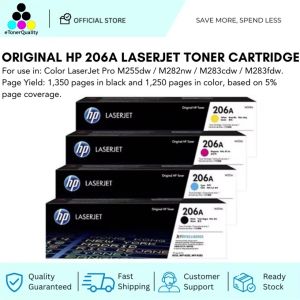
HP 206A CMYK Original LaserJet Toner Cartridge: A Reliable Laser Printer Supply
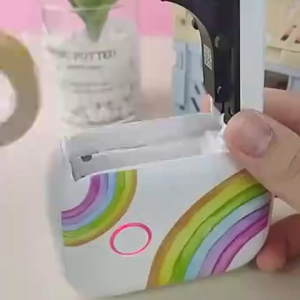
LIOTOG P12 Mini Portable Label Thermal Printer: A Bluetooth Wireless Label Maker for Android & IOS
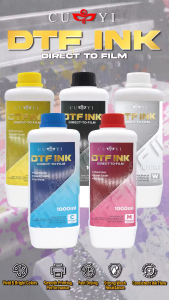
CUYI DTF Ink Textile Pigment Ink 1000ML Very Convenient for DTF Printers
![[COD] CHYIN ECG EKG Machine 50mmx20m 80mmx20 110mmx20m 210mmx20m Electrocardiograph Thermal Printer Paper](https://img.lazcdn.com/g/p/833a8188204b65fbba516e42fa4feffb.jpg_300x300q80.jpg)
[COD] CHYIN ECG EKG Machine 50mmx20m 80mmx20 110mmx20m 210mmx20m Electrocardiograph Thermal Printer Paper
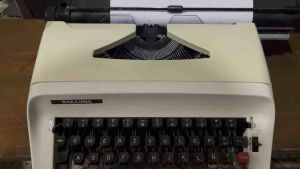
Typewriter Different Unit Available | 3 Brandnew Ribbon