HP 652 Ink Cartridge: A Comprehensive Guide
HP 652 Ink Cartridge: A Comprehensive Guide
What is the HP 652 Ink Cartridge?
The HP 652 ink cartridge is a high-quality ink cartridge designed for various HP printers, including the DeskJet 1115, 2135, 2136, 2138, 3635, 3636, 3835, 4535, and 4675 models. These printers are widely used in homes and small offices due to their affordability and efficiency.
Compatibility with HP Printers
The HP 652 ink cartridge is compatible with several HP printer models, making it a versatile choice for users who want to maintain consistent print quality. Some of the compatible printers include:
- DeskJet 1115
- HP 2135
- HP 3635
- HP 4535
Key Features of the HP 652 Ink Cartridge
The HP 652 ink cartridge offers several key features that make it a popular choice among users:
- High-quality print output
- Long-lasting ink supply
- Easy installation and removal
- Compatibility with various printer models
Choosing the Right Replacement Ink for Your Printer
When it comes to choosing replacement ink for your printer, it's essential to consider factors such as compatibility, quality, and cost-effectiveness. Here are some options to consider:
XL Ink Cartridge for HP 4535
The XL ink cartridge is a great choice for users who want to minimize their printing costs while maintaining high-quality output. It provides a larger ink supply than standard cartridges, reducing the frequency of replacements.
DeskJet 1115 Printer Ink
For users with a DeskJet 1115 printer, the HP 652 ink cartridge is a reliable option that offers excellent print quality and longevity.
Compatible Ink for HP 2135
Compatible ink cartridges are designed to work with specific printer models, offering a cost-effective alternative to genuine HP cartridges while maintaining good print quality.
How to Install and Use HP 652 Ink Cartridges
Installing and using HP 652 ink cartridges is a straightforward process that requires minimal effort. Here are some steps to follow:
Installing the HP 652 Ink Cartridge
- Turn on your printer and open the cartridge access door.
- Remove the old cartridge by gently pulling it out of its slot.
- Insert the new HP 652 ink cartridge into the designated slot and press down until it clicks into place.
- Close the cartridge access door and allow the printer to initialize the new cartridge.
Maintaining Printer Performance with HP 652 Ink Cartridges
To ensure optimal printer performance, it's essential to maintain the HP 652 ink cartridges properly. Here are some tips:
- Store cartridges in a cool, dry place when not in use.
- Replace cartridges promptly when the ink runs low to avoid clogging.
- Regularly clean the printer's print head and nozzles to prevent blockages.
Troubleshooting Common Issues with HP 652 Ink Cartridges
If you encounter issues with your HP 652 ink cartridge, here are some troubleshooting steps to try:
- Check the cartridge for any visible damage or leaks.
- Ensure the cartridge is installed correctly and securely.
- Run a print head cleaning cycle to clear any clogs.
- Replace the cartridge if it continues to malfunction.

BBLAMP
You May Also Like
Premium Dye Ink for Epson Printer Set of 6 (Cyan Magenta Yellow Black Light Cyan Light Magenta)
ETQ Toner Cartridge CT203486, CT203487, CT203488, CT203489: High-Quality Toner Replacement
Epson Printer Replacement Parts for Epson L805 Ink Tank. Complete. 6 Colors. Refurbished.
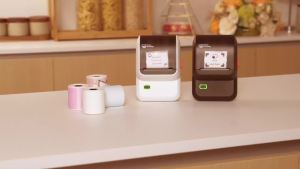
Phomemo M100 Label Sticker Printer: A Compact Solution for Your Labeling Needs

Bisofice Film & Slide Scanner: A Comprehensive Guide
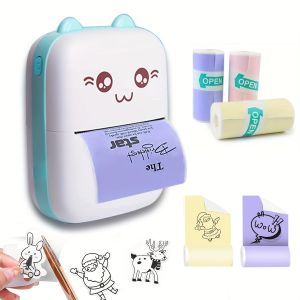
Mini Printer Inkless Sticker Maker Free Cut Small Pocket Printer Wireless Mini Sticker Printer Portable Thermal Printer

Kodachrome & Ektachrome Film Slide Inspiration: Vintage Film Photography Techniques

Premium CRG 125 325 725 925 A Compatible Toner Cartridge for Canon Printers... Brand New High Quality Ready to Use
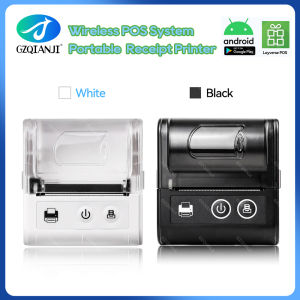
58MM Pocket Printer: A Comprehensive Guide
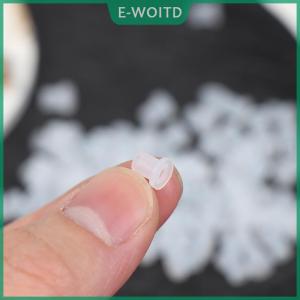
【E-WOITD】 50PCS CISS Hollow Plug Transparent Ink Rubber Plug Empty Connector for
200g 500g 1Kg 3D Printer PLA Dark Wood Filament 1.75mm dark wood 3D Printing Materials Pla drrk wood