Canon MC-08 Maintenance Tank 1320B006BB: A Comprehensive Guide
Canon MC-08 Maintenance Tank 1320B006BB: A Comprehensive Guide
Introduction to Canon MC-08 Maintenance Tank
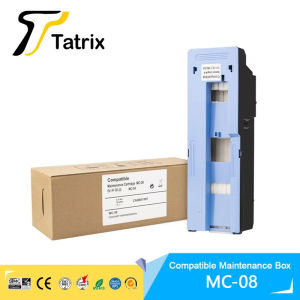
The Canon MC-08 Maintenance Tank 1320B006BB is a high-quality ink cartridge designed specifically for compatible Canon ImagePROGRAF printers, including the iPF8400, iPF9000, iPF9100, iPF8000, iPF8100, and iPF8300S. This maintenance tank ensures optimal performance and stability, providing reliable print results every time. In this article, we will explore the key features, installation process, usage tips, and troubleshooting advice for this essential Canon printer maintenance part.
Key Features & Benefits
100% Recognized by Printer
One of the standout features of the Canon MC-08 Maintenance Tank is its compatibility with Canon ImagePROGRAF printers. This ink cartridge is designed to be 100% recognized by the printer, ensuring seamless integration and hassle-free operation.
Stable Quality
Another significant advantage of the Canon MC-08 Maintenance Tank is its stable quality. The one-piece cartridge design guarantees consistent performance and reliability, making it an ideal choice for businesses and professionals who demand high-quality prints.
Plug-and-Play Functionality
Installing the Canon MC-08 Maintenance Tank is a breeze thanks to its plug-and-play functionality. Simply remove the old maintenance tank and insert the new one, and you're good to go. No complicated setup procedures or configuration steps are required.
Installation and Usage Guide
Preparing for Installation
Before installing the Canon MC-08 Maintenance Tank, ensure that your printer is powered on and connected to a power source. Remove any existing maintenance tanks, and have the new tank ready for installation.
Installing the Maintenance Tank
To install the Canon MC-08 Maintenance Tank, follow these simple steps:
- Open the printer's front cover.
- Locate the maintenance tank compartment.
- Gently remove the old maintenance tank.
- Insert the new Canon MC-08 Maintenance Tank into the compartment.
- Close the printer's front cover.
Using the Maintenance Tank
Once installed, the Canon MC-08 Maintenance Tank will automatically begin its work, helping to maintain optimal print quality and performance. It's important to regularly check the tank's status and replace it when necessary to ensure continued reliability.
Maintenance Tips and Troubleshooting
Regular Maintenance
To keep your Canon ImagePROGRAF printer running smoothly, it's essential to perform regular maintenance tasks. This includes cleaning the print head, checking the ink levels, and replacing the maintenance tank when needed.
Troubleshooting Common Issues
If you experience any issues with your Canon ImagePROGRAF printer, there are several troubleshooting steps you can take. First, check the printer's error messages to identify the problem. Then, refer to the printer's user manual or online resources for guidance on resolving the issue.
Warranty Information
The Canon MC-08 Maintenance Tank comes with a warranty that covers any defective products. If you encounter any problems with the tank, simply contact Tatrix International for a replacement.

ColoWorld
Review

You May Also Like

HPRT Portable Photo Printer Pocket 2x3 inch Size Wireless Zink Technology Print 2x3 Sticky-Backed Photos Maker with Papers Case

Maintenance Box T04D1 Maintenance Box for Epson L14150 L6460L6490 L6170 L6190 L6260 L6270 L6290 M1140 E04DI
Niimbot B21 Bluetooth Thermal Label Printer Inkless Portable Sticker Maker for Jewelry Clothing Tags Supermarket Retail Home Barcodes Price Name Printing with FCC CE RoHS Certifications
AOS Brand New Compatible Xerox DocuCentre SC2022 for Copier Toner Cartridge DCC2022 DSCC2022N SC-2022NW
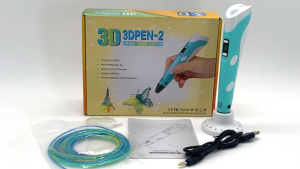
FMP Childrens 3D Printing Pen for Making Doodles Graffiti Arts Crafts With USB

(Premium)Coper s-280B Bundy Clock Ribbon
PPS Head Cover Rubber I3200 Printhead
CUYI Automatic Digital Mug Press Machine

3D Printer Filament Dryer Box With Fan: Temperature Control Compatible With Nylon PVA PLA PETG TPU Storage Box
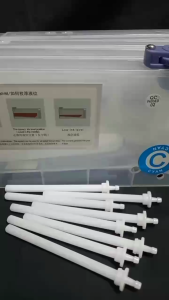
PPS Ink Cartridge Sub Tank with Floater for Large Format Solvent Printer 220ml (4 pieces) Ppss Cartridge Plastisol Ink - Lazada
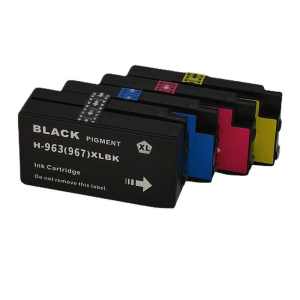
For HP 963 963XL Combo Ink Cartridge for OfficeJet Pro 9010 9010e 9012 9012e 9014 9014e 9020 9025 9022