3D Printer Filament Dryer Box With Fan: Temperature Control Compatible With Nylon PVA PLA PETG TPU Storage Box
3D Printer Filament Dryer Box With Fan: Temperature Control Compatible With Nylon PVA PLA PETG TPU Storage Box
Understanding the 3D Printer Filament Dryer Box
What is a 3D Printer Filament Dryer Box?
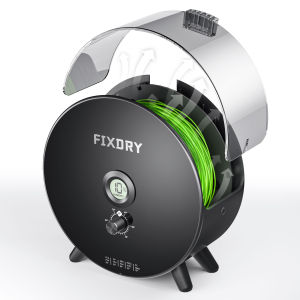
A 3D printer filament dryer box is a specialized storage solution designed to maintain the quality and consistency of your 3D printing materials. It works by controlling the temperature and humidity levels within the enclosure, which prevents moisture and contamination from affecting the filament.
Key Features: Temperature Control & Filament Storage
Filament dryer boxes come equipped with a built-in fan and temperature control system, allowing users to set the desired drying temperature. This feature ensures that the filament remains dry and free from contaminants throughout the printing process.
Additionally, these boxes provide ample space for storing various types of filaments, including PLA, PETG, TPU, nylon, and PVA. This makes them ideal for 3D printing enthusiasts who work with multiple filament types.
Benefits of Using a 3D Printer Filament Dryer Box
Enhanced Print Quality & Consistency
Using a filament dryer box significantly improves print quality and consistency by preventing moisture absorption and filament degradation. This leads to better adhesion, reduced warping, and improved overall print accuracy.
Protection Against Moisture & Contamination
The enclosed design of the filament dryer box protects your filaments from environmental factors such as dust, dirt, and moisture. This ensures that your materials remain clean and dry, reducing the risk of print failures and other issues caused by contamination.
Compatibility with Various Filaments
Filament dryer boxes are compatible with a wide range of filament types, including PLA, PETG, TPU, nylon, and PVA. This makes them versatile solutions that can accommodate the needs of different users and projects.
How to Choose the Right Filament Dryer Box
Considering Your Printing Needs
When selecting a filament dryer box, consider your specific printing requirements. Think about the types of filaments you use most frequently, as well as the size and capacity needed to store your materials effectively.
Evaluating Features & Compatibility
Look for a filament dryer box that offers robust temperature control, easy-to-use settings, and compatibility with the filament types you work with. Consider the overall build quality, ease of maintenance, and any additional features that may enhance your printing experience.
Comparing Prices & Value
Research different filament dryer boxes and compare their prices, features, and value propositions. Look for options that offer the best combination of performance, durability, and affordability to meet your needs.
Tips for Maximizing the Performance of Your Filament Dryer Box
Proper Filament Storage Techniques
Store your filaments properly within the filament dryer box to ensure optimal drying and protection. Keep the filaments organized and separated by type, and make sure they are not tangled or damaged.
Maintaining Optimal Temperature Settings
Set the temperature control system to the appropriate drying temperature for your filament type. Monitor the temperature regularly to ensure it remains within the desired range.
Troubleshooting Common Issues
If you encounter issues with your filament dryer box, refer to the manufacturer's troubleshooting guide or contact customer support for assistance. Common problems may include temperature fluctuations, fan malfunctions, or difficulty accessing the stored filaments.

Pro-Tool
Review
You May Also Like
Phomemo D30 Thermal Wireless Label Printer Portable Pocket Bluetooth Thermal Label Maker Home Use Office Fast Printing Printer Free Label Keep for 20 Years Fade Resistant High Quality Christmas Gift
Tagging gun Clothes Clothing Garment Price Label Brand Trademark Tagging Tags Machine Gun
Phomemo M03 Portable Thermal Label PrinterBluetooth Mini Photo Printer for PictureBarcodeStudy NoteDIY Sticker
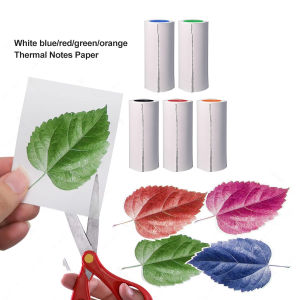
Thermal Printer Papers 57mm HD Color Thermal Papers for Inkless Mini Portable Pocket Photo Children Kids Camera Printer
【COD】HP ink 920XL High Yield Original Ink Cartridge HP 920 XL
MX-H813 Universal Price Tag Labeller Supermarket Price Tag Sticker Labelling Machine
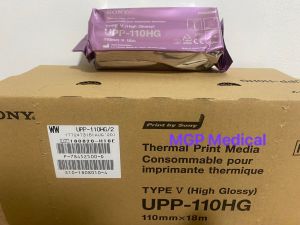
ORIGINAL Sony Ultrasound Thermal Paper Type 5 UPP-110HG High Gloss (1 roll)
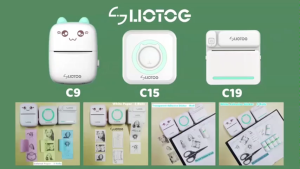
LIOTOG C9 Portable Smart Bluetooth Thermal Printer Original Label Printer Photo Printer No-Ink-Required App Control Mini Printer
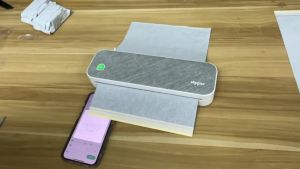
Peripage A4 Thermal Printer Tattoo Stencil Transfer Printer Machine: Features & Benefits

MK4105 Taskalfa KM1800 2200 OPC Drum Chip PCR CET Brand & Compatible Long life

NIIMBOT B18 Label Printer: Special Matching Carbon Tape & Ribbon