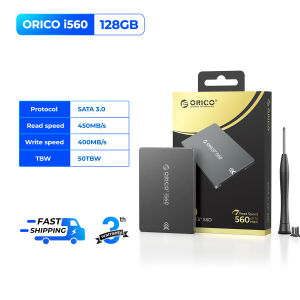
ORICO 2.5 Inches 550MB/S SATA3 SSD 128gb 1TB 4TB For Laptop Desktop SATA DISK 2.5 SATA3 Internal Hard Drives SSD
ORICO 2.5 Inches 550MB/S SATA3 SSD 128gb 1TB 4TB For Laptop Desktop SATA DISK 2.5 SATA3 Internal Hard Drives SSD
Introduction to ORICO 2.5 Inch SATA3 SSD
Overview of ORICO 2.5 Inch SATA3 SSD
The ORICO 2.5 Inch SATA3 SSD is a reliable and high-performance solid-state drive designed for both laptops and desktop computers. It comes in various storage capacities ranging from 128GB to 4TB, making it suitable for users with different storage needs. With its 550MB/S SATA3 interface, this SSD offers fast data transfer speeds and improved overall system performance.
Key Features of ORICO 2.5 Inch SATA3 SSD
- High-speed data transfer up to 550MB/S
- Available in 128GB, 1TB, and 4TB storage capacities
- Compatible with both laptops and desktop computers
- Compact 2.5-inch form factor
Choosing the Right ORICO 2.5 Inch SATA3 SSD
Understanding SATA DISK for Desktop
A SATA DISK for Desktop is a hard drive or solid-state drive that connects to a computer's motherboard using the Serial Advanced Technology Attachment (SATA) interface. This interface allows for faster data transfer speeds compared to older technologies such as IDE or PATA.
Comparing 128GB to 4TB SSD Options
When choosing the right ORICO 2.5 Inch SATA3 SSD, consider the amount of storage space you require. The 128GB option is ideal for users who primarily use their computer for browsing the internet, watching videos, and running lightweight applications. On the other hand, the 1TB and 4TB options offer ample storage for users who need to store large amounts of files, such as videos, music, and games.
Exploring 550MB/S SATA3 SSD Performance
The ORICO 2.5 Inch SATA3 SSD offers fast data transfer speeds of up to 550MB/S, which significantly improves overall system performance. This high-speed interface allows for faster boot times, quicker application launches, and smoother multitasking.
Installation and Setup
Preparing for Internal Hard Drive Installation
Before installing the ORICO 2.5 Inch SATA3 SSD, ensure that your computer's power supply is turned off and unplugged. Open the computer case and locate an available SATA port on the motherboard. Additionally, prepare the necessary tools, such as a screwdriver, to securely mount the SSD inside the computer.
Installing ORICO 2.5 Inch SATA3 SSD
To install the ORICO 2.5 Inch SATA3 SSD, connect the SATA data cable and power cable to the drive and motherboard. Securely mount the SSD inside the computer case using screws and a mounting bracket. Finally, close the computer case and reconnect the power supply.
Configuring ORICO 2.5 Inch SATA3 SSD
After installing the ORICO 2.5 Inch SATA3 SSD, boot up your computer and enter the BIOS settings to configure the drive as the primary boot device. Follow the manufacturer's instructions to partition and format the SSD using a disk management tool.
Maximizing ORICO 2.5 Inch SATA3 SSD Performance
Optimizing Storage Space
To optimize storage space on the ORICO 2.5 Inch SATA3 SSD, regularly clean up unnecessary files and install applications only when needed. Consider using a disk cleanup tool to remove temporary files, system caches, and other unnecessary data.
Enhancing Data Transfer Speed
To enhance data transfer speed on the ORICO 2.5 Inch SATA3 SSD, ensure that the SATA cables are properly connected and free from any damage. Additionally, keep the computer's operating system and drivers up-to-date to maintain optimal performance.
Ensuring Data Security
To ensure data security on the ORICO 2.5 Inch SATA3 SSD, regularly back up important files using an external hard drive or cloud storage service. Consider encrypting sensitive data using encryption software to protect against unauthorized access.
Conclusion
Recap of ORICO 2.5 Inch SATA3 SSD Features
The ORICO 2.5 Inch SATA3 SSD is a reliable and high-performance solid-state drive that offers fast data transfer speeds of up to 550MB/S. It comes in various storage capacities ranging from 128GB to 4TB, making it suitable for users with different storage needs.
Final Thoughts on ORICO 2.5 Inch SATA3 SSD
Overall, the ORICO 2.5 Inch SATA3 SSD is an excellent choice for users looking to upgrade their computer's storage capacity and improve overall system performance. With its compact form factor, high-speed interface, and various storage options, this SSD offers a versatile solution for both laptops and desktop computers.

ORICO HOME
Review

You May Also Like
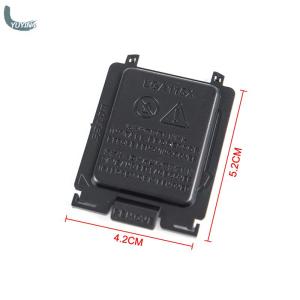
YUYIN4 5Pcs Motherboard CPU Socket Protection Cover Pin Cover For LGA115X CPU
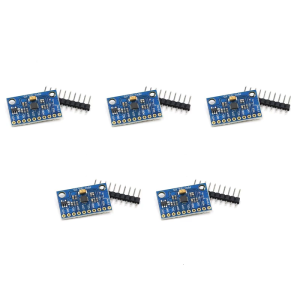
MPU6500 6 Axes Gyroscope Accelerometer Sensory Module Replace MPU6050 GY-6500 6 Axes Gyro Accelerator Sensory Module
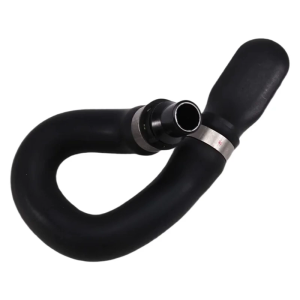
Automotive Accessories for W212 A207 C207 C218 X218 E500 E550 Water Cooling Pipe Heater Hose A2128302300 A2128302896

2023 Makerlab Upgraded Starter Kit for Uno R3 DIP Boxed RFID ARDUINO with PDF Manual Lessons Compatible with Arduino Laboratory teaching
High Performances Metal Air Coolers for 1/10 1/8 Remote Control Model Vehicle Engines Fuel Saving Cooling Solution

400W Rainproof Switching Power Supply AC-DC 24V Driver LED Lighting Transformer Outdoor LED Waterproof 200-240VAC Wall Mounted 16.6A Sufficient Power Stable Performance

Quick Charging USB Adapter Module Board QC2.0 QC3.0 5V/9V/12V/20V Decoy Main Board Replacement for Boost Module
Thermalright Assassin Spirit 120 Evo ARGB White CPU Air Cooler

AM5 Motherboard DDR5 96GB GAMING AMD B650 Chipset WiFi 6 PCIe 4.0 3x M.2 USB 3.2 Type-C 9000MHz for AMD Ryzen 7 9700X Mirco ATX

18W/Mk Laptop Thermal Putty Fehonda LTP81 Liquid Thermal Pad 12g 50g 100g Thermal Putty For Pc Vga Gpu Cpu

JONSBO N6 MATX NAS Case Network Storage Server Chassis Supports 9 hard drive slots Dual Power Supply 240 Water Cooling