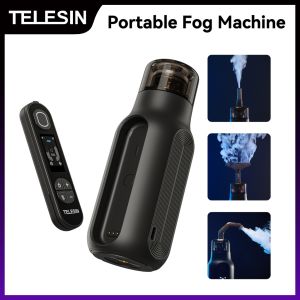
TELESIN Portable Fog Machine: A Comprehensive Guide
TELESIN Portable Fog Machine: A Comprehensive Guide
What is the TELESIN Portable Fog Machine?
The TELESIN Portable Fog Machine is a versatile handheld photography fog machine that produces a professional live studio fog effect. This device is perfect for photographers, videographers, and event planners who want to enhance their productions with a microfilm dry ice effect spray. The TELESIN Portable Fog Machine is compact, easy to use, and designed to deliver consistent fog output.
Key Features & Benefits
- Compact Design: The TELESIN Portable Fog Machine is lightweight and portable, making it easy to transport to any location.
- Professional Fog Output: With its advanced fogging technology, the TELESIN Portable Fog Machine produces high-quality fog effects that rival those of larger, more expensive models.
- User-Friendly: The TELESIN Portable Fog Machine is simple to set up and operate, even for first-time users.
- Energy-Efficient: The device runs on a rechargeable battery, making it a cost-effective solution for professional fogging needs.
How It Compares to Other Models
The TELESIN Portable Fog Machine stands out from other models due to its compact size, ease of use, and energy efficiency. While some larger fog machines may produce more fog output, the TELESIN Portable Fog Machine is ideal for smaller productions and events. Additionally, the device's rechargeable battery makes it a more eco-friendly option compared to models that require disposable batteries.
How to Use the TELESIN Portable Fog Machine
Using the TELESIN Portable Fog Machine is simple and straightforward. Follow these steps to get started:
Setting Up Your Equipment
- Charge the device's battery using the included USB cable.
- Fill the fog fluid tank with the appropriate amount of fog fluid.
- Connect the fog machine to a power source, if necessary.
Creating the Perfect Fog Effect
- Adjust the fog output settings to achieve the desired effect.
- Position the fog machine at the desired angle and distance from the subject.
- Test the fog output to ensure it meets your requirements.
Maintaining Your Device
- Clean the fog machine after each use to prevent clogs and maintain optimal performance.
- Store the device in a cool, dry place when not in use.
- Replace the battery if it no longer holds a charge.
Choosing the Right Fog Machine for Your Needs
When selecting a fog machine, consider the following factors:
Factors to Consider When Selecting a Model
- Size: Determine the size of the production or event and choose a fog machine that will produce enough fog output.
- Ease of Use: Consider the skill level of the operator and choose a fog machine that is easy to set up and operate.
- Energy Efficiency: Choose a fog machine that is energy-efficient and eco-friendly.
How to Maximize Your Investment
- Use High-Quality Fog Fluid: Invest in high-quality fog fluid to ensure consistent fog output and prevent clogs.
- Regular Maintenance: Perform regular maintenance to extend the life of the device and maintain optimal performance.
- Store Properly: Store the fog machine in a cool, dry place when not in use to prevent damage.
Comparing Different Types of Fog Machines
There are several types of fog machines available, including handheld, portable, and stationary models. Handheld fog machines are ideal for smaller productions and events, while portable and stationary models are better suited for larger productions and events.
Exploring the Versatility of the TELESIN Portable Fog Machine
The TELESIN Portable Fog Machine is a versatile device that can be used in a variety of settings, including photography, live events, and video production.
From Photography to Live Events
The TELESIN Portable Fog Machine can be used to enhance the mood and atmosphere of any production or event, from photography sessions to live performances.
Achieving the Microfilm Dry Ice Effect
With the TELESIN Portable Fog Machine, photographers and videographers can achieve the microfilm dry ice effect, which adds a unique and dramatic touch to their productions.
Enhancing Your Video Production with Fog
Fog can be used to create depth and dimension in video production, and the TELESIN Portable Fog Machine makes it easy to achieve this effect.
Frequently Asked Questions
Troubleshooting Common Issues
- Fog Machine Not Producing Fog: Check the fog fluid tank and make sure it is filled with the appropriate amount of fog fluid.
- Fog Machine Not Turning On: Check the battery and make sure it is charged.
- Fog Machine Producing Insufficient Fog Output: Adjust the fog output settings to achieve the desired effect.
Tips for First-Time Users
- Read the Manual: Familiarize yourself with the device's features and settings before using it.
- Practice Before the Event: Test the fog machine before the event to ensure it meets your requirements.
- Maintain the Device: Perform regular maintenance to extend the life of the device and maintain optimal performance.
Where to Buy and Get Support
The TELESIN Portable Fog Machine is available for purchase on Amazon and other online retailers. For support and troubleshooting, visit the TELESIN website or contact customer service.

WotPreferred
You May Also Like
Ultimate Guide to Xiaomi CC9 Phone Cases: Minimalist & Drop-Resistant Options
Car Audio Speaker Adapter Cable for Mobile Phone Type-C to 3.5mm Audio Connection Line Compatible with Apple Huawei

GlassTop Gas stove Burner Spare Part Replacement gas burner for icook kyowa glass gas stove AL
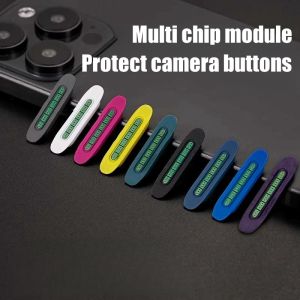
Camera Control Button Protector for iPhone 16 Pro Max & 16 Plus: Soft Silicon Side Button Anti-scratch Sticker
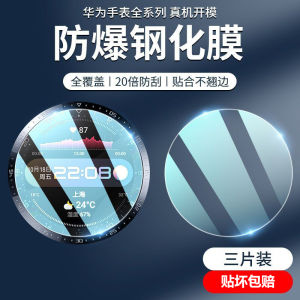
Huawei GT3 Porsche Smartwatch Tempered Glass Full Screen Protection Film GT2E GT3Pro Watch3 Cover Glass Film Cyber Dial Cover

Redmi K70 Womens Phone Case Vintage Style Liquid Silicone Protective Cover Full Lens Protection Anti-Fall Pocket Magnolia
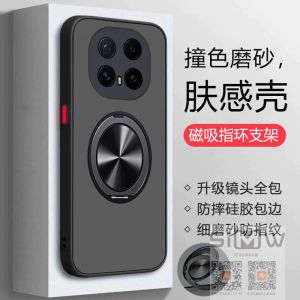
Transparent Magnetic Absorption Huawei Honor Magic8Pro Phone Case Anti-Fall Full Cover Silicone PC Matte Finish for Men And Women
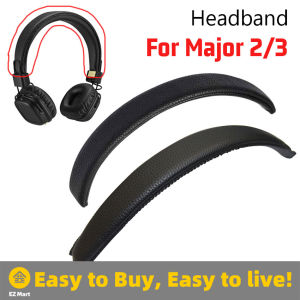
Fast Shipping Universal Marshall Major Headband Cover: Headband for Marshall Major1 Major2 MID ANC Mid Monitor Headphones Cushion Bumper Replacement - ZMS-Marshall-Headband-Gen2
HP Laptop Charger 19.5V 4.62A Blue Pavilion 740015-001 741727-001 854117-850 H6Y89AA PA-1900-32HE Pavilion 17-e113dx 17-e117dx 17-e127sf 17-g153us 17-j106tx Pavilion15-e026tx 15-e029tx 15-f215dx 15-g019wm 15-j105tx
9D Soft Film Case for Honor X9C 5G: Aesthetic Design & Protection

Goku Dragons Mousepads HD Printing Computer Gamers Locking Edge Non-slip Mousepad Keyboard PC Desk Pad Essential for Gamers