



Mirabox DR21 Case: A Water-Cooled Display Accessory & Custom Computer Parts
Mirabox DR21 Case: A Water-Cooled Display Accessory & Custom Computer Parts
What is Mirabox DR21 Case?
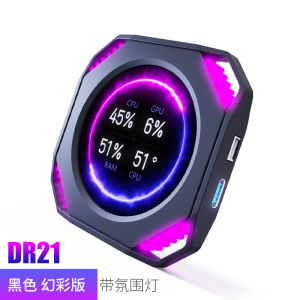
The Mirabox DR21 Case is a high-quality water-cooled display accessory designed specifically for custom computer parts enthusiasts and gamers. It comes equipped with a 2.1-inch secondary screen that serves as a monitoring screen for gaming, allowing users to track real-time data and enhance their overall experience.
Key Features
- Water-cooled display accessory
- 2.1-inch secondary screen
- Monitoring screen for gaming
- Custom computer parts compatibility
Benefits for Gamers
The Mirabox DR21 Case offers numerous benefits for gamers, including:
- Real-time data tracking
- Enhanced user experience
- Improved system performance
How to Install Mirabox DR21 Case Secondary Screen
Installing the Mirabox DR21 Case secondary screen is a straightforward process. Follow these steps to ensure a successful installation:
Preparation
Before installing the Mirabox DR21 Case secondary screen, make sure you have the following:
- Mirabox DR21 Case
- 2.1-inch secondary screen
- Necessary tools and equipment
Step-by-Step Installation
- Locate the mounting points on the Mirabox DR21 Case
- Attach the secondary screen to the mounting points using the provided screws
- Connect the secondary screen to the power source and monitor cables
- Power on the Mirabox DR21 Case and test the secondary screen
Troubleshooting
If you encounter any issues during the installation process, refer to the troubleshooting guide provided in the user manual or contact customer support for assistance.
Monitoring Screen for Gaming: Enhancing Performance
The monitoring screen for gaming feature of the Mirabox DR21 Case allows users to track real-time data, such as CPU temperature, GPU usage, and system performance. This enhances the overall user experience by providing valuable insights into the system's performance.
Real-Time Data Tracking
Real-time data tracking enables users to monitor their system's performance during gaming sessions. This helps identify potential issues and optimize system settings for better performance.
Enhancing User Experience
The Mirabox DR21 Case's monitoring screen for gaming feature enhances the user experience by providing real-time data tracking and improving system performance. This results in a smoother gaming experience and increased satisfaction for users.
Custom Computer Parts: Building Your Dream PC
The Mirabox DR21 Case is compatible with custom computer parts, allowing users to build their dream PC. This offers numerous DIY customization options for users who want to personalize their system.
Compatibility with Mirabox DR21 Case
The Mirabox DR21 Case is compatible with a wide range of custom computer parts, including CPUs, GPUs, RAM, and storage devices. This allows users to build a system tailored to their specific needs and preferences.
DIY Customization Options
DIY customization options include:
- Choosing the right components for your system
- Installing and configuring custom computer parts
- Personalizing the look and feel of your system
By following these guidelines, users can build a custom PC that meets their specific needs and preferences.

Yisunder.sun
Review

You May Also Like

HDMI Graphics Card Spoiler Screen Virtual Computer Monitor Game Hang-up Fake Simulation Remote Lock Screen Trap

Laptop LED Screen 14.0" inches 30 Pins HD 1366 x 768 Slim Type LED Screen Replacement NT140WHM-N41 Compatible with Acer Asus HP Dell Lenovo Samsung Toshiba Laptops 14 Inch Laptop Screen - Lazada
![[COD] Bsuimki Aluminum Universal AM5-AMD Desktop Chassis CPU Bending Correction Fixing Buckle Cover Apply To 7950X 7800X 7700X 7600X 7500F](https://img.lazcdn.com/g/p/2b8e46bee2c9cf1ec449312035bdbbe1.jpg_300x300q80.jpg)
[COD] Bsuimki Aluminum Universal AM5-AMD Desktop Chassis CPU Bending Correction Fixing Buckle Cover Apply To 7950X 7800X 7700X 7600X 7500F
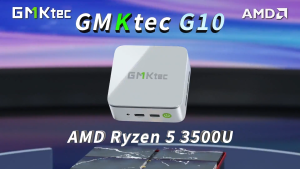
GMKtec NucBox G10 Mini PC AMD Ryzen 5 3500U Wifi5 BT5 2.5G LAN Dual PCIE 3.0 M.2 2280 SSD Gaming Office PC

GIGABYTE Z590 UD AC LGA1200: High-Performance Gaming Motherboard
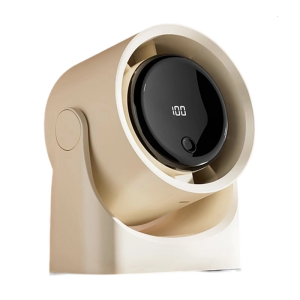
Cooling System Fan with Real Time Digital Display Space Efficient Mounting Quiet Motor Low Noise Office Desk Fan

LPO Laptop LCD Screen 14.0 inches 40 Pins WQHD 2560 x 1440 Borderless TL140BDXP01-0
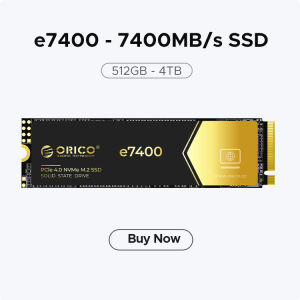
ORICO NVME M2 SSD: A High-Speed Internal Storage Solution
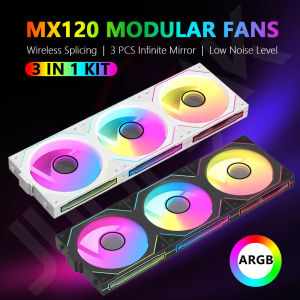
COOLCIRC DL-1 Free Wire-Splicing Chassis Fan ARGB Mirror Cycle Light Effect Fan 120mm 4Pin PWM Low Noise CPU Cooler For Gamer
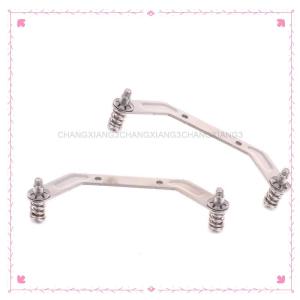
【CHANGXIANG3】 1Set Computer CPU Radiator Mounting Bracket Backplane Accessories For LGA2011 X99 X79 E5 1700 1366 115X 1200 AMD AM2 AM3 AM4 AM5
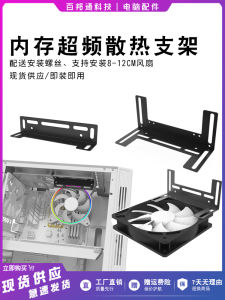
Memory Strip Overclocking Cooling Bracket Desktop Computer Host CPU Graphics Card Multi-Function Cooling Bracket Installation Fan
![[Vktech] 1 to 10 4Pin PWM Cooling Fans HUB SATA Power/Large 4D Port Speed Controller](https://img.lazcdn.com/3rd/q/aHR0cDovL3VzZXJnb29kc3BpYzAwNC5waG90b2VidWNrZXQuY29tL2ltYWdlLzQxNTE0Ny9tYWluLzQxNTE0Ny0xLmpwZw==_300x300q80.png)

















