ORICO NVME M2 SSD: A High-Speed Internal Storage Solution
ORICO NVME M2 SSD: A High-Speed Internal Storage Solution
Understanding ORICO NVME M2 SSD
ORICO NVME M2 SSD Overview
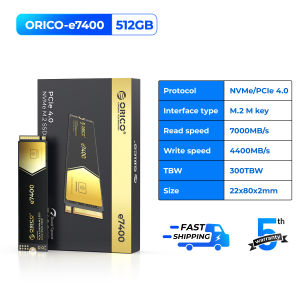
ORICO NVME M2 SSD is a high-speed internal storage solution designed for laptops, gaming consoles like PS5, and other devices that require fast data transfer rates. This NVME M2 SSD is available in various capacities, including 4TB, 2TB, 1TB, and 512GB, catering to different storage needs. The SSD comes with PCIe 4.0x4 interface, which enables faster data transfer rates compared to older interfaces like SATA III.
ORICO NVME M2 SSD Features
The ORICO NVME M2 SSD has several features that make it stand out in the market:
- High-speed data transfer: With a maximum read speed of 7400 Mb/s, the ORICO NVME M2 SSD ensures quick access to files and applications, improving overall system performance.
- Compatibility: The SSD is compatible with a wide range of devices, including laptops, desktops, and gaming consoles like PS5.
- Durability: The SSD is built to withstand vibrations, shocks, and extreme temperatures, ensuring reliable performance over time.
- Ease of installation: The SSD comes with a heatsink and mounting screws, making it easy to install in most devices.
Performance & Compatibility
7400 Mb/s SSD for Laptop
The ORICO NVME M2 SSD offers a maximum read speed of 7400 Mb/s, making it ideal for laptops that require fast data transfer rates. The high-speed interface ensures quick boot-up times, faster file transfers, and improved overall system performance. The SSD is compatible with laptops that support the PCIe 4.0x4 interface, including those running Windows 10 and macOS operating systems.
4TB Internal SSD for PS5
The ORICO NVME M2 SSD is also compatible with gaming consoles like PS5, offering up to 4TB of internal storage. The high-speed interface ensures quick loading times, faster game installs, and improved overall gaming performance. The SSD is easy to install in PS5, making it a great upgrade option for gamers who want to store multiple games on their console.
PCIe 4.0x4 SSD
The ORICO NVME M2 SSD comes with a PCIe 4.0x4 interface, which offers faster data transfer rates compared to older interfaces like SATA III. The high-speed interface ensures quick access to files and applications, improving overall system performance. The SSD is compatible with devices that support the PCIe 4.0x4 interface, including laptops, desktops, and gaming consoles like PS5.
Heat Management & Installation
Heatsink SSD 2280
The ORICO NVME M2 SSD comes with a heatsink, which helps dissipate heat and keep the SSD cool during operation. The heatsink is designed to fit the 2280 form factor, making it compatible with most devices that support the M.2 interface. The heatsink is easy to install, making it a great option for users who want to improve the cooling performance of their SSD.
Installation Tips & Tricks
Installing the ORICO NVME M2 SSD is easy, thanks to its heatsink and mounting screws. Here are some tips and tricks to help you install the SSD:
- Check compatibility: Before installing the SSD, make sure your device supports the PCIe 4.0x4 interface and has a compatible slot for the M.2 form factor.
- Power off the device: To avoid any damage to the SSD, power off the device before installation.
- Remove the old drive: If you're replacing an existing drive, remove it carefully to avoid damaging the connector or other components.
- Install the SSD: Carefully insert the SSD into the slot, making sure it's aligned properly. Secure the SSD using the provided mounting screws.
- Connect the heatsink: If your device doesn't have a built-in heatsink, connect the provided heatsink to the SSD to improve cooling performance.
- Reconnect power and data cables: Once the SSD is installed, reconnect the power and data cables to the device.
- Power on the device: Power on the device and check that the SSD is recognized by the operating system.

OricoCN
Review
You May Also Like
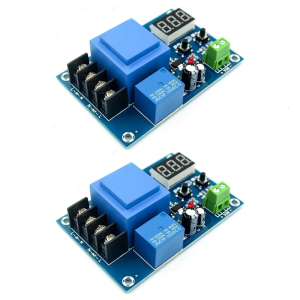
Wide Input Charging Control Module For Power Units 3.7V 120V Featuring Automatic Adjustment And LED Indicator

COXBYTE CPU Cooler ITX 4Pin PWM RGB 6 Heat Pipes CPU Air Cooler For AMD AM4/5 Intel LGA1700 1150 1155 1200 Processor Cooling Fan
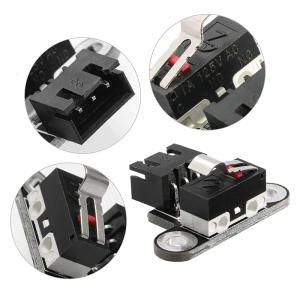
Limit Switch 3D Printer Vertical Mechanical Limit Switch Module for CNC 3018-PRO /3018-Max Metal/3018Plus 3Pin Port

DPS100 Portable 30V 5A DC Adjustable Power Supply 100W Laboratory Power Supply Voltage Current Regulated Input Output Protect

Xiaomi Curved Gaming Monitor G34WQi: 180Hz High Refresh Rate & Ultra-High Definition

ARGB Controller Cooling Fan Hub SYNC Hub Power Supply Cable ARGB Splitter for PC Case Cooling Lighting Management
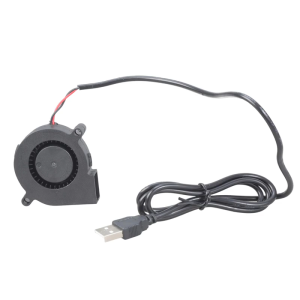
High Speed 4300RPM 5V Cooling Fan For Electronics Small Appliances Compact 50mm Blower Quiet Operation USB Powered
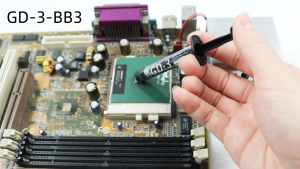
GD-3 Thermal Grease Processor Thermal Paste 3g/7g 7.5 W/M-k For CPU GPU PS5 Printer Heat Sink Cooling Cooler Compound Silicone
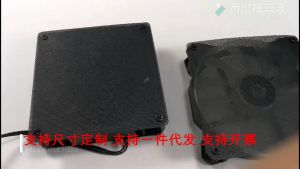
【Local Warehouse】1m Computer Mesh 30CM DIY PVC PC Case Fan Cooler Black Dust Filter Network Net Case Dustproof Cover Chassis Dust Cover CYB-PVC-Computer-Mesh-1M
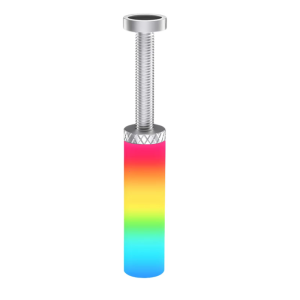
ARGB Graphics GPU Bracket Support Adjustable Telescopic Stand Bracket Magnetic GPU Video Holder for Desktop

NEW 15.6 144Hz Laptop LCD LM156LF2F01 For ASUS FX505 FX506 FX507 FX571 FA506 G512 G513 G531 FHD Display 40pins