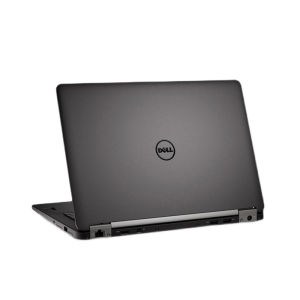
Dell Laptop: New Original Intel Core i5/i7, 14 Inch, 24GB RAM & 512GB SSD
Dell Laptop: New Original Intel Core i5/i7, 14 Inch, 24GB RAM & 512GB SSD
What is a New Original Dell Laptop?
A new original Dell laptop is a high-quality notebook computer designed to meet the demands of today's users. It comes equipped with cutting-edge components, including the powerful Intel Core i5/i7 processor, 14-inch display, 24GB RAM, and 512GB SSD storage. This combination ensures smooth performance and quick access to your files and applications.
Key Features of a New Original Dell Laptop
- Intel Core i5/i7 Processor: The heart of your new Dell laptop, providing reliable performance for everyday tasks and demanding applications.
- 14-inch Display: A compact yet spacious screen, perfect for work, entertainment, and productivity.
- 24GB RAM: Sufficient memory to handle multiple applications and processes simultaneously.
- 512GB SSD Storage: Fast read/write speeds and ample space for your files, applications, and operating system.
Components Included in the Package
When you purchase a new original Dell laptop, you'll receive the following items:
- Notebook host x1
- Power adapter x1
- Power cord x1
- Instruction manual x1
- Warranty card x1
How to Choose the Right Dell Laptop
Purchasing a new Dell laptop can be an exciting experience, but it's essential to choose the right model to meet your needs. Here are some tips to help you make an informed decision.
Identifying Your Needs
Before purchasing a new Dell laptop, consider your primary use case. Are you looking for a device for work, entertainment, or both? Understanding your needs will help you choose the right configuration.
Comparing Intel Core i5 vs i7
Dell laptops are available with either Intel Core i5 or i7 processors. While both options provide excellent performance, the i7 processor offers better multi-tasking capabilities and faster processing speeds, making it ideal for demanding applications like video editing and gaming.
Deciding Between 24GB RAM & 512GB SSD
With 24GB RAM, you'll have enough memory to run multiple applications and processes simultaneously. The 512GB SSD provides fast read/write speeds and ample storage for your files, applications, and operating system.
Setting Up Your New Dell Laptop
Once you've chosen the right Dell laptop for your needs, it's time to set it up and start using it. Here's a step-by-step guide to get you started.
Unboxing & Powering On
Begin by unboxing your new Dell laptop and connecting the power adapter and cord. Press the power button to turn it on and follow the on-screen instructions to complete the initial setup.
Connecting to Wi-Fi & Setting Up Accounts
Next, connect your Dell laptop to your Wi-Fi network and set up your Microsoft account. This will enable you to access your files, apps, and settings across multiple devices.
Installing Necessary Software & Updates
Finally, install any necessary software and updates to ensure your Dell laptop is running at its best. This includes updating the operating system, drivers, and applications.
Maximizing Your Dell Laptop Experience
To get the most out of your new Dell laptop, consider these tips for customizing settings, protecting your data, and extending battery life.
Customizing Settings for Optimal Performance
Adjust your Dell laptop's settings to suit your preferences and optimize performance. This includes adjusting display settings, power management, and application preferences.
Protecting Your Data with Backup & Security Measures
Regularly backup your data to prevent loss due to hardware failure or other issues. Additionally, enable security features like Windows Defender and BitLocker to protect your files and personal information.
Extending Battery Life & Maintaining Hardware
Extend your Dell laptop's battery life by adjusting power settings, closing unnecessary applications, and using power-saving modes. Regularly clean and maintain your laptop to ensure it continues to perform at its best.

LEHDE MALL
You May Also Like
For X1C P1S P1P Five Way Feed Port 4 in 1 Feed Pipe Filament Tube Expansion Port 3D Printer Connector Replacement
RIXTON V8S Sound Card Sound Effects w/ Audio Mixer for Streaming Podcast Streaming w/ Voice Changer(V8S Sound Card)

【YIDAO4】 1g Thermal Grizzly Kryonaut Extreme KE Thermal Paste for CPU GPU Cooler Large Capacity Compound Cooling Silicone Grease
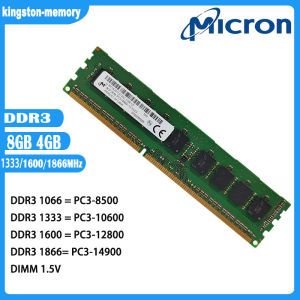
Micron RAM 4GB 8GB DDR3 1333 1600 MHz Desktop Memory RAM DIMM PC3-10600 12800 14900 DIMM 1.5V Ram

Jungle Leopard Star S30 Magnetic Building Block CPU Fan 12030 Desktop Computer ARGB Splicing Fan 120mm Motherboard Lighting Sync 4PIN PWM 30mm Thickness
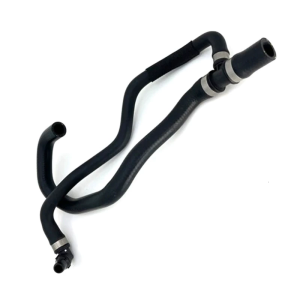
Coolant Hose A1668301200 for W292 W166 X166 C292 GLE43AMG GLE320 GLE400 GLS450 GL450 ML400 Ensures Leakfree Performances
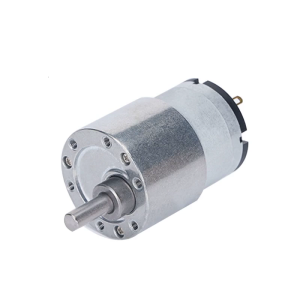
7RPM to 960 RPM Micro Speed Reduction Reversible Gear Motor 6V/12V/24V High Torque Motor with Eccentric Output Shaft
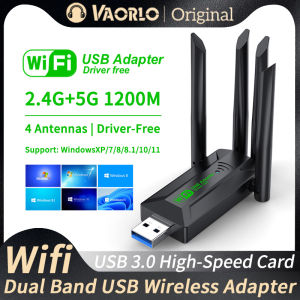
1200Mbps WiFi USB Adapter: A Comprehensive Guide
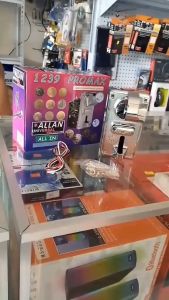
Allan LED Coinslot LED FRAME/RGB Frame/for Pisowifi/for Universal 1238a and 1239
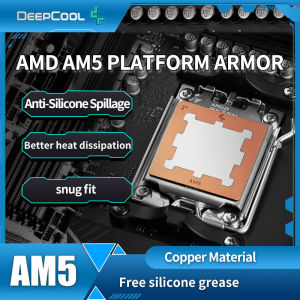
Deepcool AM5 Thermal Paste Guard CPU Cooler Armor AMD For 7950X 7900X 7700X 7600X Chips Heatsink Cover Copper

High Density 19inch Server Rack Cable Panel 1U 24 Slot 48 Port Heavy Duty IT Management System