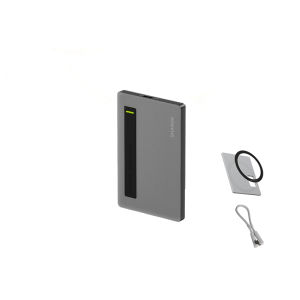
Sharge M.2 NVME SSD Enclosure Disk Plus Ultra-Slim Date Solution Hard Drive Box
Sharge M.2 NVME SSD Enclosure Disk Plus Ultra-Slim Date Solution Hard Drive Box
What is M.2 NVME SSD Enclosure?
An M.2 NVME SSD Enclosure, also known as a compact SSD enclosure, is a portable storage solution designed specifically for M.2 NVME SSDs. It enables users to connect their SSDs to external devices such as computers, laptops, and tablets, making data transfer and backup more convenient and efficient. With its ultra-slim hard drive box design, the M.2 NVME SSD Enclosure is a compact storage solution that offers high-performance SSD enclosure capabilities.
Key Features of M.2 NVME SSD Enclosure
- Ultra-slim design: The M.2 NVME SSD Enclosure has a sleek and compact form factor, making it easy to carry and store.
- High-speed data transfer: Thanks to the NVME interface, the enclosure supports fast data transfer rates, ensuring quick access to files and applications.
- Easy-to-use: Simply insert your M.2 NVME SSD into the enclosure and connect it to your computer via USB, allowing you to easily transfer data and back up files.
- Durable construction: Made from high-quality materials, the enclosure is built to last and protect your valuable data.
Benefits of Using M.2 NVME SSD Enclosure
- Portable storage solution: With its compact design, the M.2 NVME SSD Enclosure is an ideal portable storage solution for users who frequently transfer data between devices.
- High-speed data transfer: The enclosure's support for NVME interface ensures fast data transfer rates, making it perfect for transferring large files or backing up important data.
- Compatibility: The M.2 NVME SSD Enclosure is compatible with a wide range of devices, including computers, laptops, and tablets, making it a versatile storage solution.
How to Choose the Right M.2 NVME SSD Enclosure
Selecting the right M.2 NVME SSD Enclosure requires careful consideration of several factors, including compatibility, performance, and durability.
Factors to Consider When Selecting a M.2 NVME SSD Enclosure
- Compatibility: Ensure the enclosure is compatible with your M.2 NVME SSD and the devices you plan to connect it to.
- Performance: Look for an enclosure that supports high-speed data transfer rates, such as those with an NVME interface.
- Durability: Choose an enclosure made from high-quality materials that will protect your valuable data.
Comparing M.2 NVME SSD Enclosures from Different Brands
When comparing M.2 NVME SSD Enclosures from different brands, consider the following factors:
- Brand reputation: Research the brand's reputation for quality and reliability before making a purchase.
- Price: Compare prices across different brands to find the best value for your budget.
- Features: Look for enclosures that offer additional features, such as shockproof or waterproof designs, to better protect your data.
How to Install and Use M.2 NVME SSD Enclosure
Installing and using an M.2 NVME SSD Enclosure is a simple process that can be completed in just a few steps.
Connecting M.2 NVME SSD Enclosure to Your Computer
- Insert your M.2 NVME SSD into the enclosure.
- Connect the enclosure to your computer using a USB cable.
- Wait for the computer to recognize the enclosure and mount the drive.
Transferring Data Using M.2 NVME SSD Enclosure
Once the enclosure is connected to your computer, you can easily transfer data by dragging and dropping files between the drive and your computer's file system.
Troubleshooting Common Issues with M.2 NVME SSD Enclosure
If you encounter any issues while using your M.2 NVME SSD Enclosure, try the following troubleshooting steps.
Resolving Connectivity Problems
- Check the USB cable connection to ensure it is securely connected.
- Try connecting the enclosure to a different USB port on your computer.
- Restart your computer and reconnect the enclosure.
Addressing Data Transfer Issues
- If data transfer is slow, try updating your computer's drivers or firmware.
- Ensure your M.2 NVME SSD is properly inserted into the enclosure.
- Check the USB cable for any signs of damage or wear.
In conclusion, the Sharge M.2 NVME SSD Enclosure Disk Plus Ultra-Slim Date Solution Hard Drive Box is a versatile, high-performance storage solution that offers users a convenient way to transfer and back up data. By considering compatibility, performance, and durability when selecting an enclosure, users can find the perfect M.2 NVME SSD Enclosure to meet their needs. With its ultra-slim design, high-speed data transfer capabilities, and easy-to-use features, the M.2 NVME SSD Enclosure is an essential tool for anyone who frequently transfers data between devices.

HowXuan Home
Review

You May Also Like
KINGSTON USB Flash Drive 32GB
Newman Mobile High Capacity Hard Disk Fast Read And Write 500G Data Mechanical Transmission for Laptop Computer Notebook
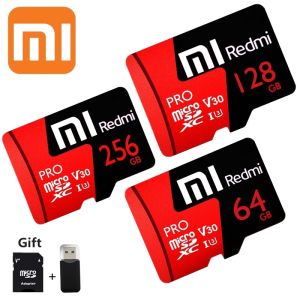
♥【Readystock】FREE Shipping+COD♥ Xiaomi Redmi V30 PRO Micro SD Card SDXC / UHS-I U3 Class 10 High Speed Memory Card 1TB 512GB 256GB

ORICO 2.5 Inch HDD Box Bag Case: A Durable & Compact Hard Drive Case
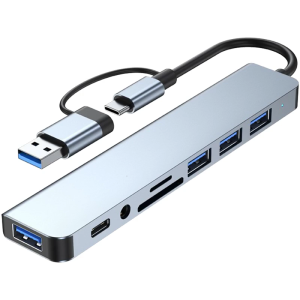
USB C HUB 8 in 1 USB C/USB3.0 Adapter Docking Station with 3xUSB2.0+1xUSB3.0+1xType C Reader Adapter Laptop Dock
Sandisk Extreme Go USB 3.2 Flash Drive ~ 256GB
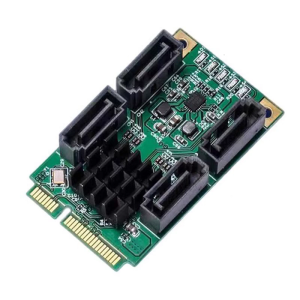
Mini PCIe to SATAs Adapters 4 Channel 6Gbps Speed Marvells Chipset Hot Plugs Functionality

USB FLASH DRIVE / MEMORY CARD WITH MUSIC / SONGS COLLECTION HIGH QUALITY 320 KBPS QUALITY |
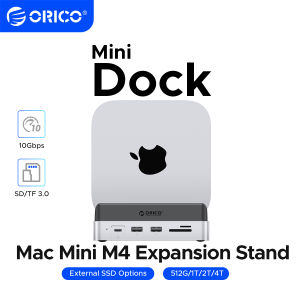
ORICO MiniDock Storage Expansion Dock for MaMini M4&M4 Pro Stand USB3.2 Gen2 Type C Dock with 512G 1T 2T 4T M.2 SSD
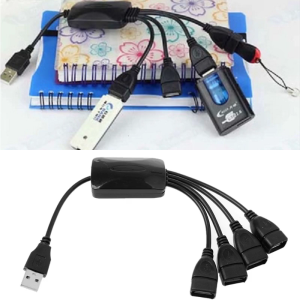
USB 2.0 HUBs Connect with Usb Mouse Hdd Usb Storage Device Usb Cd-r/rw Dvd-rom Drives Usb 1.1 Hubs Splitter
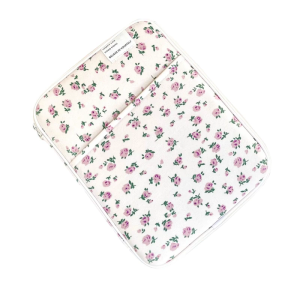
Laptop Carrying Case Liner Bag For 10-11Inch 13.3inch Notebook Shock Resistant Fabric NOtebook Storage