MOTOROLA V8 Flip Phone: 2.2+2.0 Inch Dual Screen, 2MP Camera & Linux OS
MOTOROLA V8 Flip Phone: 2.2+2.0 Inch Dual Screen, 2MP Camera & Linux OS
Overview of the MOTOROLA V8 Flip Phone
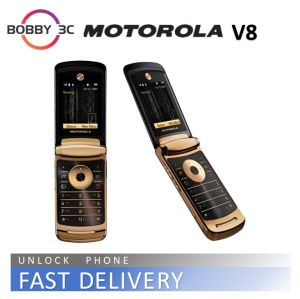
The MOTOROLA V8 flip phone is a classic device designed for users who value simplicity and reliability. This phone features a 2.2+2.0 inch dual screen display, a 2MP camera, and operates on a Linux-based system. It connects to the network using a 2G GSM signal, making it ideal for those who prioritize affordability and ease of use.
Key Features
-
Dual Screen Display: The MOTOROLA V8 features two screens, one measuring 2.2 inches and the other 2.0 inches, allowing users to view and interact with their phone's content more efficiently.
-
2MP Camera: The built-in 2MP camera enables users to capture moments and memories, even though it may not offer the same level of quality as modern smartphones.
-
Linux Operating System: The MOTOROLA V8 runs on a Linux-based system, offering a simple yet robust user interface that's easy to navigate.
-
2G GSM Signal: The phone operates on a 2G GSM network, ensuring reliable connectivity for voice calls and basic data services.
Included Accessories
The MOTOROLA V8 flip phone comes with the following accessories:
- 1 x Phone
- 1 x Charger
- 1 x Battery
- 1 x Box
Exploring the Dual Screen Display
The MOTOROLA V8's dual screen display consists of two screens, one measuring 2.2 inches and the other 2.0 inches. This unique design allows users to view and interact with their phone's content more efficiently, making it easier to read messages, browse the internet, and access other features.
Understanding the 2.2+2.0 Inch Screens
The larger 2.2-inch screen serves as the primary display, showing the phone's main interface and applications. The smaller 2.0-inch screen acts as a secondary display, displaying important notifications and alerts.
Maximizing Display Usage
To make the most of the MOTOROLA V8's dual screen display, users can customize their settings to prioritize important notifications and alerts on the smaller screen. This allows users to quickly access important information without having to open the phone.
Unleashing the Power of the 2MP Camera
The MOTOROLA V8's built-in 2MP camera offers a simple yet effective way to capture moments and memories. Although it may not offer the same level of quality as modern smartphones, it's still a useful feature for those who value simplicity and affordability.
Capturing Moments with the 2MP Camera
To use the MOTOROLA V8's camera, simply open the camera app and adjust the settings to your liking. The camera offers basic features like auto-focus and flash, making it easy to capture clear and well-lit photos.
Camera Settings & Modes
The MOTOROLA V8's camera offers several settings and modes to customize your photography experience. These include auto-focus, flash, and various shooting modes like portrait and landscape.
Connecting with the 2G GSM Signal
The MOTOROLA V8 operates on a 2G GSM network, ensuring reliable connectivity for voice calls and basic data services. This makes it ideal for users who prioritize affordability and ease of use.
Setting Up Your Phone for 2G GSM
To set up your MOTOROLA V8 for 2G GSM, simply insert a SIM card from a supported carrier and power on the phone. The phone will automatically connect to the network, allowing you to make and receive calls and access basic data services.
Troubleshooting Connectivity Issues
If you're experiencing connectivity issues with your MOTOROLA V8, try restarting the phone, checking the SIM card, and ensuring you're within range of a supported network. If the issue persists, contact your carrier for further assistance.
Embracing the Linux Operating System
The MOTOROLA V8 runs on a Linux-based system, offering a simple yet robust user interface that's easy to navigate. This makes it ideal for users who value simplicity and reliability.
Navigating the User Interface
The MOTOROLA V8's user interface is designed to be intuitive and easy to use. It features a simple menu system with icons for common functions like phone, messages, and camera. Users can easily navigate through the phone's features and settings using the physical buttons and touchscreen.
Customizing Your Experience
To customize your MOTOROLA V8 experience, you can adjust the phone's settings to suit your preferences. This includes changing the wallpaper, setting up notifications, and adjusting the display brightness.

Bobby_3C
Review

You May Also Like
Numchai c33 Original cellPhone sale 8+256GB Brand new 5G smartphone 6.5 inch 5000mAh Android Phone Gaming phone 1 year warranty
Reno10Pro+ 5G Smartphone 7.3inch Full-Screen Phone Memory 16GB +1TB Battery 8000mAh Android 13.0 Dual SIM Card WIFI
Set of 2 Unique Strawberry Phone Chain Combines Style and Functionality Peach Phone Pendant for Add Charm to Any Outfit
Y2K Bead Phone Strap Charm Trendy Phone Chain Rabbit Phone Lanyard Acrylic Material Perfect Gift for Women and Girls
Oukitel RT8 Rugged 4G Tablets 11Inch FHD+ Display Octa Core 6GB+256GB Android 13 Tablet PC 20000mAh 33W 48MP Camera Support NFC
Original Samsung Galaxy S4 I9505: A Comprehensive Review
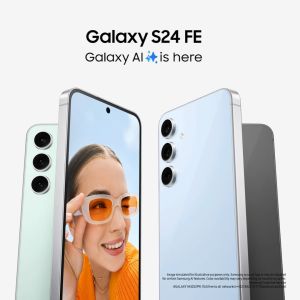
Samsung Galaxy S24 FE Samsung S24 Plus Case Samsung S 24 - Lazada
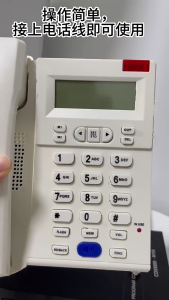
Large Button Phone for Seniors Corded Phone Noise Reduction Phone with Call Display for Hearing Guest Room Hotel Office
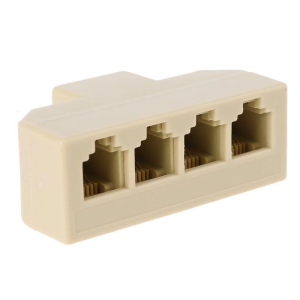
RJ11 Wall Jack Adapter Phone Line Splitter Wall Jack Plug 1 to 4 Modular Converter Adapter for Office Home Phone System
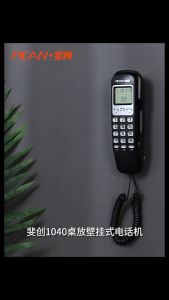
FSK/DTMF Corded Phone Caller ID Telephone Landline Telephones Fashion Extension Telephone for Home Office Hotel Black Red
2 Pieces 8Ω 1W 1510 Speaker Oval Loudspeaker Driving Record Phone Speaker 1015 SNR 100 dB 8 ohms 1 watt 8r 1w