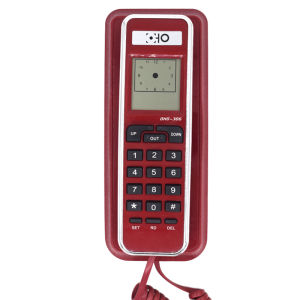
FSK/DTMF Corded Phone Caller ID Telephone Landline Telephones Fashion Extension Telephone for Home Office Hotel Black Red
FSK/DTMF Corded Phone Caller ID Telephone Landline Telephones Fashion Extension Telephone for Home Office Hotel Black Red
Introduction
In today's fast-paced world, staying connected is more important than ever. For those who prefer the reliability and simplicity of landline telephones, a corded phone caller ID can provide a convenient way to identify incoming calls. This article will explore the benefits of using a corded phone caller ID, how to choose the right one, installation and setup, and maintenance tips.
What is a Corded Phone Caller ID?
A corded phone caller ID is a device that displays the name and number of incoming calls on a screen attached to a traditional landline telephone. This feature allows users to identify callers before answering, providing peace of mind and increased privacy.
How Does Caller ID Work on Corded Phones?
Caller ID works by transmitting the caller's name and number over the phone line using either FSK (Frequency Shift Keying) or DTMF (Dual-Tone Multi-Frequency) signaling. When a call is received, the caller ID information is displayed on the phone's screen.
Benefits of Using a Corded Phone Caller ID
Using a corded phone caller ID offers several benefits, including:
- Increased privacy: You can screen calls and avoid answering unwanted calls.
- Improved efficiency: Quickly identify important calls and prioritize them.
- Enhanced safety: Avoid answering suspicious or potentially dangerous calls.
Choosing the Right Corded Phone Caller ID
When selecting a corded phone caller ID, consider the following factors:
Key Features to Look for in a Corded Phone Caller ID
- Display size and clarity
- Compatibility with existing landline network
- Call waiting and call forwarding capabilities
- Memory capacity for storing incoming calls
Comparing Black & Red Telephones
Black and red telephones offer different aesthetics and styles to suit various preferences. Black telephones provide a sleek, modern look, while red telephones offer a bold, eye-catching appearance. Consider the design that best fits your home office or hotel environment.
Fashion Extension Telephones for Home Office
Fashion extension telephones are designed to complement modern home office decor. These telephones often feature stylish designs, such as curved handsets and slim bases, making them a great addition to any workspace.
Installing & Setting Up Your Corded Phone Caller ID
Proper installation and setup are crucial for optimal performance of your corded phone caller ID.
Step-by-Step Guide to Installation
- Unpack the corded phone caller ID and familiarize yourself with its components.
- Connect the phone to the landline network using the provided telephone cord.
- Plug the phone into a power outlet if required.
- Follow the manufacturer's instructions to configure the settings.
Connecting Your Corded Phone Caller ID to the Landline Network
To connect your corded phone caller ID to the landline network, simply plug the telephone cord into the appropriate jack on the wall and the base of the phone. Ensure the connection is secure to avoid any issues.
Configuring Your Corded Phone Caller ID Settings
Refer to the user manual for specific instructions on configuring your corded phone caller ID settings. This may include adjusting display brightness, setting up call waiting, and programming memory capacity.
Maintaining & Troubleshooting Your Corded Phone Caller ID
Regular maintenance and troubleshooting can help ensure your corded phone caller ID continues to function properly.
Common Issues & Solutions
- Display issues: Check the power connection and reset the phone if necessary.
- No caller ID display: Ensure the phone is properly connected to the landline network and check the settings.
- Call quality problems: Verify the telephone cord is securely connected and check for any interference.
Regular Maintenance Tips for Your Corded Phone Caller ID
- Keep the phone clean and free of dust.
- Replace the battery if required.
- Periodically review and update the settings.
When to Contact Customer Support
If you encounter persistent issues or require assistance with your corded phone caller ID, don't hesitate to contact customer support. They can help diagnose and resolve any problems you may be experiencing.

Laizanda department
Review

You May Also Like
OPPO Reno 14 Dimensity 8350 6.59 inches AMOLED Android 15 Bluetooth 5.4 NFC
L8000 Lan Rover Heavy Duty Army Phone: A Comprehensive Guide
3D Cat Flocking Cellphone Strap Cute Cat Design Phone Strap With Soft Flocking Finish for Phone Keys Bags Purses
Original A60 5G Smartphone sale Brand new Gaming phone Snapdragon 680 12GB+512GB Android phone 90HZ Gaming phone 45W Fast charging
2025 Android Tablet Ram+Rom: 12GB+512GB Tablets 5G Legit 144Hz Display Android14 Gaming Tablets
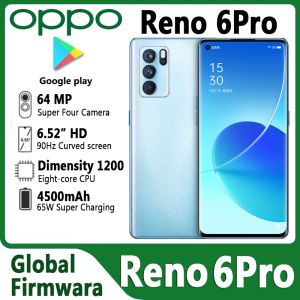
Used OPPO Reno 6 Pro 5G: A Comprehensive Guide
Redmi 14C8GB+256GB Smooth 6.74 90Hz Display 50MP AI Triple Camera Massive 5000mAh Battery
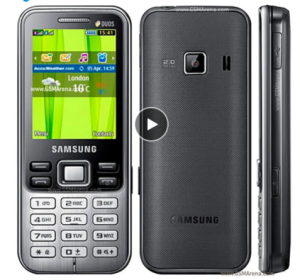
Samsung C3322 GSM Unlocked Phone 2.2\" Mobile Phone FM Radio 2 MP Dual SIM Cell Phones
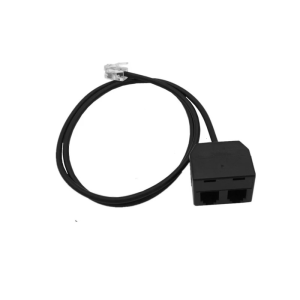
RJ9 Y Splitter Telephone Training Adapter for Efficient Voice Training and Clear Signal Transmission on IPPhones
Original Nokia 1208 2G Unlocked GSM: A Comprehensive Guide
Ulefone Armor Pad Pro16 GB 128 GB NFC Rugged Tablet7650 mAh IP68/IP69KStereo Dual Speakers32MP Camera8.0 Inch HD Display