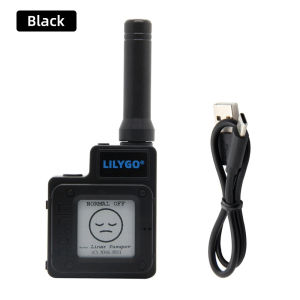
LILYGO TTGO Meshtastic T-Echo LoRa SX1262 Wireless Module 433/868/915MHz NRF52840 1.54 E-Paper GPS RTC NFC BME280 for Arduino
LILYGO TTGO Meshtastic T-Echo LoRa SX1262 Wireless Module 433/868/915MHz NRF52840 1.54 E-Paper GPS RTC NFC BME280 for Arduino
What is LILYGO TTGO Meshtastic T-Echo?
LILYGO TTGO Meshtastic T-Echo is a versatile wireless module that integrates LoRa SX1262 technology with NRF52840, providing a powerful platform for IoT applications. This module supports multiple frequencies (433/868/915MHz) and offers various connectivity options, including GPS, NFC, and BME280 sensors.
Key Features
- LoRa SX1262 wireless module
- NRF52840 processor
- 1.54 E-Paper display
- GPS and NFC capabilities
- BME280 sensor for environmental monitoring
Benefits
LILYGO TTGO Meshtastic T-Echo offers several benefits for developers and hobbyists:
- Interoperability: Compatible with Arduino and other popular platforms, making it easy to integrate into existing projects.
- Flexibility: Supports multiple frequencies, enabling seamless communication across different regions and applications.
- Connectivity: Equipped with GPS, NFC, and BME280 sensors, enhancing its functionality and versatility.
- Display: The 1.54 E-Paper display provides clear, low-power visual feedback.
How to Use LILYGO TTGO Meshtastic T-Echo
Using LILYGO TTGO Meshtastic T-Echo is straightforward, with the following steps:
Setting Up Your Device
- Connect the module to your computer using a USB cable.
- Install the necessary drivers and libraries for your development environment.
- Upload a sample sketch to test the basic functionality.
Connecting to Other Devices
To connect LILYGO TTGO Meshtastic T-Echo to other devices, follow these steps:
- Configure the module's settings, such as frequency and transmission power.
- Connect the module to the desired devices using the appropriate connectors or protocols.
- Test the connection by sending and receiving data.
Utilizing Built-in Sensors
LILYGO TTGO Meshtastic T-Echo comes equipped with several built-in sensors, which can be utilized as follows:
- GPS: Retrieve location data by reading the GPS module's output.
- NFC: Read and write NFC tags using the module's NFC capabilities.
- BME280: Monitor environmental conditions by reading temperature, humidity, and pressure data from the BME280 sensor.
Exploring LILYGO TTGO Meshtastic T-Echo Capabilities
LILYGO TTGO Meshtastic T-Echo offers numerous capabilities that can be explored further:
Integrating with Arduino Compatible Devices
Integrate LILYGO TTGO Meshtastic T-Echo with Arduino compatible devices by following these steps:
- Install the necessary libraries for your development environment.
- Connect the module to the Arduino board using the appropriate connectors or protocols.
- Upload a sample sketch to test the integration.
Expanding Functionality with NRF52840
Leverage the NRF52840 processor's capabilities to expand LILYGO TTGO Meshtastic T-Echo's functionality:
- Bluetooth Low Energy (BLE): Utilize BLE for wireless communication with other devices.
- Multiple cores: Utilize the NRF52840's dual-core architecture for improved performance and efficiency.
Enhancing Display with 1.54 E-Paper
Enhance the display capabilities of LILYGO TTGO Meshtastic T-Echo by utilizing the 1.54 E-Paper display:
- Low-power: Utilize the low-power nature of E-Paper displays to conserve battery life.
- Clear visuals: Display clear, crisp text and graphics on the E-Paper display.
Best Practices for LILYGO TTGO Meshtastic T-Echo
Maximize the performance and longevity of LILYGO TTGO Meshtastic T-Echo by following these best practices:
Optimizing Battery Life
Optimize battery life by:
- Reducing power consumption: Minimize power usage by disabling unused features and reducing transmission power.
- Using sleep modes: Utilize sleep modes to conserve battery life during periods of inactivity.
Troubleshooting Common Issues
Troubleshoot common issues by:
- Checking connections: Verify that all connections are secure and properly configured.
- Updating firmware: Ensure that the module's firmware is up-to-date.
Maximizing Range & Connectivity
Maximize range and connectivity by:
- Optimizing settings: Adjust the module's settings, such as frequency and transmission power, to achieve optimal performance.
- Using external antennas: Utilize external antennas to improve range and connectivity.

Yisunder.sun
You May Also Like
16" IPS Laptop LCD Screen DV160FHM N10 DV160FHM-N10 DV160FHM-N20 Display Matrix Panel Replacement 1920x1080 eDP 30 Pins No-Touch
M.2 NVME SSD to PCIE X1 X4 Adapter Card 2280 SSD PCIe 3.0 4.0 Expansion Card for Desktop PC PCI-E GEN4 16Gbps Full Speed
2X Anti Blue Light and Anti Glare Screen Protector Guard Cover for Lenovo Legion 9i (16 Gen 9) Gaming Laptop 16" 16:10
DC 12V 3A UPS Uninterruptible Power Board 3S Lithium Battery Pack Module Automatically Switches Between Charging And Discharging

Transcend SSD225S: A High-Speed 250GB SATA 6Gb/s Solution

ALLAN HY510 Gray bulk small syringe PC CPU GPU LED interface heat sink transistor conductive grease artic silver Thermal paste
Wide Viewing Angles 1.8Inch/2.4inch TFT LCD Display Module EC11 Encoders SPI Interfaces Long Lifespans Component ST7735S
Intel Core i7 with MOBO: High-Performance Computing Made Easy

ARZOPA 16.1 144Hz Z1FC Portable Gaming Monitor 1080P HDR with USB 3.1 HDMI Laptop Computer Monitor for Switch PlayStation Xbox PS5 Mac
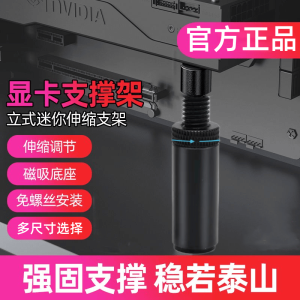
Adjustable Full Aluminum Vertical Support Bracket for Graphics Card Sea View Room Card Holder Durable Computer Peripheral
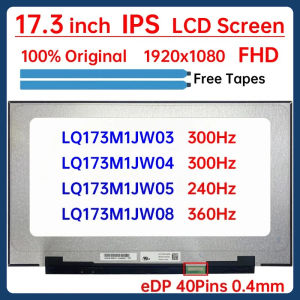
17.3 Inch Laptop LCD Screen LQ173M1JW03 LQ173M1JW04 LQ173M1JW05 LQ173M1JW08 Gaming Display Matrix Panel Replacement eDP 40 Pins