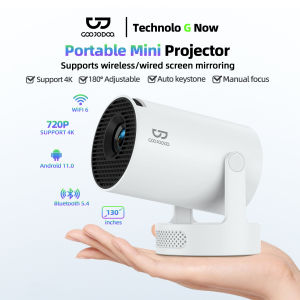
GOOJODOQ HY300 Projector 8000 Lumens Projector 4K Ultra Full HD 1080P Built-in App Android Smart Box Netflix YouTube Multimedia Portable Projector Bluetooth 2.4 & 5G Wi-Fi 270° Free Angles High Stand Android 11 System
GOOJODOQ HY300 Projector 8000 Lumens Projector 4K Ultra Full HD 1080P Built-in App Android Smart Box Netflix YouTube Multimedia Portable Projector Bluetooth 2.4 & 5G Wi-Fi 270° Free Angles High Stand Android 11 System
Introduction to GOOJODOQ HY300
The GOOJODOQ HY300 projector is a powerful, portable device designed for multimedia entertainment and presentations. With its 8000 lumens brightness, 4K Ultra Full HD display, and Android 11 system, this projector offers a versatile solution for both personal and professional use. This article will guide you through setting up, using, and enjoying the GOOJODOQ HY300 projector.
Key Features of GOOJODOQ HY300
The GOOJODOQ HY300 projector boasts several impressive features, including:
- 8000 lumens brightness
- 4K Ultra Full HD display
- Android 11 system
- Built-in apps such as Netflix and YouTube
- Bluetooth 2.4 & 5G Wi-Fi connectivity
- 270° free angles high stand
These features make the GOOJODOQ HY300 an excellent choice for those looking for a high-quality, portable projector with built-in multimedia capabilities.
Why Choose GOOJODOQ HY300?
The GOOJODOQ HY300 projector stands out from other projectors due to its exceptional features and performance. With its 8000 lumens brightness, it delivers bright, vivid images even in well-lit rooms. The 4K Ultra Full HD display ensures sharp, clear visuals, while the Android 11 system provides a smooth, intuitive user experience. Additionally, the built-in Netflix and YouTube apps make it easy to stream your favorite content directly from the projector.
Setup & Installation
Unboxing & Initial Setup
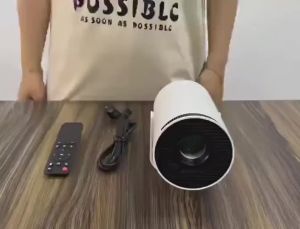
Begin by unboxing the GOOJODOQ HY300 projector and familiarizing yourself with its components. Once you have everything, connect the power cable and turn on the projector using the power button. Follow the on-screen instructions to complete the initial setup process.
Connecting to Wi-Fi & Bluetooth
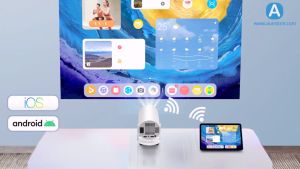
To connect the GOOJODOQ HY300 projector to your Wi-Fi network, go to the settings menu and select "Wi-Fi." From there, choose your network and enter the password. To pair the projector with a Bluetooth device, navigate to the settings menu and select "Bluetooth." Then, enable Bluetooth and search for devices.
Setting Up Built-in Apps (Netflix, YouTube)
To access Netflix and YouTube on the GOOJODOQ HY300 projector, simply open the app launcher and select the desired app. From there, sign in to your account and start streaming your favorite content.
Using GOOJODOQ HY300
How to Adjust Image Quality
To adjust the image quality on the GOOJODOQ HY300 projector, go to the settings menu and select "Display." From there, you can adjust various settings such as brightness, contrast, and color balance to achieve the desired image quality.
Exploring the 4K Ultra Full HD Display
The GOOJODOQ HY300 projector's 4K Ultra Full HD display offers exceptional visual clarity and detail. To fully appreciate its capabilities, try watching movies, playing games, or presenting documents in 4K resolution.
Using the Android 11 System & Built-in Apps
The GOOJODOQ HY300 projector runs on the Android 11 system, providing a smooth, intuitive user experience. Explore the built-in apps, such as Netflix and YouTube, to stream your favorite content directly from the projector.
Conclusion
Final Thoughts on GOOJODOQ HY300
The GOOJODOQ HY300 projector is a powerful, portable device that delivers exceptional multimedia entertainment and presentation capabilities. With its 8000 lumens brightness, 4K Ultra Full HD display, and Android 11 system, it offers a versatile solution for both personal and professional use. Whether you're streaming movies, playing games, or presenting documents, the GOOJODOQ HY300 projector is sure to impress. " }

GOOJODOQ
Review
You May Also Like
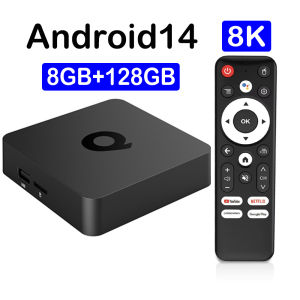
Q1 8GB 128GB Smart TV Box Android 14 Media Player Google Assistant Bluetooth5.4 Allwinner H313 Dual Wifi 5G PK T1 H96 X96 TV Box
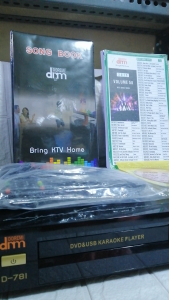
MEGAPRO DOREMI D-781 WITH 17K SONGS MIDI KARAOKE DVD PLAYER
H00 Stratos Vision 4K Projector Android 11 8000 Lumens Dual WiFi Portable Mini Cinema
![[COD] SHPYHT SPORTS 12PCS Valentines Day Red Bows For Wreath Rustic Bows For Winter Red Bow Christmas Gilt Edged Tree Bows For Wedding Decor](https://img.lazcdn.com/g/p/c03a0d23505e2b39975dfbbf6ec78f96.jpg_300x300q80.jpg)
[COD] SHPYHT SPORTS 12PCS Valentines Day Red Bows For Wreath Rustic Bows For Winter Red Bow Christmas Gilt Edged Tree Bows For Wedding Decor
【🔥Buy 2 Get 20% OFF】HY300 Projector 4K Ultra HD Projector 8000 Lumens Proyector Smart TV Android 11.0 OS LED Movie Projector Home Cinema Projector HY320 Wireless WIFI Bluetooth LCD Portable Projector for Cellphone
Xudewei Portable Foldable Projector Screen Ultra HD Ambient Light Rejecting Video Screen for Home Theater Indoor Outdoor Office
HY300 Projector: A 4K Portable Projector with 8000 Lumens & 130 Inch Screen
KAMPEON Smart TV 55 Inches 4K UHD Flat Screen Smart TV 50 Inches Smart TV Android 43 Inches LED Google TV Televisions
![[New Arrival] VIUIO HM400 4K Ultra HD Projector | Dual WiFi 6 & BT 5.0 | Netflix YouTube Prime Video Supported | Home Theater Projector for Phone](https://img.lazcdn.com/g/ff/kf/Sf1e2c2e026c04b82bcc1e71ea662a789Q.jpg_300x300q80.jpg)
[New Arrival] VIUIO HM400 4K Ultra HD Projector | Dual WiFi 6 & BT 5.0 | Netflix YouTube Prime Video Supported | Home Theater Projector for Phone

LED Backlight for LG 32LV2130-TD w/Heatsink
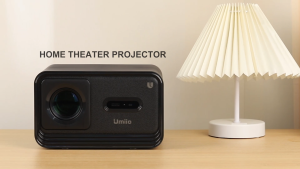
Umiio Projector 4k ultra hd Projector Mini portable Projector wifi and bluetooth led Projector Portable Video Movie Projector Beamer with HDMI with 1080p and Support Screen for Home Theater/Office can be upgraded and updated for home theaters