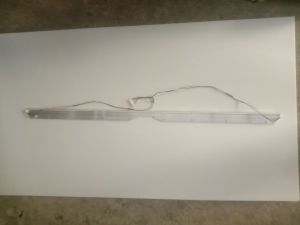
LED Backlight for LG 32LV2130-TD w/Heatsink
LED Backlight for LG 32LV2130-TD w/Heatsink
Introduction
The LED backlight for LG TV is a high-quality accessory that significantly enhances the display performance of your television. In this article, we will discuss the benefits of improved display performance and dive deep into the key components, installation guide, and troubleshooting tips for the LED backlight for LG 32LV2130-TD TV model equipped with a heatsink.
Overview of LED Backlight for LG TV
The LED backlight for LG TV is a crucial component that provides the illumination required for optimal picture quality. It is designed to work seamlessly with the LCD screen, delivering a brighter, clearer, and more vibrant image compared to traditional CCFL backlights. This accessory is a must-have for anyone looking to enhance their viewing experience.
Benefits of Improved Display Performance
Upgrading to an LED backlight for LG TV offers numerous advantages, including:
- Enhanced picture quality: The LED backlight provides superior brightness, contrast, and color accuracy, resulting in a more lifelike and immersive visual experience.
- Energy efficiency: LED backlights consume less power than CCFL backlights, making them an eco-friendly choice for your TV.
- Longer lifespan: LEDs have a longer operational life compared to CCFLs, reducing the frequency of replacements and saving you money in the long run.
Key Components
To fully understand the LED backlight for LG TV, it is essential to familiarize yourself with its key components. In this section, we will discuss LCD screen backlighting and the 32LV2130-TD heatsink.
LCD Screen Backlighting
LCD screens rely on backlighting to illuminate the pixels and display images. The LED backlight for LG TV utilizes a series of light-emitting diodes (LEDs) to provide uniform illumination across the entire screen. This results in a brighter, clearer, and more vibrant image compared to traditional CCFL backlights.
32LV2130-TD Heatsink
The 32LV2130-TD heatsink is a critical component that helps regulate the temperature of the LED backlight. It ensures that the backlight operates within safe limits, preventing overheating and potential damage to the TV. By maintaining optimal operating temperatures, the heatsink helps prolong the lifespan of the LED backlight and the overall performance of the TV.
Installation Guide
Installing the LED backlight for LG TV is a straightforward process. Follow these steps to ensure proper installation and optimal performance.
How to Install LED Backlight for LG TV
- Unpack the LED backlight kit and ensure all components are present.
- Power off the TV and unplug it from the power source.
- Remove the back panel of the TV, exposing the existing backlight.
- Carefully disconnect the old backlight and remove it from the TV.
- Install the new LED backlight, ensuring proper alignment with the LCD screen.
- Reconnect the backlight cables and secure the heatsink in place.
- Replace the back panel and reattach any screws or clips.
- Plug the TV back into the power source and turn it on.
Tips for Proper Installation
- Always consult the manufacturer's instructions for specific guidance on installing the LED backlight for LG TV.
- Handle the components with care to avoid damage or misalignment.
- Ensure proper alignment of the LED backlight with the LCD screen for optimal performance.
Troubleshooting
Despite proper installation, you may encounter issues with the LED backlight for LG TV. Here are some common problems and solutions to help improve display performance.
Common Issues with LED Backlight for LG TV
- Flickering or dimming screen: This could be caused by a faulty connection or a damaged LED backlight.
- Uneven illumination: Misalignment or damage to the LED backlight can result in uneven illumination across the screen.
- Overheating: Insufficient cooling or improper installation of the heatsink can lead to overheating and potential damage to the TV.
Solutions for Improved Display Performance
- Check connections: Inspect all cables and connectors for loose or damaged connections. Tighten any loose connections and replace damaged components if necessary.
- Align the LED backlight: Ensure proper alignment of the LED backlight with the LCD screen to achieve even illumination across the entire screen.
- Improve cooling: Verify that the heatsink is securely installed and functioning correctly. If necessary, clean the heatsink and surrounding areas to improve airflow and cooling efficiency.
By following these troubleshooting tips, you can resolve common issues and maintain optimal display performance for your LED backlight-equipped LG TV.

2nd hand LED TV parts
Review

You May Also Like
【Local Delivery】ZDSSY P30 smart Projector 4K 1080P Support Portable home theater Projector WiFi6 BT 5.0 Android 11 Smart Projector Auto Horizontal Correction180°Rotatable Outdoor home theater Movie Projector Compatible with Phone
YG-300 Portable Mini Projector: A Comprehensive Guide
TVCON Smart TV 55 Inch 4K TV flat screen Smart TV Smart TV 50 Inches on Smart TV Android TV Google TV
HY300/HY310 Portable Projector: A Comprehensive Guide
TV98 PRO TV Box Android 14 ATV H313 Quad Core 5G Dual Wifi 8K 4K Media Player TB 5.2 Support Voice remote control TV Box
New Remotes Control Design for PJD7822HDL PJD5126 PJD5324 Projectors Convenient Remotes Offering Seamlessly Operations
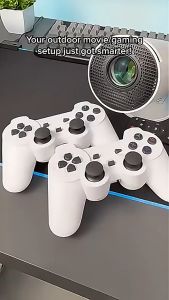
HY300 4K Mini Projector – Game Mode with 2 Gamepads/1080P Full HD/ Built-in Apps for Gaming & Movies
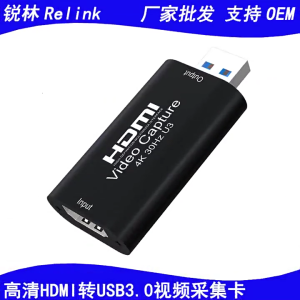
High Performances HDMIcomaptible To USB 3.0 Capture Tool 4K Video Input With Rich Color Depth for All Users
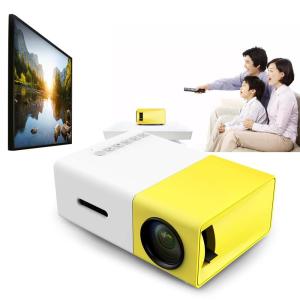
Mini Portable Projector 1080P Full HD: A Comprehensive Guide
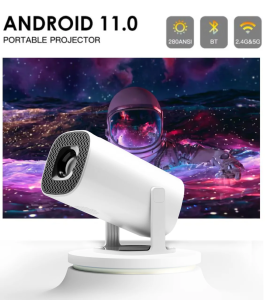
TOPSION Android 11 Projector 720P Smart Mini Portable Projector with WiFi6 and Bluetooth Home Theater Outdoor Portable Projector
Smart TV 50 55 inch 4K Android 12 Flicker Low bluelight Television Flat Screen Smart TV Youtube NETFLIX Google