



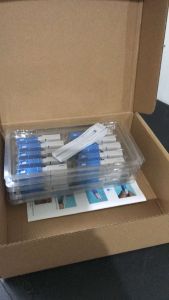
SC-UPC 10/50/100PCS sc connector fiber optic
SC-UPC 10/50/100PCS sc connector fiber optic
Introduction to SC Fiber Optic Connectors
SC fiber optic connectors are a popular choice for various applications, including telecommunications, data centers, and networking. They offer reliable performance, easy installation, and excellent signal transmission capabilities. This article will guide you through understanding the different types of SC connectors, their key features and benefits, and how to choose the right one for your needs.
Understanding SC Connector Types
SC connectors come in two main types: UPC (Ultra Physical Contact) and APC (Angled Physical Contact). UPC connectors feature a flat surface that ensures optimal contact between the fiber cores, resulting in low insertion loss and back reflection. On the other hand, APC connectors have a 8-degree angle on the end face, which helps reduce back reflection even further. Both types are available in single-mode and multi-mode variants.
Key Features & Benefits
SC fiber optic connectors offer several advantages over other connector types. Some of the key features include:
- High bandwidth capacity: SC connectors can handle high data rates, making them ideal for high-speed networking applications.
- Low insertion loss: With UPC and APC designs, SC connectors minimize signal loss during transmission.
- Easy installation: The push-pull design of SC connectors allows for quick and simple installation.
- Durability: SC connectors are built to last, with robust construction that can withstand harsh environments.
Choosing the Right SC Connector
Selecting the appropriate SC connector depends on several factors, such as the application, data rate requirements, and environmental conditions. Here are some guidelines to help you choose the best SC connector for your needs:
How to Select the Appropriate SC Connector
- Determine the required data rate and bandwidth capacity for your application.
- Consider the environmental conditions, such as temperature, humidity, and dust exposure.
- Evaluate the connector's compatibility with existing infrastructure and equipment.
- Assess the connector's durability and reliability under expected usage conditions.
Factors Influencing SC Connector Selection
- Data rate and bandwidth capacity: Choose a connector that can handle the required data rates and bandwidth for your application.
- Environmental conditions: Select a connector that can withstand the expected environmental conditions, such as temperature, humidity, and dust exposure.
- Compatibility: Ensure the connector is compatible with existing infrastructure and equipment.
- Durability and reliability: Opt for a connector that offers robust construction and reliable performance under expected usage conditions.
Installation & Maintenance Tips
Proper installation and maintenance of SC fiber optic connectors are crucial for optimal performance and longevity. Here are some tips to help you install and maintain your SC connectors effectively:
Proper Installation Techniques
- Clean the fiber optic cable end face before connecting the SC connector.
- Ensure the connector is properly seated in the port.
- Use a fiber optic cleaning tool to remove any debris or contaminants from the connector.
- Secure the connector with a strain relief boot to prevent damage during handling.
Maintaining SC Connectors for Optimal Performance
- Regularly inspect the connector for signs of damage or wear.
- Clean the connector regularly using a fiber optic cleaning tool.
- Store the connector in a clean, dry environment when not in use.
- Replace the connector if it shows signs of damage or wear.
Troubleshooting Common Issues
Even with proper installation and maintenance, SC fiber optic connectors may encounter issues from time to time. Here are some common problems and their solutions:
Identifying & Fixing Connection Problems
- Poor signal quality: Check the connector for contamination or damage. Clean or replace the connector as needed.
- High insertion loss: Verify that the connector is properly seated in the port. Clean or replace the connector if necessary.
- Back reflection: Inspect the connector for contamination or damage. Clean or replace the connector as required.
Preventing Future Issues with SC Connectors
- Regular maintenance: Clean and inspect the connector regularly to prevent contamination and damage.
- Proper storage: Store the connector in a clean, dry environment when not in use.
- Use of protective equipment: Use a strain relief boot and fiber optic cleaning tool during installation and maintenance to protect the connector from damage.

datanetcore ftth
Review
You May Also Like
![[24 hours delivery] Bluetooth-Compatible Speaker Karaoke Speaker with RGB Light Portable Boombox USB/TF Outdoor Speaker for Outdoor Camping](https://img.lazcdn.com/g/ff/kf/S3e1423af0174498b976721da0bda9aacg.jpg_300x300q80.jpg)
[24 hours delivery] Bluetooth-Compatible Speaker Karaoke Speaker with RGB Light Portable Boombox USB/TF Outdoor Speaker for Outdoor Camping
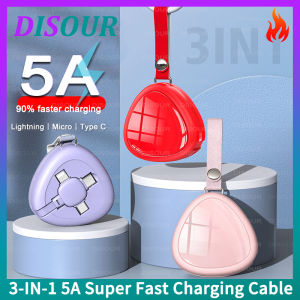
DISOUR Original 3 IN 1 5A Super Fast Charging Cable With Lanyard Retractable Adjustable Micro USB/Type-C/Lightning Data Charger Cable Portable For IOS Android For iPhone Xiaomi Huawei Samsung Redmi
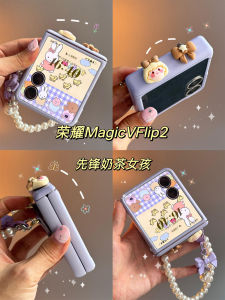
Full Cover Protective Case for Honor MagicVFlip2 Xiaomi MixFlip2 Samsung ZFlip7 Huawei Purax Handheld Stand Mobile Phone Shell
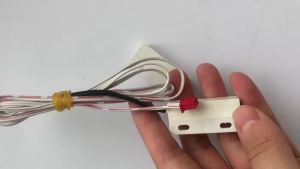
Ice Maker Parts Door Magnetic Switch Wire Length 3P 1.2m De-icing Sensor Ice Full Switch For HISAKAGE I Machee
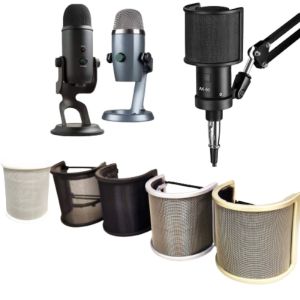
OFTBT Universal Microphone Windscreen Shockproof U Shape Microphone Pop Filter Mic Mesh Reusable Pop Net Shield Cover Radio Recording
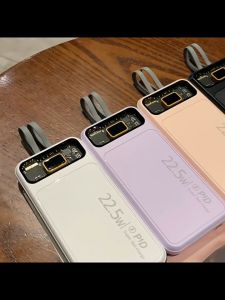
Mini Power Bank Original Brand 50000mAh Power Bank Fast Charging With Built-In Cord For Apple, Xiaomi, Oppo, Huawei Charger
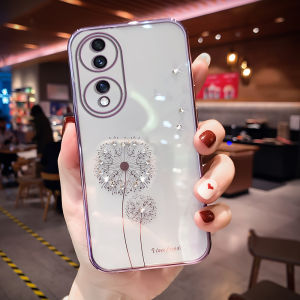
New Luxury Transparent Honor 70 Phone Case Womens Style High End Sensation Suitable for Huawei Honor 70 pro Water Diamond Soft Silicone Full Cover Anti-Fall Curved Screen
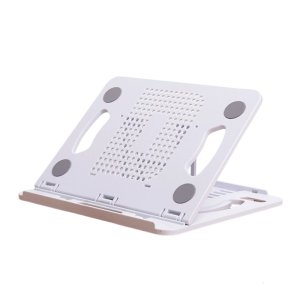
Adjustable Laptop Stand for Desk Ergonomic Laptop Bracket 360 Degree Rotating Base Foldable Notebook Computer Holder
Mazhaha TDA7379 Stereo Power Amplifier Board Module DC 12V 39W+39W NE5532 Preamp Speaker
Cute Fridge Magnet Creative Personalized Magnetic Stick Decorative Memo Board Message Board Cartoon Animation Design Home Decor
Bedroom Hanging Air Conditioner Dust Cover Full Wrap Minimalist Modern Style Indoor Unit Protector New Model Cloud Fern Brand
![[🇵🇭 Stock&COD] GOOJODOQ 10inch Wireless Bluetooth Keyboard for Cellphone or RGB Keyboard and Mouse Set For iPad or Laptop Backlit Keyboard For All Smart Phone Samsung Xiaomi Vivo Huawei Android Phone Also For iPhone](https://img.lazcdn.com/g/ff/kf/S6e78f473eb31434e8cf563667fe8c339b.jpg_300x300q80.jpg)


















