[🇵🇭 Stock&COD] GOOJODOQ 10inch Wireless Bluetooth Keyboard for Cellphone or RGB Keyboard and Mouse Set For iPad or Laptop Backlit Keyboard For All Smart Phone Samsung Xiaomi Vivo Huawei Android Phone Also For iPhone
[🇵🇭 Stock&COD] GOOJODOQ 10inch Wireless Bluetooth Keyboard for Cellphone or RGB Keyboard and Mouse Set For iPad or Laptop Backlit Keyboard For All Smart Phone Samsung Xiaomi Vivo Huawei Android Phone Also For iPhone
What is GOOJODOQ 10inch Wireless Bluetooth Keyboard?
The GOOJODOQ 10inch Wireless Bluetooth Keyboard is a versatile keyboard designed to provide a comfortable typing experience on smartphones, tablets, and laptops. With its sleek design and ergonomic layout, this wireless keyboard offers a convenient way to type on your devices. It supports Bluetooth connectivity, making it compatible with various gadgets like Samsung, Xiaomi, Vivo, Huawei, and iPhones.
Key Features
-
Wireless Connectivity: The keyboard connects to your devices via Bluetooth, eliminating the need for cables and providing a clutter-free workspace.
-
RGB Backlit Keys: With customizable RGB lighting, you can personalize your keyboard's appearance to match your style.
-
Ergonomic Design: The keyboard features a comfortable layout that reduces strain during extended typing sessions.
-
Compact Size: The compact design allows for easy portability, making it ideal for travel or use on-the-go.
Compatibility with Smartphones, iPads, and Laptops
The GOOJODOQ 10inch Wireless Bluetooth Keyboard is compatible with a wide range of devices, including:
-
Smartphones: Samsung, Xiaomi, Vivo, Huawei, and iPhones
-
Tablets: iPad and other tablets
-
Laptops: Windows and Mac laptops
How to Use GOOJODOQ 10inch Wireless Bluetooth Keyboard
Using the GOOJODOQ 10inch Wireless Bluetooth Keyboard is simple and straightforward. Follow these steps to set up and connect the keyboard to your devices.
Setting Up the Keyboard
-
Turn on the keyboard by pressing the power button located on the bottom right corner.
-
Press and hold the Bluetooth pairing button until the LED light blinks, indicating that the keyboard is ready to pair.
Connecting to Devices
-
On your device, go to the Bluetooth settings and enable Bluetooth.
-
Search for available devices and select "GOOJODOQ 10inch Wireless Bluetooth Keyboard" from the list.
-
Once connected, the LED light will turn solid, indicating a successful connection.
Customizing RGB Lighting
To customize the RGB lighting, press and hold the RGB button until the desired color appears. You can choose from a variety of colors to personalize your keyboard's appearance.
GOOJODOQ 10inch Wireless Bluetooth Keyboard vs. Other Backlit Keyboards
When compared to other backlit keyboards, the GOOJODOQ 10inch Wireless Bluetooth Keyboard stands out due to its compact size, wireless connectivity, and customizable RGB lighting. Here's how it compares to its competitors:
Comparison with Competitors
| Feature | GOOJODOQ 10inch Wireless Bluetooth Keyboard | Other Backlit Keyboards | | --- | --- | --- | | Size | Compact | Larger | | Connectivity | Wireless Bluetooth | Wired or wireless | | RGB Lighting | Customizable | Fixed or limited |
Why Choose GOOJODOQ?
The GOOJODOQ 10inch Wireless Bluetooth Keyboard offers a unique combination of features that make it an excellent choice for users looking for a portable, wireless, and customizable keyboard. Its compact size, wireless connectivity, and customizable RGB lighting set it apart from other backlit keyboards on the market.
GOOJODOQ 10inch Wireless Bluetooth Keyboard: Pricing & Availability
Pricing Options
The GOOJODOQ 10inch Wireless Bluetooth Keyboard is available in two options:
-
Option 1: 1*Keyboard and mouse
-
Option 2: 1*Keyboard
Where to Buy
You can purchase the GOOJODOQ 10inch Wireless Bluetooth Keyboard from authorized retailers or directly from the manufacturer's website. Check the product page for pricing and availability in your region.

GOOJODOQ
![[🇵🇭 Stock&COD] GOOJODOQ 10inch Wireless Bluetooth Keyboard for Cellphone or RGB Keyboard and Mouse Set For iPad or Laptop Backlit Keyboard For All Smart Phone Samsung Xiaomi Vivo Huawei Android Phone Also For iPhone](https://img.lazcdn.com/g/p/1b464c250e8d64663295182215f50065.jpg_300x300q80.jpg)
You May Also Like
Buddhist culture taoist metal stickers Pixiu door stickers mobile phone stickers car metal stickers computer stickers furniture stickers

MagSafe Liquid Silicone Case: A Comprehensive Guide
Luxury Metal bumper Matte PC Hard Back Shell for OnePlus Ace 5 Racing Edition Nord 4 Phone Case Aluminum Alloy Frame Skin Funda Can pop up
Corner Computer Stand & Triangle Desk Riser: A Modern Office Solution
Samsung S23 Ultra Phone Case: Colorful Crystals & Luxury Designs
USB 3.0 Desktop Grommet HUB Multi-Function Audio Power Adapter Splitter
Magnetic Leather Wallet Phone Cases for Xiaomi & OPPO

Universal Aluminum Alloy Camera Mount Clamp for Flash Brackets 25-50mm Diameter Rod Tubes Pipe Wide Compatibility
2025Case For VIVO Y29 4G New Gradient Glitter Casing With Mirror Makeup Magnetic Stand Holder Protector With Lanyard Bracket Shockproof Phone CoverUIK
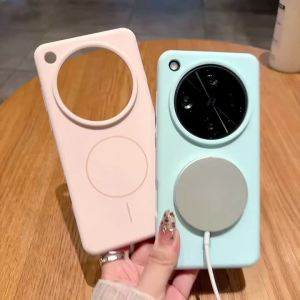
Suitable for Xiaomi 15 Pro 15Pro Xiaomi15 Pro Xiaomi 15 Ultra Xiaomi 14Pro Xiaomi 14 Pro Xiaomi15 Ultra Liquid Silicone phone case Magnetic suction cover case cover Frosted Anti-fingerprint Shockproof rear cover
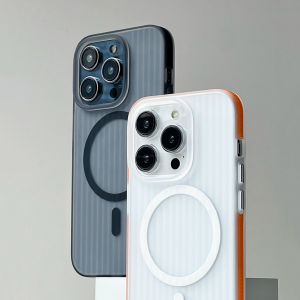
CrashStar MagSafe Anti-slip Edge Corrugated Stripes Phone Case For iPhone 16 & 14 Pro Max Wireless Charging & Hard Shockproof Translucent Cover