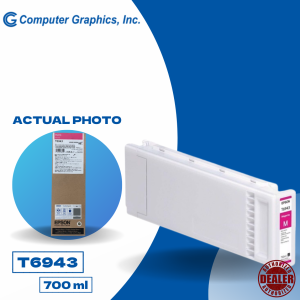
Epson Surecolor T3270 TT5270 T7270 Magenta 700ml C13T694300
Epson Surecolor T3270 TT5270 T7270 Magenta 700ml C13T694300
What is the Epson Surecolor T3270 TT5270 T7270 Magenta 700ml C13T694300 Ink Cartridge?
The Epson Surecolor T3270 TT5270 T7270 Magenta 700ml C13T694300 ink cartridge is a large-capacity magenta ink tank designed specifically for use with the Epson T3270 printer series. This high-quality ink cartridge is perfect for professional printing applications, providing consistent color reproduction and long-lasting performance.
Compatible with Epson T3270 Printer
The 700ml C13T694300 ink cartridge is fully compatible with the Epson T3270 printer series, including the T3270, TT5270, and T7270 models. It ensures seamless integration and optimal print quality for users who rely on these printers for their professional printing needs.
Large Capacity Magenta Ink Tank
With a 700ml capacity, this ink cartridge offers a substantial supply of magenta ink, reducing the frequency of ink changes and minimizing downtime. This makes it an ideal choice for businesses and professionals who require continuous printing operations.
High-Quality Ink for Professional Printing
The 700ml C13T694300 ink cartridge is filled with premium-quality ink, formulated to deliver sharp, vibrant colors and excellent print resolution. Its high-quality ink ensures consistent color reproduction and accurate color matching, making it perfect for professional printing applications.
How to Install the 700ml C13T694300 Ink Cartridge
Installing the 700ml C13T694300 ink cartridge in your Epson T3270 printer is a straightforward process. Follow these steps to ensure proper installation:
Unpacking and Preparing the Ink Cartridge
- Remove the ink cartridge from its packaging and gently remove any protective caps or labels.
- Hold the ink cartridge by its sides, being careful not to touch the ink nozzles or contacts.
Installing the Ink Cartridge in Your Epson Surecolor T3270 Printer
- Power on your Epson T3270 printer and open the ink cartridge access door.
- Locate the magenta ink cartridge slot and carefully insert the 700ml C13T694300 ink cartridge into the slot.
- Close the ink cartridge access door and allow the printer to initialize the new ink cartridge.
Testing the Print Quality
After installing the new ink cartridge, it's essential to test the print quality to ensure optimal performance. Run a test print to check for any issues, such as low ink warnings or print head clogs.
Benefits of Using the 700ml C13T694300 Ink Cartridge
The 700ml C13T694300 ink cartridge offers numerous benefits for professional printing applications:
Cost-Effective Printing Solution
With its large capacity, the 700ml C13T694300 ink cartridge provides a cost-effective printing solution, reducing the frequency of ink changes and minimizing downtime.
Long-Lasting Ink Supply
The substantial 700ml capacity ensures a long-lasting ink supply, allowing businesses and professionals to maintain continuous printing operations without interruption.
Consistent Print Quality
The high-quality ink in the 700ml C13T694300 ink cartridge ensures consistent color reproduction and accurate color matching, making it perfect for professional printing applications.
Troubleshooting Common Issues with the 700ml C13T694300 Ink Cartridge
If you encounter any issues with the 700ml C13T694300 ink cartridge, follow these troubleshooting tips:
Low Ink Warnings
If you receive a low ink warning, check the ink level in the cartridge and replace it if necessary. If the warning persists, perform a print head cleaning to ensure optimal performance.
Print Head Cleaning
To clean the print head, refer to your printer's user manual for specific instructions. A clean print head will help maintain consistent print quality and prevent clogs.
Ink Cartridge Removal
If you need to remove the ink cartridge, power off the printer and open the ink cartridge access door. Gently pull the ink cartridge out of its slot and close the access door before powering on the printer again.

Computer Graphics Inc
Review

You May Also Like
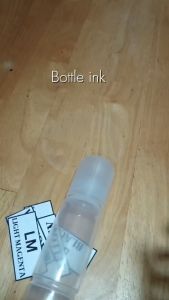
70ml Universal Ink Bottle for Epson Ecotank Printer 003 L3110 L3150 L3210 (CMYK) refill Ink Bottle
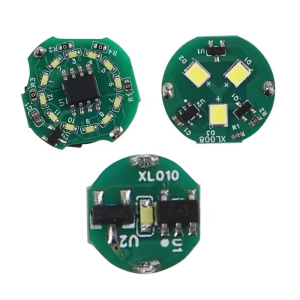
For Lab Rings/Single/Y Shape LED Light with Magnetic Control DIY 3D Printing Model Parts for Voron AD5M 3D Printer
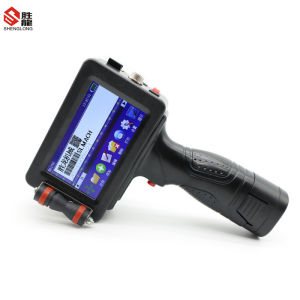
Shenglong handheld inkjet printer egg inkjet code printing batch number printing production date printing quick drying typewriter digital text pattern inkjet
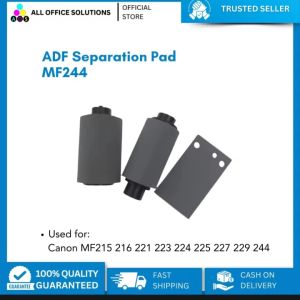
A Comprehensive Guide to Replacement Parts for Canon Multifunction Printers: ADF Pickup Roller Kit & Separation Pad

PCU Drum Unit Compatible For Use with Aficio MP2550 MP2851 MP2850 MP3350 MP3351
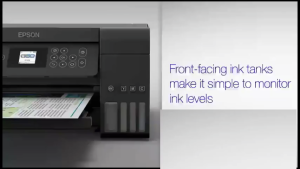
Epson 001 Original Ink Bottle for L4150 L4160 L6160 L6170 L6190 Printer - BK/CY/MG/YW
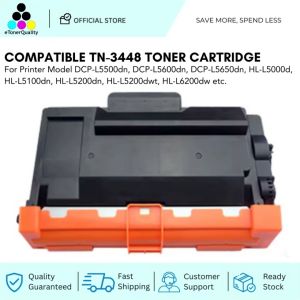
ETQ Compatible Toner Cartridge for HL-L5000D / HL-L5100DN
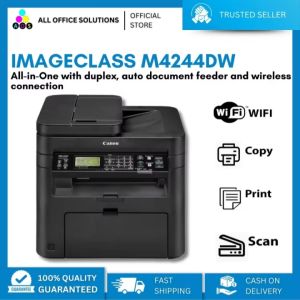
Canon imageCLASS MF244dw All-In-One Printer: Wireless Connectivity & High-Speed Printing
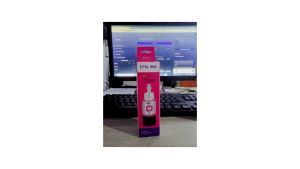
Premium High-Yield Epson 664 Compatible Ink Bottles – 4 Colors (Black Cyan Magenta Yellow)"
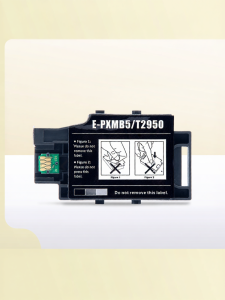
Ink Waste Collector for Epson Printers