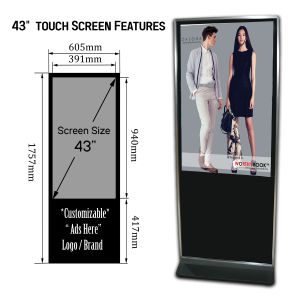
43\"-50\" Touch High Density 1080p HD Computer Smart LCD Advertising Player Digital Signage Display
43"-50" Touch High Density 1080p HD Computer Smart LCD Advertising Player Digital Signage Display
Introduction to Versatile Commercial Displays
In today's fast-paced world, businesses and organizations need effective ways to communicate their messages to customers and employees alike. One such solution is the use of versatile commercial displays like the 43"-50" Touch High Density 1080p HD Computer Smart LCD Advertising Player Digital Signage Display. These displays provide a dynamic platform for advertising, information sharing, and engagement.
Overview of Computer Compatible Digital Signage
Computer compatible digital signage systems, such as the one featured here, are designed to work seamlessly with various computing devices. They can display a wide range of content, including videos, images, and text, and can be customized to meet specific business needs. This makes them ideal for use in retail stores, restaurants, hotels, and many other commercial environments.
Advantages of Touch High Density LCD Players
Touch high density LCD players offer several advantages over traditional signage solutions. They provide a high-resolution, clear picture that can be easily seen from a distance, making them ideal for attracting attention and conveying important messages. Additionally, they are touch-enabled, allowing users to interact with the display and access additional information or services.
Applications of Smart Advertising Screens
Smart advertising screens have numerous applications in various industries. In retail, they can be used to showcase products, promote sales, and provide customer service information. In hospitality, they can be used to display menus, hotel amenities, and local attractions. In healthcare, they can be used to educate patients about treatments and procedures, and in education, they can be used to enhance learning experiences.
Key Features of 1080p HD Digital Signage Displays
The 43"-50" Touch High Density 1080p HD Computer Smart LCD Advertising Player Digital Signage Display boasts several key features that make it an excellent choice for businesses and organizations.
Display Technology & Resolution
This display features a high-density LCD panel that provides a crisp, clear picture with a resolution of 1080p HD. This ensures that all content is displayed in the highest possible quality, making it easy for viewers to see and understand.
Connectivity Options & Compatibility
The display is compatible with various computing devices, including PCs, Macs, and tablets. It offers multiple connectivity options, such as HDMI, VGA, and USB, allowing users to easily connect their devices and share content.
Content Management & Customization
With built-in content management software, users can easily customize the display to meet their specific needs. They can create playlists, schedule content, and monitor performance, all from a simple, intuitive interface.
Installation & Setup
Installing and setting up the 43"-50" Touch High Density 1080p HD Computer Smart LCD Advertising Player Digital Signage Display is a straightforward process.
Preparing for Installation
Before installing the display, users should ensure they have all necessary hardware and software components, such as cables, power sources, and content management software. They should also plan the display's location and mounting options.
Connecting Devices & Power Sources
Connecting devices and power sources is simple. Users should connect their computing device to the display using the appropriate cable, and plug in the power source.
Configuring Display Settings
Once connected, users can configure display settings such as resolution, brightness, and contrast. They can also set up content management software and create playlists.
Best Practices for Optimal Performance
To ensure optimal performance of the 43"-50" Touch High Density 1080p HD Computer Smart LCD Advertising Player Digital Signage Display, users should follow best practices.
Maintaining Display Quality
Regular cleaning and maintenance can help maintain the display's quality and extend its lifespan. Users should avoid touching the screen with sharp objects and should use a soft cloth and appropriate cleaning solution to clean the screen.
Updating Software & Firmware
Regular software and firmware updates can help ensure the display operates at its best. Users should check for updates regularly and install them as needed.
Troubleshooting Common Issues
If users encounter issues with the display, they can troubleshoot common problems by checking connections, power sources, and settings. If problems persist, they should contact customer support for assistance.

GML-PRICEWISE
Review

You May Also Like
{\n \"article\": \" Dahua 55\\\" 4K UHD & 43\\\" FHD Smart TVs: Features & Benefits
Projector Screen Automatic Electric Projector Screen Electric Projector Screen
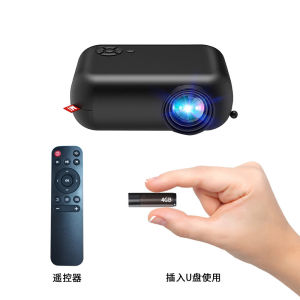
2024 explosions ultra-clear 1080 projector home wireless projector bedroom mobile phone projection home theater A10 cross-border mobile phone projector mini portable outdoor LCD single-screen small projector
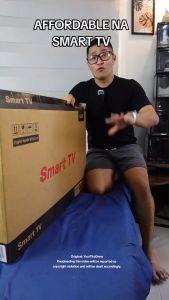
Expose Flat Screen Smart TV 32 Inches 4K UHD Netflix Smart Bluetooth TV Android 12.0 Google LED TV Digital Televisions
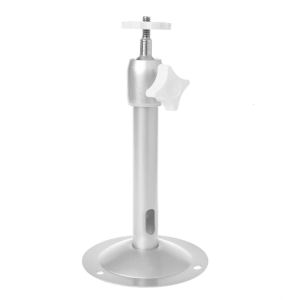
Extending Ceiling Projector Mount Projector Wall Mount Bracket Ceiling Projector Stand for Home Office Stage LCD/DLP
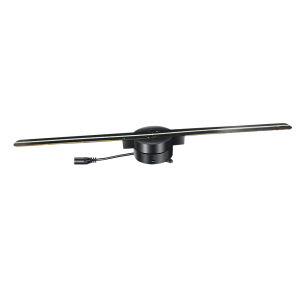
Brifit 3D Hologram Fan Advertising Display Projector 2 Leaves 224 LEDs Light Naked Eye Holographic Video Advertising Projector LED Video Projector Support mobile APP and computer software control for Store Shop Exhibition Bar Christmas tree(US/EU plug)
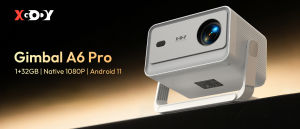
XGODY Android 11 Gimbal A6 PRO Smart Projector 1+32GB Upgraded Memory 4K Full HD Native 1080P 650ANSI Built-in 5W Speaker Support Automatic Correction Brightness Adjustment Home Projector
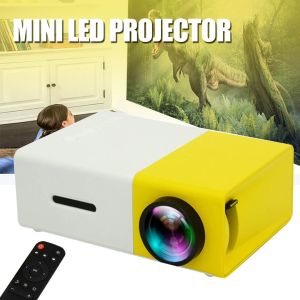
Mini Portable LED Projector 1080P Home Theater Cinema Multimedia for VGA USB SD
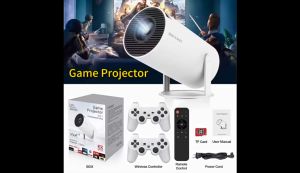
X-DEAL HY300 4K Mini Projector – Game Mode with 2 Gamepads/1080P 4K Full HD/ Built-in Apps for Gaming & MoviesProjector with WiFi and Bluetooth 8000 Lumens Office Home
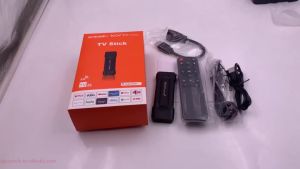
【 ORIGINAL!! 】TV Stick 4K HD 5G WIFI Android 13.0 HDMI 4GB+64GB Smart TV Media Netflix
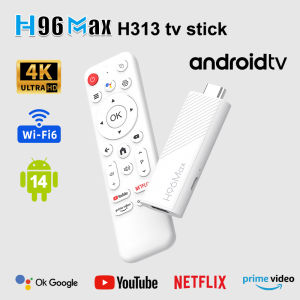
ZDSSY H96Max H313 Quad Core TV Stick Android 14 TV Box 2.4/5G WiFi6 BT Set Top Box USB2.0 Smart Home Cinema Video 4K HD HDR Google Voice Media Player