Rover Systems 1080P FHD & 12MP Dashboard Camera: A Comprehensive Guide
Rover Systems 1080P FHD & 12MP Dashboard Camera: A Comprehensive Guide
What is the Rover Systems 1080P FHD Mobile Vehicle Recorder?
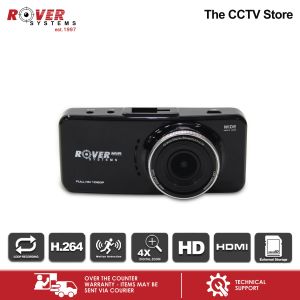
The Rover Systems 1080P FHD Mobile Vehicle Recorder (RMA-AT602B) is a cutting-edge dashboard camera designed to provide clear and detailed video footage of your driving experience. This high-quality 12MP Dashboard Camera captures every moment in stunning 1080P Full HD resolution, ensuring that you have reliable evidence in case of accidents or disputes. The black dashboard camera offers a sleek and unobtrusive design, making it perfect for both personal and commercial vehicles.
Key Features
- High-Quality Video: Record crystal-clear videos in 1080P Full HD resolution, capturing every detail of your driving experience.
- Advanced Image Sensor: The Rover Systems 1080P FHD Mobile Vehicle Recorder is equipped with a 12MP image sensor, providing sharp and vivid images even in low-light conditions.
- Wide-Angle Lens: The wide-angle lens captures a broad field of view, ensuring that you capture everything happening around your vehicle.
- Built-in GPS: The built-in GPS module records location data along with the video footage, providing valuable information during emergencies or accidents.
- Parking Mode: The dashboard camera automatically activates parking mode when your vehicle is turned off, safeguarding your vehicle even when you're away.
- Loop Recording: The loop recording feature ensures that the camera continuously records new footage, overwriting old files once the storage capacity is reached.
Included Accessories
When you purchase the Rover Systems 1080P FHD Mobile Vehicle Recorder, you'll receive the following accessories:
- RMA-AT602B Dashboard Camera: The sleek black dashboard camera that captures high-quality video footage.
- Adaptor: A power adapter that allows you to connect the dashboard camera to your vehicle's power source.
- Bracket: A mounting bracket that securely attaches the dashboard camera to your vehicle's windshield or dashboard.
- USB Data Cable: A USB cable that enables you to transfer video files from the camera to your computer or other storage devices.
- Manual: A user manual that provides step-by-step instructions on how to install, set up, and maintain your dashboard camera.
How to Install the Rover Systems Dashboard Camera
Installing the Rover Systems 1080P FHD Mobile Vehicle Recorder is a straightforward process that can be completed in just a few minutes. Follow these steps to install your dashboard camera:
Preparing the Installation Area
Before installing the dashboard camera, make sure that the installation area is clean and free of any obstructions. This will help ensure that the camera captures a clear view of the road ahead.
Connecting the Dashboard Camera
Connect the power adapter to the dashboard camera and plug it into your vehicle's power outlet. Make sure that the connection is secure and that the camera is receiving power.
Mounting the Camera
Attach the mounting bracket to the dashboard camera and secure it to your vehicle's windshield or dashboard. Adjust the angle of the camera to ensure that it captures a clear view of the road ahead.
Maximizing the Performance of Your Rover Systems Recorder
To get the most out of your Rover Systems 1080P FHD Mobile Vehicle Recorder, follow these tips:
Setting Up Your Dashboard Camera
After installing the dashboard camera, take some time to familiarize yourself with its features and settings. This will help you make the most of the camera's capabilities and ensure that you're capturing high-quality video footage.
Customizing Settings
Customize the settings of your dashboard camera to suit your needs. For example, you can adjust the resolution, frame rate, and audio settings to optimize the camera's performance.
Maintaining Your Rover Systems Recorder
Regularly clean the lens of your dashboard camera to ensure that it captures clear and sharp images. Additionally, make sure to update the firmware of your camera periodically to keep it running smoothly.
Frequently Asked Questions About the Rover Systems Mobile Surveillance Camera
Troubleshooting Common Issues
If you're experiencing issues with your Rover Systems 1080P FHD Mobile Vehicle Recorder, refer to the troubleshooting guide in the user manual for step-by-step instructions on how to resolve common problems.
Warranty Information
The Rover Systems 1080P FHD Mobile Vehicle Recorder comes with a limited warranty that covers defects in materials and workmanship. For more information about the warranty, please refer to the user manual or contact the manufacturer directly.

ROVER SYSTEMS
Review

You May Also Like
HD 8MP Dual Lens CCTV Camera: A Comprehensive Guide
Fujifilm Instax Link Wide Printer Prints 3”X 5” Photos
Rover Systems BNC Plug with Terminal Block Endura CCTV Connector 10pcs / pack

Hytera VM780 Body Worn Camera Hytera Vm780 Price In India - Lazada
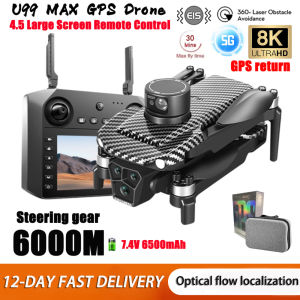
2025 New U99/U33 Professional GPS Drone 8k Camera with Screen Remote Control Four-Axis Aerial Photography 5G FPV RC Dron 6000M
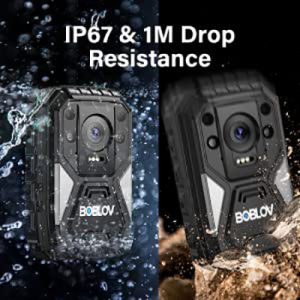
BOBLOV B4K4 4K Body Worn Camera GPS Dashcam HD 2160P 128GB Video Audio Recorder 15Hours Video Shooting Police Camera BodyCam Waterproof Action Camera Motion Detect Camera Fast Charging with Charging Dock & Car Suction
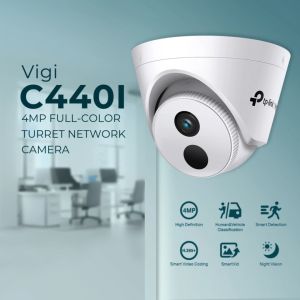
TP-Link VIGI C440I 4MP IR Turret Network Camera
Dome CCTV Virtual Security Camera Fake Monitor with Infrared Flash
Hikvision 4/8 Channel CCTV Kit 2MP/5MP HD With Audio Waterproof Complete CCTV Package With Remote Monitoring CCTV Set
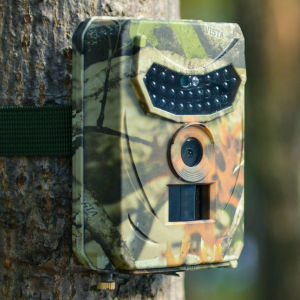
PR100 Outdoor Hunting Camera: 12MP Wild Animal Detector & HD Waterproof Monitoring
TTArtisan 35mm F/1.4 APS-C Format Leica L Mount Prime Lens Large Aperture Sonnar Optical Design Full Metal Body MF Manual Focus 11" Focus Distance Clicked Aperture Ring for Smooth Bokeh & Low Light Photography | Black Silver | JG Superstore