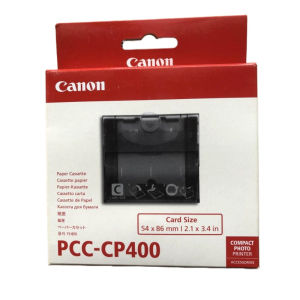
PCC-CP400 3 Inch C Tray for Canon Selphy CP1300 CP1500 CP1200 CP730 CP740 CP1500 Pick up 56*84mm
PCC-CP400 3 Inch C Tray for Canon Selphy CP1300 CP1500 CP1200 CP730 CP740 CP1500 Pick up 56*84mm
Introduction to PCC-CP400 C Tray
The PCC-CP400 3 Inch C Tray is a pick-up tray designed specifically for Canon Selphy CP series printers, including the CP1300, CP1500, CP1200, CP730, CP740, and CP1500 models. This 56*84mm C Tray offers a convenient solution for users who want to streamline their printing process by efficiently picking up and feeding paper into their printer. In this article, we will discuss the key features, compatibility, installation guide, maintenance, and care tips for the PCC-CP400 C Tray.
Key Features
-
Compact Design: The PCC-CP400 C Tray is designed to fit seamlessly with Canon Selphy CP series printers, providing a compact and efficient solution for paper handling.
-
Pick-up Tray: This tray is specifically designed to pick up paper from the printer's input tray, ensuring smooth and efficient feeding of paper into the printer.
-
Compatible with Multiple Models: The PCC-CP400 C Tray is compatible with various Canon Selphy CP series printers, including the CP1300, CP1500, CP1200, CP730, CP740, and CP1500 models.
-
Easy to Install: The installation process is straightforward, allowing users to quickly set up the PCC-CP400 C Tray and start printing.
Compatibility
The PCC-CP400 C Tray is compatible with the following Canon Selphy CP series printers:
- Canon Selphy CP1300
- Canon Selphy CP1500
- Canon Selphy CP1200
- Canon Selphy CP730
- Canon Selphy CP740
Installation Guide
Step-by-Step Instructions
-
Turn off the printer and unplug it from the power source.
-
Remove the existing paper tray from the printer.
-
Insert the PCC-CP400 C Tray into the designated slot on the printer.
-
Align the tray with the printer's paper feed mechanism.
-
Plug the printer back into the power source and turn it on.
Troubleshooting Common Issues
-
Paper Jam: If you encounter a paper jam, refer to the printer's user manual for instructions on how to safely remove the jammed paper.
-
Incorrect Paper Feed: If the paper is not feeding correctly, check that the PCC-CP400 C Tray is properly aligned with the printer's paper feed mechanism.
Maintenance and Care
Cleaning Tips
-
Regular Cleaning: Clean the PCC-CP400 C Tray regularly to prevent dust and debris from accumulating and affecting the printer's performance.
-
Use Soft Cloth: Use a soft, lint-free cloth to wipe down the tray, removing any dirt or debris.
-
Avoid Harsh Chemicals: Do not use harsh chemicals or abrasive materials when cleaning the tray, as this may damage the surface.
Storage Recommendations
-
Store in a Cool, Dry Place: Store the PCC-CP400 C Tray in a cool, dry place when not in use to prevent damage from moisture or extreme temperatures.
-
Keep Away from Direct Sunlight: Avoid storing the tray in direct sunlight, as this may cause the material to degrade over time.
Conclusion
In summary, the PCC-CP400 3 Inch C Tray is a versatile and efficient pick-up tray designed for Canon Selphy CP series printers. Its compact design, easy installation, and compatibility with multiple models make it a valuable addition to any printing setup. By following the installation guide, troubleshooting common issues, and maintaining the tray properly, users can enjoy smooth and efficient printing with their Canon Selphy CP series printers.
Additional Resources
For more information on the PCC-CP400 C Tray and other Canon printer accessories, visit the official Canon website or consult the printer's user manual.

Super label store
Review

You May Also Like

Deli 7500 Single Row 8 Price Tag Machine Supermarket Product Pricing Machine Price Tag Printer Pricing Device
100ml CUYI Sublimation Ink | Korea Sublimation Ink (6 colors)
HENEX H1000R 1D+2D Barcode Scanner 3 in 1 Bluetooth/Wireless Dongle/Usb Wired Pos Scanner Cashier
【Ready Stock】GZQIANJI Handheld POS Android 10.0 PDA Terminal 1D/2D/QR Barcode Scanner Support 2/3/4G WiFi Bluetooth GPS Communication with 4.0 Inch Touchscreen for Supermarket Restaurant Warehouse Retail Inventory Logistics
6-24mm Compatible TZe-231 TZe121 TZ335 241 251 345 Label Laminated Tape FOR PT-H110 PT-210D PT-E550W PT-710BT
AiYin A4L Portable Thermal PrinterSupport A4/Letter SizeWireless Bluetooth Inkless Printer
Advanced 3D Printer Build Plate Double-side Steel Sheet With 4D Temperature Control For X1 P1 H2D Printers Platform
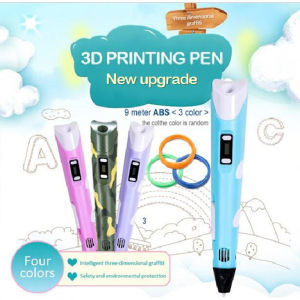
Intelligent 3D Graffiti Pens: A Comprehensive Guide
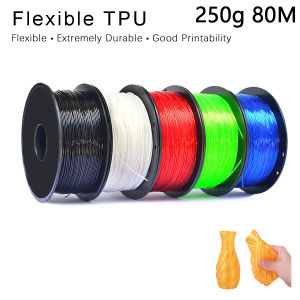
TPU 3D Printer Flexible Filament - 250g 1.75mm Length 80M
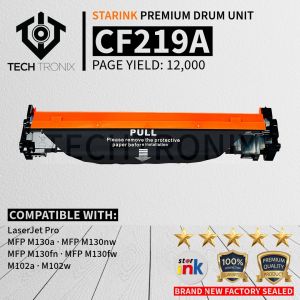
CF219A 19A Compatible Drum Unit For MFP M130a MFP M130nw MFP M130fn MFP M130fw M102a M102w
10 Pack TZe231 Black on White Compatible for Brother TZ Tape 12mm Laminated White Tape TZe-231 Tze231 tze231 Work for P Touch PT-D210 PT1000 PT-D200 PTD600 Label Maker