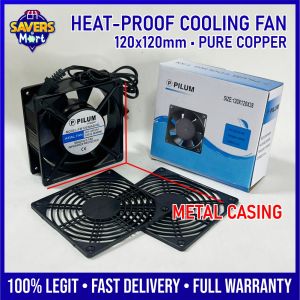
120x120mm Cooling Fan Ready to Use Metal Casing / Pure Copper Inside / Heat-proof / Complete Set
120x120mm Cooling Fan Ready to Use Metal Casing / Pure Copper Inside / Heat-proof / Complete Set
Introduction to the 120x120mm Metal Casing Cooling Fan
The 120x120mm cooling fan is a must-have component for any computer system that requires optimal heat dissipation and efficient cooling. This article will guide you through the key features, installation process, maintenance tips, and troubleshooting methods of the Metal Casing Cooling Fan, which includes a pure copper heat sink, rust-proof metal casing, and a high-speed fan.
Overview of the Complete Set Cooling Fan
The complete set cooling fan comes with all necessary components for easy installation, including screws. It offers exceptional heat dissipation and rust-proof properties, making it a reliable choice for computer enthusiasts and professionals alike. The product description includes the following specifications:
- Size: 120x120mm
- Voltage: 220-240V
- Frequency: 50/60HZ
- Current: 0.14A
Key Features: Heat-proof & High-speed
The Metal Casing Cooling Fan boasts several unique features that make it stand out among other cooling fans. Here are some of its key features:
- Heat-proof: The fan is designed to withstand high temperatures, ensuring optimal performance even in extreme conditions.
- High-speed: With a high-speed fan, the cooling efficiency is significantly improved, resulting in better heat dissipation.
- Pure Copper Heat Sink: The use of pure copper ensures maximum heat transfer, providing superior cooling performance.
- Metal Casing: The rust-proof metal casing protects the fan from corrosion and damage, extending its lifespan.
Understanding the Core Components
To fully appreciate the benefits of the Metal Casing Cooling Fan, it's essential to understand its core components.
Pure Copper Heat Sink
The pure copper heat sink is the heart of the cooling fan. Copper is known for its excellent thermal conductivity, making it an ideal material for heat sinks. By using pure copper, the cooling fan can effectively transfer heat away from the CPU, resulting in better performance and reliability.
Metal Casing & Rust-proof Properties
The metal casing provides protection against corrosion and damage, ensuring that the fan remains in top condition for years to come. The rust-proof properties of the casing make it resistant to moisture and other environmental factors, further extending its lifespan.
Installation & Setup Guide
Installing the Metal Casing Cooling Fan is a straightforward process. Follow these steps to ensure a successful installation:
How to Install the Cooling Fan
- Turn off and unplug your computer before beginning the installation process.
- Remove any existing cooling fans or heat sinks from your CPU.
- Position the Metal Casing Cooling Fan over the CPU socket, aligning it with the mounting holes.
- Secure the fan using the provided screws.
- Connect the power cable to the fan and the motherboard.
- Power on your computer and verify that the fan is functioning correctly.
Setting Up the Complete Set Cooling Fan
Once the fan is installed, it's time to set it up for optimal performance. Here are some tips to help you get started:
- Ensure that the fan is properly aligned with the CPU socket to maximize airflow.
- Verify that the fan is securely attached to the motherboard using the provided screws.
- Connect the power cable to the fan and the motherboard to ensure proper power supply.
Maintenance & Troubleshooting
Regular maintenance and troubleshooting are essential to ensure the continued performance and reliability of the Metal Casing Cooling Fan.
Regular Maintenance Tips
Here are some tips to help you maintain the cooling fan:
- Clean the fan regularly to remove dust and debris that may interfere with its operation.
- Inspect the fan periodically for signs of wear or damage.
- Replace any damaged components promptly to avoid further damage.
Troubleshooting Common Issues
If you encounter any issues with the Metal Casing Cooling Fan, here are some troubleshooting tips:
- Check that the fan is securely attached to the motherboard using the provided screws.
- Verify that the power cable is properly connected to the fan and the motherboard.
- Clean the fan regularly to remove dust and debris that may interfere with its operation.
Conclusion & Final Thoughts
In conclusion, the Metal Casing Cooling Fan offers exceptional heat dissipation and rust-proof properties, making it a reliable choice for computer enthusiasts and professionals alike. Its key features include heat-proof and high-speed capabilities, a pure copper heat sink, and a metal casing. By following the installation and setup guide, maintenance tips, and troubleshooting methods outlined in this article, you can ensure optimal performance and reliability of the cooling fan.
Summary of Key Features & Benefits
- Heat-proof and high-speed capabilities
- Pure copper heat sink for maximum heat transfer
- Rust-proof metal casing for protection against corrosion and damage
- Easy installation and setup process
- Regular maintenance and troubleshooting tips
Why Choose This Cooling Fan?
The Metal Casing Cooling Fan offers several benefits that make it stand out among other cooling fans. With its heat-proof and high-speed capabilities, pure copper heat sink, and rust-proof metal casing, it provides optimal heat dissipation and efficient cooling. Its easy installation and setup process, along with regular maintenance and troubleshooting tips, ensure continued performance and reliability. Whether you're a computer enthusiast or professional, the Metal Casing Cooling Fan is an excellent choice for your cooling needs.

Urban Savers
Review
You May Also Like

2X Anti Blue Light and Anti Glare Screen Protector Guard Cover for ROG Zephyrus G16 (2024) GA605 GA605WV 16" Laptop 16:10
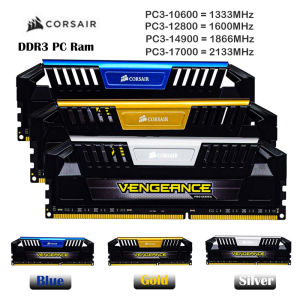
RAM DDR3 8GB 2133MHz 1866MHz 1600MHz 1333MHz Desktop Memory 240Pin PC3-12800 DIMM 1.5V PC RAM Memory Dual Channel
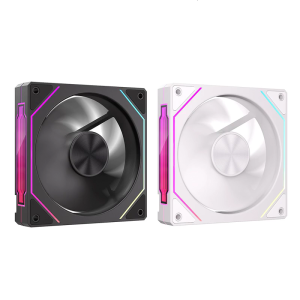
120mm PC Case Fan ARGB Illuminatiing Computer Cooling Fan With Side Lighting Enhances Visual Dynamics
AOC A24A99-1 AIO All in One Desktop PC Computer 24 inch PC Full Set Intel Core i7 12th/13th Generation processor 16G RAM 1TB SSD Built-in bluetooth、WiFi、speaker For Home/Office/Gaming 1920*1080 Large IPS FHD Monitor
High Speed Printhead Printer Print Head for Brother DCP J105 J200 J25 J152W J132W J152 J205 T300 Printer Spare Parts Kit
6U (530x400x300) Data Cabinet with Fan & Laminates

1PC High Frequency Power Supply SR12W2-WDM For Sany Excavator
Moito LED Driver 8 12 15 18 21W Power Supply Dimmable Transformer Waterproof LED Light
Original AM5 Motherboards Metal Backplate Bracket for Securing A620 B650 X670 Coolers Heat Sink Base Clamp
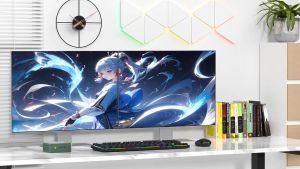
GMK Intel G3 N100 Mini Gaming PC: Features & Specifications

4-Channel DC 12V 3A Four-Wire PWM Fan Speed Controller Module Chassis/Server Fan Noise Reduction Board Knob Manual Adjustment