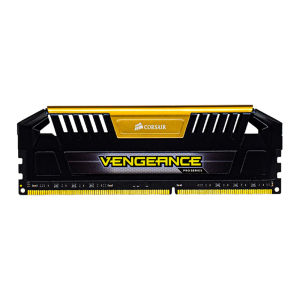
RAM DDR3 8GB 2133MHz 1866MHz 1600MHz 1333MHz Desktop Memory 240Pin PC3-12800 DIMM 1.5V PC RAM Memory Dual Channel
Application: Desktop. Memory Type: DDR3. Memory Capacity: 8GB. Mail Frequency: 1333MHz 1600MHz 1866MHz 2133MHz. Voltage: DDR3=1.5V. Number of Pins: 240 Pins. Buffering/Ecc: Non-ECC Unbuffered. Color Blue/Gold/Silver. Product Parameters. Product model: DDR3 8GB 1600MHz PC3-128008GB. DDR3 8GB 1866MHz PC3-149008GB. DDR3 8GB 2133MHz PC3-170008GB. Application: Desktop. Memory Type: DDR3. Memory Capacity: 8GB. Mail Frequency: 1333MHz 1600MHz 1866MHz 2133MHz. Voltage: DDR3=1.5V. Number of Pins: 240 Pins. Buffering/Ecc: Non-ECC Unbuffered. Packing List: Memory Ram 1. Notice: If you want to buy high-frequency memory, please check whether both of your motherboard and CPU processor support the memory of the frequency you purchased before buying. If your motherboard or CPU processor does not support high frequency, the frequency of the memory will automatically drop. If you are not sure, please contact us before buying. We will help you check. Warranty: 365 days Non-Human damage issues, return for

kingston-memory
You May Also Like

Acer RE100 M.2 SATA III 512GB SSD
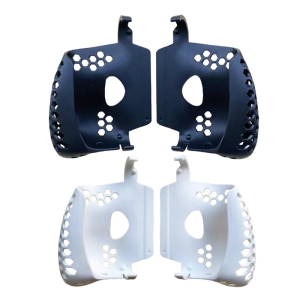
Portable 3D Printed Ergonomic Grip Hard Shell Case With Precise Ventilation Cutout For AYN Odin 2 Handheld Gaming Device

Lenovo L340-15IRH i7-9750H 8GB ram 128GB SSD 1TB HDD GTX1650 4GB 15.6\\\" FHD Windows 10 Home: A Comprehensive Guide

COMPUTER SET 2 HP SFF I5-4TH GEN 8GB 256GB SSD DELL 22 LED WIDE MONITOR INPLAY STX 200 WHITE
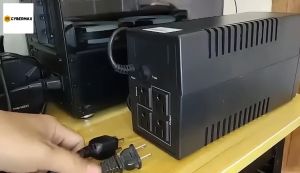
Secure UPS: 650VA to 3000VA Uninterruptible Power Supply for PC & Laptop\\n\\n Understanding Secure UPS\\n\\n What is an Uninterruptible Power Supply?\\n\\nAn Uninterruptible Power Supply (UPS) is a backup power source designed to provide continuous electricity during unexpected power outages. Secure UPS models offer reliable protection for your computer systems, including PCs and laptops, by maintaining a consistent power supply. This ensures your work remains uninterrupted and helps prevent data loss.\\n\\n How Does Secure UPS Work?\\n\\nSecure UPS works by continuously monitoring the incoming electrical supply. If it detects a drop or surge in voltage, it switches to battery power almost instantaneously. This transition is seamless, allowing your devices to continue operating without interruption. Once the primary power source is restored, the UPS automatically reverts back to normal operation.\\n\\n Choosing the Right Secure UPS\\n\\n Selecting the Right Capacity: 650VA to 3000VA\\n\\nWhen choosing a Secure UPS, consider the total power requirements of your devices. Secure UPS offers various models with capacities ranging from 650VA to 3000VA. This range caters to different needs, whether you're protecting a single laptop or a larger desktop setup.\\n\\n* 650VA: Ideal for laptops and small devices\n* 1000VA: Suitable for desktop computers and moderate-sized systems\n* 1500VA: Offers extended runtime for power-hungry applications\n* 2000VA: Provides robust protection for gaming PCs and larger setups\n* 3000VA: Perfect for server rooms and high-power configurations\\n\\n Comparing Secure UPS Models for Desktop & Laptop\\n\\nWhen selecting a Secure UPS model, consider the specific needs of your desktop or laptop setup. For laptops, a smaller capacity UPS may suffice, while desktop users might require more substantial power reserves. Additionally, some Secure UPS models offer advanced features like WiFi connectivity and remote management capabilities, which can be beneficial for home office environments.\\n\\n Setting Up Your Secure UPS\\n\\n Installing a Secure UPS for Home Office\\n\\nInstalling a Secure UPS in your home office is a straightforward process. First, ensure you've chosen the appropriate capacity for your devices. Next, connect your UPS to a power outlet and plug your devices into the UPS's output ports. Finally, configure any necessary settings, such as battery runtime or surge protection levels.\\n\\n Configuring WiFi Connectivity for Secure UPS\\n\\nMany Secure UPS models come equipped with built-in WiFi capabilities, allowing you to monitor and manage your UPS remotely. To set up WiFi connectivity, simply connect your Secure UPS to your home network using the provided instructions. Once connected, you can access real-time data, receive notifications, and perform maintenance tasks from anywhere.\\n\\n Maximizing Your Secure UPS Performance\\n\\n Maintaining Your Secure UPS\\n\\nRegular maintenance is essential to ensure your Secure UPS operates at peak performance. Follow these tips:\\n\\n* Check battery levels regularly\\n* Keep the unit clean and free from dust\\n* Replace batteries every 3-5 years\\n* Update firmware if necessary\\n\\n Troubleshooting Common Issues\\n\\nIf you encounter problems with your Secure UPS, refer to the troubleshooting guide provided by Secure UPS. Common issues may include:\\n\\n* Incorrect power settings\\n* Battery issues\\n* Connectivity problems\\n\\nBy addressing these concerns promptly, you can maintain a reliable power supply for your PC and laptop.\"\n}
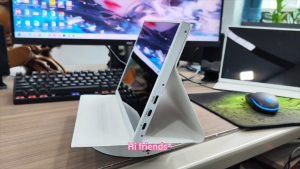
10.5-inch FHD 1920X1280 100% Color Gamut Coverage 60Hz IPS HDMI Portable Monitor: Compatible with PS4, PS5, Xbox & More
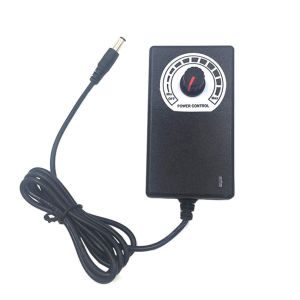
AC100-240V to DC3-12V 2A / 3-24V 3A ON/OFF Adapter US Plug Adjustable Power Adapter With LCD Display
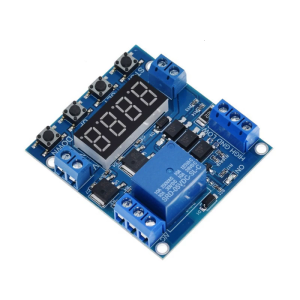
One Way Module Delayed Power Off Electricity Upper and Lower Limit Detection Cycle Timing Counting Control Industrial
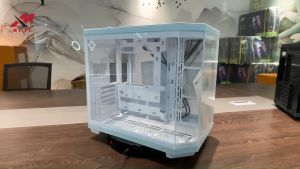
Acer V950 270° Panoramic Room Without Pillars Full View Case ITX/Micro ATX/ATX gaming case Game Pc Case - Lazada
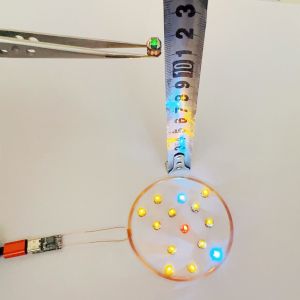
0-80mm USB 5V Wireless Power Supply Transmitter Coil USB Wireless Receiver LED Light Induction Lamp Toy Model Robots Sand Table
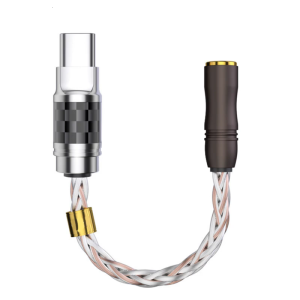
Headphone Adapter USB Type C to 3.5mm/2.5mm Dongle Plug HiFi Sound for Amplifiers Sound Card Decoding Microphones