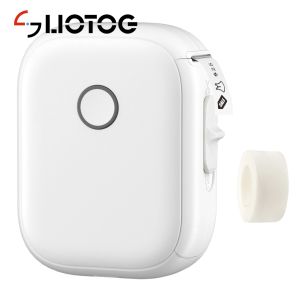
LIOTOG P12 Mini Label Printer: A Portable Bluetooth Wireless Label Printer
LIOTOG P12 Mini Label Printer: A Portable Bluetooth Wireless Label Printer
The LIOTOG P12 Mini Label Printer is a versatile and portable Bluetooth wireless label printer designed to meet the needs of individuals looking for a reliable solution for creating custom labels. This article will provide an in-depth overview of the LIOTOG P12 Mini Label Printer, its features, benefits, and how it compares to other portable label printers available in the market.
What is LIOTOG P12 Mini Label Printer?
The LIOTOG P12 Mini Label Printer is a compact and lightweight label printer that offers a wide range of functionalities. It supports Bluetooth connectivity, making it easy to connect to smartphones, tablets, and computers. This makes it an ideal choice for individuals who want to print custom labels on-the-go.
Key Features & Benefits
The LIOTOG P12 Mini Label Printer comes with several key features and benefits that make it stand out from other portable label printers:
- Compact Design: The printer is small enough to fit in your pocket, making it easy to carry around.
- Bluetooth Connectivity: Connect the printer to your smartphone, tablet, or computer via Bluetooth for seamless printing.
- Customizable Labels: Create custom labels with ease using the built-in label design software.
- High-Quality Print Output: The printer produces high-quality print output, ensuring clear and legible labels.
- Long Battery Life: The LIOTOG P12 Mini Label Printer has a long battery life, allowing you to print labels for extended periods without needing to recharge.
Comparison with Other Portable Label Printers
Compared to other portable label printers available in the market, the LIOTOG P12 Mini Label Printer offers several advantages:
- Ease of Use: The printer is easy to set up and use, even for individuals who are not tech-savvy.
- Customizable Labels: The built-in label design software allows users to create custom labels with ease.
- High-Quality Print Output: The printer produces high-quality print output, ensuring clear and legible labels.
- Long Battery Life: The LIOTOG P12 Mini Label Printer has a long battery life, allowing you to print labels for extended periods without needing to recharge.
How to Use LIOTOG P12 Mini Label Printer
Using the LIOTOG P12 Mini Label Printer is straightforward and easy. Here's how to get started:
Setup & Installation
To set up the LIOTOG P12 Mini Label Printer, follow these steps:
- Charge the printer using the included USB cable.
- Connect the printer to your smartphone, tablet, or computer via Bluetooth.
- Download the LIOTOG app from the App Store or Google Play Store.
- Open the app and follow the on-screen instructions to connect the printer.
Creating Custom Labels
Creating custom labels with the LIOTOG P12 Mini Label Printer is simple. Here's how to do it:
- Open the LIOTOG app and select the label design option.
- Choose a template or create a custom design using the built-in tools.
- Add text, images, and other elements to your label.
- Preview your label and make any necessary adjustments.
- Once you're satisfied with your design, tap the print button to print your label.
Printing Techniques & Tips
Here are some tips for getting the best results when printing with the LIOTOG P12 Mini Label Printer:
- Use High-Quality Labels: To ensure clear and legible labels, use high-quality label stickers.
- Keep the Printer Clean: Regularly clean the printer to prevent dust and debris from affecting print quality.
- Print Test Labels: Before printing important labels, print test labels to ensure everything is working correctly.
Why Choose LIOTOG P12 Mini Label Printer?
There are several reasons why you should choose the LIOTOG P12 Mini Label Printer over other portable label printers available in the market:
High-Quality Print Output
The LIOTOG P12 Mini Label Printer produces high-quality print output, ensuring clear and legible labels. This makes it an ideal choice for individuals who need to print labels for professional use.
User-Friendly Interface
The LIOTOG P12 Mini Label Printer has a user-friendly interface, making it easy to set up and use. Even individuals who are not tech-savvy can quickly learn how to use the printer.
Durable Design & Long Battery Life
The LIOTOG P12 Mini Label Printer has a durable design that can withstand the rigors of daily use. Additionally, the printer has a long battery life, allowing you to print labels for extended periods without needing to recharge.
Conclusion
In conclusion, the LIOTOG P12 Mini Label Printer is a versatile and portable Bluetooth wireless label printer that offers a wide range of functionalities. With its compact design, Bluetooth connectivity, customizable labels, high-quality print output, and long battery life, the LIOTOG P12 Mini Label Printer is an ideal choice for individuals looking for a reliable solution for creating custom labels.

LIOTOG
You May Also Like

MK4145 Maintenance Kit Brand Compatible with Kyocera Taskalfa 2020 2320
200g 500g 1Kg Two Color PLA Silk Blue purplered 3D Printer Filament 1.75mm Dual Color silk Blue purplered 3D Printing Material
Brandnew L121 print only w/ set of ink 664 pigment ink or sublimation ink
Black Carbon Ribbon for PT-R80B & PT-R80R: A Comprehensive Guide
WPS CUYI ECO-SOLVENT INK FOR EP DX5 / DX7 PRINTHEAD

GZQIANJI Peripage A40 Portable A4 Printer Paper Mini Inkless Thermal Wireless Bluetooth Printer Maker for Phone Document Office Use
3D Printing Pen for Children Low Temperature 3D Drawing Pen Compatible PLA Filament Toys for Kids Gift DIY Drawing Pen
ZONESUN Desktop Manual Ink Pad Card Paper Box Production Date Expiry Date Printing Machine Printer
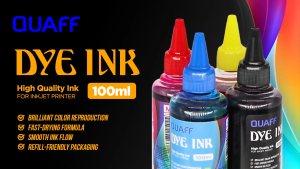
Partner Print - QUAFF 100ML All Desktop Dye Ink (Cyan Magenta Yellow Black)
M375 DrumKit/Toner Cartridge for Use and Compatible with Xerox M375
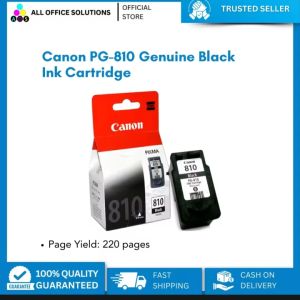
Canon PG-810 Black Ink Cartridge: Compatible with Canon Printer IP 2770 & More