8-in-1 USB C Hub: A Comprehensive Guide
8-in-1 USB C Hub: A Comprehensive Guide
What is a USB C Hub?
A USB C Hub is a versatile device that allows users to connect multiple peripherals to their computers using a single USB Type-C port. It serves as a central point for connecting various devices such as keyboards, mice, monitors, and more, providing a convenient and organized solution for managing multiple connections.
Understanding the Core Functionality
The core functionality of a USB C Hub lies in its ability to expand the number of available ports on a computer, allowing users to connect multiple devices simultaneously. This is particularly useful for laptops and other portable devices with limited port options.
Key Features and Benefits
Key features of a USB C Hub include its compact design, compatibility with various devices, and support for high-speed data transfer. Benefits of using a USB C Hub include increased productivity, improved organization, and enhanced convenience.
Key Features of the H52 USB C Hub
The H52 USB C Hub is a high-quality, versatile device that offers several key features and benefits.
HDMI-Compatible Hub
The H52 USB C Hub supports 4K HDMI-compatible displays, making it ideal for connecting external monitors, projectors, and other video devices. This feature ensures that users can enjoy high-resolution visuals and a seamless viewing experience.
PD Fast Charge Dock
The H52 USB C Hub includes a PD Fast Charge dock, which supports charging laptops and other devices at high speeds. This feature ensures that users can quickly recharge their devices while using the hub, reducing downtime and increasing productivity.
8-in-1 USB Adapter
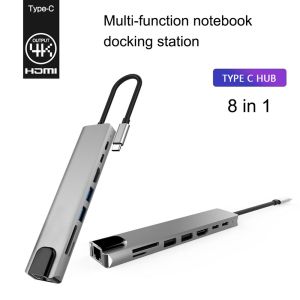
The H52 USB C Hub offers an 8-in-1 USB adapter, providing a wide range of port options for connecting various devices. This includes two USB ports, one TF card reader, one SD card reader, one HDMI port, one PD Fast Charge port, one RJ45 port, and one Type-C port.
RJ45 & SD/TF Card Reader
The H52 USB C Hub includes an RJ45 port and SD/TF card readers, allowing users to connect Ethernet cables and read data from memory cards. These features make the hub ideal for use in both professional and personal settings.
How to Use the H52 USB C Hub
Using the H52 USB C Hub is simple and straightforward. Here's how to connect devices, charge your devices, and transfer files using the hub.
Connecting Devices
To connect devices to the H52 USB C Hub, simply plug the appropriate cables or adapters into the corresponding ports. For example, to connect a monitor, plug an HDMI cable into the HDMI port on the hub.
Charging Your Devices
To charge your devices using the H52 USB C Hub, plug the appropriate charging cable into the PD Fast Charge port on the hub. This will allow you to charge your laptop or other devices while using the hub.
Transferring Files
To transfer files using the H52 USB C Hub, plug a USB drive or memory card into the appropriate port on the hub. This will allow you to easily transfer files between your computer and other devices.
Conclusion
The H52 USB C Hub is a versatile and convenient device that offers a wide range of features and benefits. Its compact design, compatibility with various devices, and support for high-speed data transfer make it an excellent choice for users looking to expand their computer's port options. With its 4K HDMI-compatible display support, PD Fast Charge dock, and 8-in-1 USB adapter, the H52 USB C Hub is a must-have for anyone looking to improve their productivity and organization.

LinJn
Review

You May Also Like

LANRUI 10ml UV Curing Instant Shadow Insulation Paste for Mobile Phone Motherboard PCB Flying Wire Repair Insulation Curing Tool
2X Ultra Clear/Anti-Glare/Anti Blue-Ray Screen Protector Guard Cover For HP ProBook 450 G10/455 G10 15.6 inch/ 250 G10 15.6\"
Full Compatibility Spring Loaded 65W Fast Charge Four-In-One Data Cable for Huawei Flash Charge Android Apple PD Car Play Display Notebook iPhone 17 Charger
Plastic High Accuracy Flowmeter Suitable for Multiple Home Coffee Machine Models for Enhancing Brewing Efficiency
Phone Case Tecno Spark Go 2 POP 10 SparkGo2 POP10 Cute Painted Cartoon Casing with Dolls Lanyard Four Corner Shock-absorbing Lens Protection Silicone Soft Back Cover
Silicone Magnetic Strap For Garmin Forerunner 570 265 645 255 Replace Soft Bands Venu Sq 3 2 Vivoactive 4 5 6 20mm 22mm Bracelet
Air Line Hose Compressor Air Chuck Fitting Connector Copper Quick Release Nozzle for Air Compressor
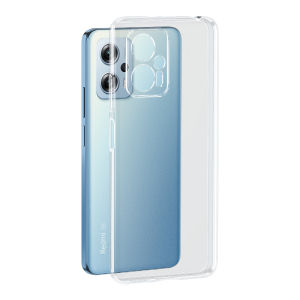
Henyou | Transparent Silicone Phone Case For Xiaomi Black Shark 5RS Full Cover Protection Anti-Fall Soft Shell For Men And Women
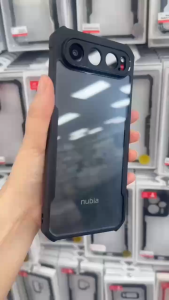
XUNDD Beatle Series Shockproof Case NUBIA AIR
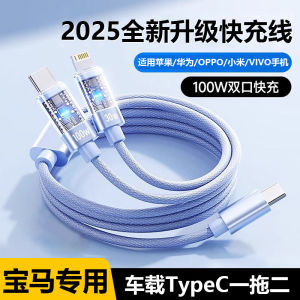
BMW Car Charging Cable 25 Models Universal One to Two Fast Charge Data Line for Mobile Phone And Car Type C Adapter Two in One
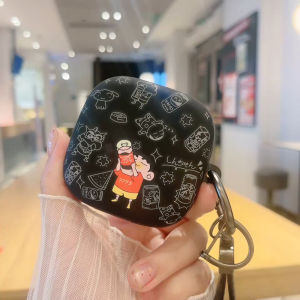
Black Wireless Bluetooth Huawei Freebuds Pro4 Case Cola New Compatible Freeclip Earphone Cover Soft Silicone TPU Apple Compatible