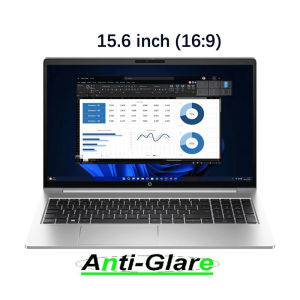
2X Ultra Clear/Anti-Glare/Anti Blue-Ray Screen Protector Guard Cover For HP ProBook 450 G10/455 G10 15.6 inch/ 250 G10 15.6\"
2X Ultra Clear/Anti-Glare/Anti Blue-Ray Screen Protector Guard Cover For HP ProBook 450 G10/455 G10 15.6 inch/ 250 G10 15.6"
What is a 15.6 Inch Laptop Screen Guard?
A 15.6 inch laptop screen guard is a protective film designed to cover the display of a laptop with a 15.6 inch screen size. It helps protect the screen from scratches, fingerprints, and other types of damage while enhancing the viewing experience.
Key Features of Anti-Glare Screen Protectors
Anti-glare screen protectors are designed to minimize reflections and glare caused by external light sources. Some key features include:
- Reducing eye strain and fatigue
- Improving visibility in bright environments
- Maintaining color accuracy
How to Choose the Right Anti-Blue-Ray Cover
When choosing an anti-blue-ray cover, consider the following factors:
- Compatibility with your laptop model
- Quality of materials used
- User reviews and ratings
Benefits of Using Ultra Clear Screen Protectors
Ultra clear screen protectors offer several advantages:
- Enhancing your viewing experience
- Protecting your investment
Enhancing Your Viewing Experience
Ultra clear screen protectors provide a virtually invisible layer of protection, allowing you to enjoy crisp, clear images without any visual distortion. They also help reduce eye strain by minimizing glare and reflections.
Protecting Your Investment
Laptop screens are expensive to replace, so investing in a high-quality screen protector is essential. Ultra clear screen protectors can help prevent scratches, cracks, and other types of damage, extending the life of your device.
Installation Guide: HP ProBook 450 G10 Screen Protector
Follow these step-by-step instructions to easily install the screen protector on your HP ProBook 450 G10:
- Clean the screen thoroughly using a microfiber cloth and screen cleaner.
- Remove the protective film from the screen protector.
- Align the screen protector with the edges of your laptop screen.
- Slowly apply the screen protector, smoothing out any bubbles or wrinkles as you go.
- Once installed, use a credit card or similar tool to remove any remaining air bubbles.
Tips for Proper Removal and Replacement
When removing or replacing the screen protector, follow these tips:
- Use a microfiber cloth to gently lift one corner of the screen protector.
- Carefully peel off the screen protector, being mindful not to scratch the screen.
- Clean the screen again before applying a new screen protector.
FAQs About 2X Ultra Clear/Anti-Glare/Anti Blue-Ray Screen Protector Guard Cover
What is the Origin of KH Brand?
KH is a brand based in Mainland China that specializes in manufacturing high-quality screen protectors and other electronic accessories.
Where Can I Purchase This Product?
You can purchase the 2X Ultra Clear/Anti-Glare/Anti Blue-Ray Screen Protector Guard Cover for HP ProBook 450 G10/455 G10 on various online marketplaces, including Amazon, eBay, and Alibaba.

pbeuye
Review

You May Also Like
MATERIK materikstory Phone case for iPhone 16 Pro/16 ProMax (White Angelfish) Exclusive Handcrafted Pattern MagSafe compatible Alchemy collection Designed in Italy

For Xiaomi Pad 6S Pro 12.4 Inch Tempered Glass Screen Protector 2024 Anti Scratch HD Clear Protective Film
Honor Magic7 RSR Porsche Phone Case Original Design Premium Feel Magic7 pro Protective Cover Compatible with Magic6 pro for Men And Women
New Mobile Phone Model Display Stand for Telecom Counter Desktop Holder Tray Universal Base for China Unicom And China Mobile
Roborock S8 Pro Ultra Q5 Pro Q8 Pro Q8 MAX Robot Vacuum Cleaners Roller BrushVacuum Robot Accessories
Yoobao LC2 Pro LED Display Multi Function Own Line Design Type C/ Lightning PD20W Fast Charging 10000mah Power Bank
Cute Lanyard Phone case for iPhone 17 16 15 14 Pro Luxury Chain Cartoon Puppy Girl Cell Phone case for iPhone 13 12 11
Acrylic Protective Case for Honor Tablet X7 Rotatable 360 Degrees 8.7 Inch with Pen Slot Horizontal And Vertical Support Bend Proof
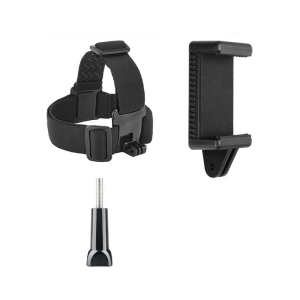
Adjustable Elastics Head Mount For Action Cameras With AntiSlip Secure For Outdoor Sports
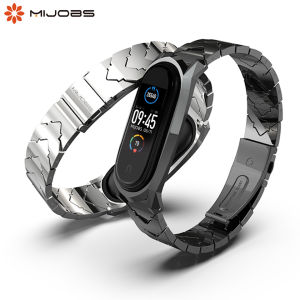
MIJOBS Metal Strap for Mi Band 7, 6, 5, 4, 3 NFC Global Version Watch Band Bracelet
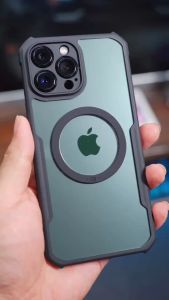
HONOR 200 PRO Case: XUNDD Beatle MAGNET AIRBAG Shockproof Case