Vivo Y28s Tempered Glass for Vivo Y Series: A Comprehensive Guide
Vivo Y28s Tempered Glass for Vivo Y Series: A Comprehensive Guide
Introduction to Vivo Y28s Tempered Glass
The Vivo Y28s Tempered Glass is a specially designed screen protector that offers comprehensive protection for your Vivo smartphone. This product is compatible with various Vivo Y series models, including Y28, Y18, Y38, Y36, Y76, Y27s, Y17s, Y16, Y03, Y02, Y02s, Y02T, Y02A, V27, V29, V30 Pro, V27e, V29e, V30e, and 5G/4G models. This article will provide a detailed guide on the benefits, features, installation process, and frequently asked questions about the Vivo Y28s Tempered Glass.
What is Vivo Y28s Tempered Glass?
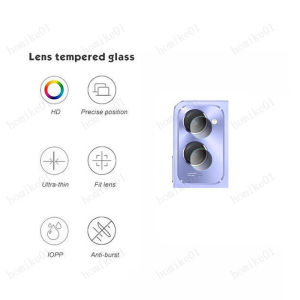
The Vivo Y28s Tempered Glass is a high-quality screen protector designed specifically for the Vivo Y series smartphones. It offers full coverage for both the screen and camera lens, providing excellent protection against scratches, impacts, and other external damages.
Benefits of Using Vivo Y28s Tempered Glass
- Protection: The 9H hardness of the tempered glass ensures that it can effectively protect the screen from scratches and external shocks.
- Compatibility: The Vivo Y28s Tempered Glass is compatible with multiple Vivo Y series models, including both 5G and 4G devices.
- Durability: The tempered glass has a high safety coefficient, making it more durable than regular screen protectors.
- Touch Sensitivity: The ultra-thin ≈0.3mm thickness of the tempered glass ensures 100% touch sensitivity, making it easy to use.
- Easy Cleaning: The oleophobic coating on the tempered glass makes it easy to clean, as fingerprints and oil are not easy to stay on the surface.
Key Features of Vivo Y28s Tempered Glass
Full Coverage & Compatibility
The Vivo Y28s Tempered Glass offers full coverage for both the screen and camera lens, ensuring comprehensive protection against external damages. It is compatible with multiple Vivo Y series models, including both 5G and 4G devices.
Safety & Durability
The tempered glass has a high safety coefficient and 9H hardness, making it more durable than regular screen protectors. It can effectively protect the screen from scratches and external shocks.
Oleophobic Coating & Easy Cleaning
The oleophobic coating on the tempered glass makes it easy to clean, as fingerprints and oil are not easy to stay on the surface. This feature ensures that the screen remains clean and clear, enhancing the overall user experience.
How to Install Vivo Y28s Tempered Glass
Preparing Your Device
Before installing the tempered glass, make sure that your device is clean and free of any dust or debris. Use a soft cloth to wipe the screen and camera lens to remove any dirt or fingerprints.
Applying the Tempered Glass
To apply the tempered glass, follow these steps:
- Remove the protective film from the tempered glass.
- Align the tempered glass with the screen and camera lens.
- Press down gently on the tempered glass to ensure that it adheres properly to the screen.
- Use a squeegee tool to remove any air bubbles or dust particles that may have gotten trapped underneath the tempered glass.
Addressing White Edge Issue
If there are white edges around the sides of the screen after installing the tempered glass, apply the white edge liquid solution provided with the product. This will help to eliminate the white edges and provide a seamless look.
Frequently Asked Questions
Can I Use This Tempered Glass on Other Vivo Models?
Yes, the Vivo Y28s Tempered Glass is compatible with multiple Vivo Y series models, including both 5G and 4G devices. However, it is important to note that the compatibility may vary depending on the specific model of your device.
What Are the Advantages of Tempered Glass Over Regular Screen Protectors?
Tempered glass offers several advantages over regular screen protectors, including higher durability, better touch sensitivity, and easier cleaning. It also provides full coverage for both the screen and camera lens, offering comprehensive protection against external damages.
How Long Does the Installation Process Take?
The installation process typically takes around 10-15 minutes, depending on the experience of the user. However, it is important to take your time during the installation process to ensure that the tempered glass adheres properly to the screen and camera lens.

muchen1992
Review

You May Also Like
XUNDD MAGNETIC AND BACK CLIP COOLER FOR MOBILE PHONE XDOT-079
Silicone Laptop Keyboard Cover Skin Protector for HP Probook 650 G8 / Probook 450 G8 2020 15\" Notebook
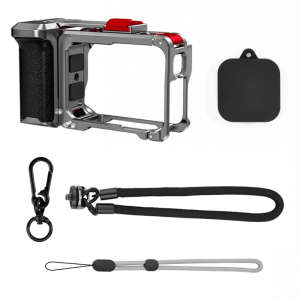
Ergonomic Camera Stabiliser Handle Feature Quick Release And Modular Design for Dedicated Models Outdoor Filming
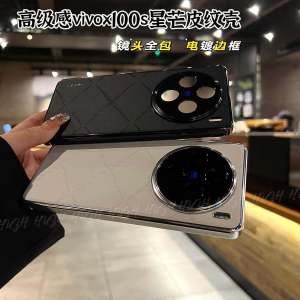
Vivox100S Starlight Anodized Leather Shell Ultra-Thin Simple Female Version Full Lens Protection Anti-Fall Case for Vivo Phones

Sanya Hainan Creative Cultural Tourism Souvenirs: From Fridge Magnets to Wuzhi Island Keepsakes
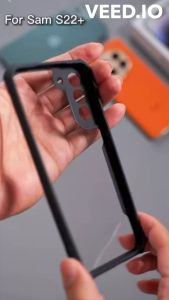
XUNDD Beatle Series AIRBAG Shockproof SLIM Case For SAMSUNG A15 4G 5G / A25 5G
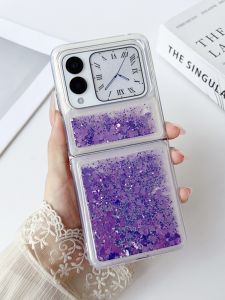
Huawei NovaFlip Phone Case Liquid Sandfall Folding Screen Full Cover Shockproof Silicone Soft Shell Creative Glitter Fluffy
Water Purifier Filter Tap Universal For Kitchen Bathroom Shower Household Cotton High Density

Casing For Oppo Reno 11 Pro 11F 11Pro Reno11 5G 2024 & Vivo Y28 VIVOY28 Y 28 4G 2024
![Acrylic Film Clapperboard Plastic Movie Clapper Cutting Action Scene Caliper Board [24h delivery]](https://img.lazcdn.com/g/ff/kf/S302d208023ef47d18d869129730bf1b2G.png_300x300q80.png)
Acrylic Film Clapperboard Plastic Movie Clapper Cutting Action Scene Caliper Board [24h delivery]
High Grade Wallet Leather Case For Samsung Galaxy S20 S21 S22 S23 S24 Ultra Plus Note 10 20 Lite FE 5G S10 Flip Cover Card Slots