



Silicone Laptop Keyboard Cover Skin Protector for HP Probook 650 G8 / Probook 450 G8 2020 15\" Notebook
Silicone Laptop Keyboard Cover Skin Protector for HP Probook 650 G8 / Probook 450 G8 2020 15" Notebook
What is a Silicone Laptop Keyboard Cover?
A silicone laptop keyboard cover, like the one designed for the HP Probook 650 G8 and Probook 450 G8 series, is a protective layer that shields your device's keyboard from dust, spills, and other contaminants. These covers are typically made of food-grade silicone material, which ensures they are safe, durable, and easy to clean. The primary purpose of a keyboard cover is to extend the life of your laptop by keeping the keys free from dirt and debris, ultimately enhancing the overall performance and appearance of your device.
Key Features & Benefits
Some of the key features and benefits of a silicone laptop keyboard cover include:
- Protection: Provides a barrier against dust, spills, and other contaminants, keeping your keyboard clean and functional.
- Durability: Made from high-quality silicone material, these covers are designed to withstand daily wear and tear.
- Easy Installation: Silicone keyboard covers are usually easy to install and remove, allowing you to quickly switch between using and protecting your keyboard.
- Non-slip: The silicone material offers a non-slip surface, ensuring the cover stays in place even during heavy use.
- Customizable: Many keyboard covers come with customizable options, such as different colors or designs, allowing you to personalize your device's look.
How to Choose the Right Cover
When selecting a silicone laptop keyboard cover, consider the following factors:
- Compatibility: Make sure the cover is compatible with your specific model of HP Probook 650 G8 or Probook 450 G8.
- Material: Look for a cover made from high-quality silicone, which will ensure durability and ease of cleaning.
- Design: Choose a design that suits your preferences, whether it's a simple, clean look or something more personalized.
- Price: Compare prices and features to find the best value for your budget.
Why Choose the G8 Series Laptop Cover?
The G8 series laptop covers, specifically designed for the HP Probook 650 G8 and Probook 450 G8 models, offer several advantages over generic keyboard covers.
Key Features & Benefits
Some of the key features and benefits of the G8 series laptop covers include:
- Perfect Fit: Designed specifically for the HP Probook 650 G8 and Probook 450 G8 models, ensuring a precise fit and optimal protection.
- High-Quality Silicone: Made from premium silicone material, these covers are durable and easy to clean.
- Non-slip Surface: The silicone material provides a non-slip surface, ensuring the cover stays in place during use.
- Easy Installation: Simple installation and removal process, allowing you to quickly switch between using and protecting your keyboard.
How to Install & Remove the Cover
Installing and removing a G8 series laptop cover is a straightforward process. To install the cover, simply align it with the keyboard and press down gently until it clicks into place. To remove the cover, lift the edges and slide it off the keyboard.
HP Probook 650 G8 Skin Protector: A Closer Look
The HP Probook 650 G8 skin protector is a must-have accessory for anyone looking to protect their device's keyboard from damage.
Key Features & Benefits
Some of the key features and benefits of the HP Probook 650 G8 skin protector include:
- Perfect Fit: Designed specifically for the HP Probook 650 G8 model, ensuring a precise fit and optimal protection.
- High-Quality Silicone: Made from premium silicone material, this protector is durable and easy to clean.
- Non-slip Surface: The silicone material provides a non-slip surface, ensuring the protector stays in place during use.
- Easy Installation: Simple installation and removal process, allowing you to quickly switch between using and protecting your keyboard.
How to Clean & Maintain the Protector
Cleaning and maintaining your HP Probook 650 G8 skin protector is essential to ensure its longevity and effectiveness. To clean the protector, simply wipe it down with a damp cloth and mild soap, then dry it thoroughly before reinstalling it on your keyboard.
Probook 450 G8 Keyboard Guard: A Comprehensive Guide
The Probook 450 G8 keyboard guard is another excellent option for protecting your device's keyboard.
Key Features & Benefits
Some of the key features and benefits of the Probook 450 G8 keyboard guard include:
- Perfect Fit: Designed specifically for the Probook 450 G8 model, ensuring a precise fit and optimal protection.
- High-Quality Silicone: Made from premium silicone material, this guard is durable and easy to clean.
- Non-slip Surface: The silicone material provides a non-slip surface, ensuring the guard stays in place during use.
- Easy Installation: Simple installation and removal process, allowing you to quickly switch between using and protecting your keyboard.
How to Customize Your Keyboard Guard
Customizing your Probook 450 G8 keyboard guard can add a personal touch to your device. You can choose from various colors and designs to match your style, or even add custom graphics or logos to make your keyboard guard truly unique.
15 Inch Notebook Protector: A Must-Have Accessory
A 15 inch notebook protector is a versatile accessory that can be used to protect any device with a similar-sized keyboard.
Key Features & Benefits
Some of the key features and benefits of a 15 inch notebook protector include:
- Universal Fit: Designed to fit a wide range of 15 inch laptops, ensuring optimal protection for your device.
- High-Quality Silicone: Made from premium silicone material, these protectors are durable and easy to clean.
- Non-slip Surface: The silicone material provides a non-slip surface, ensuring the protector stays in place during use.
- Easy Installation: Simple installation and removal process, allowing you to quickly switch between using and protecting your keyboard.
How to Store & Transport Your Protector
Storing and transporting your 15 inch notebook protector is easy. Simply roll it up or fold it neatly and store it in a safe place when not in use. When traveling, keep the protector in your laptop bag or case to protect it from damage.

SOYA
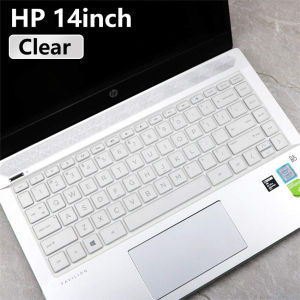
You May Also Like

999 Pure Gold Lucky Horse Pendant 20mg Bag Accessory Mobile Phone Chain Key Holder Gift for Friends And Family
4Pcs Full Cover Screen Protector for iPhone 16 15 14 12 13 11 Tempered Glass Clear HD Anti-Fingerprint Mobile Phone Film
Cartoon Cloud Charm Crossbody Woven Lanyard with Clip for Phone Case Bag Keychain Womens Fashion Accessory Universal Short Rope
Nisi Swift System Adsorbable Round Filter Set Adjustable ND1-5 5-9 1-9 Stops Black Mist UV IR Cut Set Filter Camera Filter Kit Swift Add on Kit Swift VND Kit Swift VND Mist Kit 67mm/72mm/77mm/82mm/95mm TFCPlaystore
Oppo Find N3 Transparent Magnetic Absorption Luxury Edition Ultra-Thin Full Cover Business Style Mobile Phone Case for Men
【E-WOITD】 5PCS Stereo Type Audio Jack PCB Panel Mount 6 Pin 1 4 6.35mm Dual Channel Female Stereo Headphone Jacks Socket Phone Jack
Case for Samsung a21s phone casing softcas silicone protector shockproof cover new design aesthetic with Holder animal meetings ytdwxz01
3D Full Coverage Camera Lens Protector HD Tempered Glass Film For iPhone 16e / 16 / 15 / 14 / 13 / 12 / 11 Pro Max Plus Mini Back Screen Protective Cover Sticker
OATSBASF Walnut Metal Frame Shockproof Mobile Phone Case Support Magsafe for IPhone 17Pro Max/17 Pro
Privacy Tempered Glass Screen Protectors: Multiple Device Compatibility & Protection
3pcs/set Silicone Headband Head Beam Earpad Cover Ear Cap Cover For Sony WH-1000XM4
![[PERNG] Tehe Magnetic Phone Ring Holder Grip Attachment Removable Magnetic Phone Ring Waterproof Liquid Silicone Hone Ring Holder](https://img.lazcdn.com/g/p/43a2b728b5cebdf97f53ec78b29babe3.jpg_300x300q80.jpg)


















