Trident TR-79 UHF Wireless Microphone System & DC 5V Charging
Trident TR-79 UHF Wireless Microphone System & DC 5V Charging
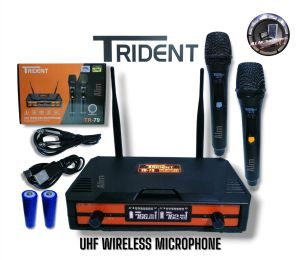
What is the Trident TR-79 UHF Wireless Microphone System?
The Trident TR-79 UHF wireless microphone system is a high-quality, professional audio equipment that offers superior sound quality and reliable wireless transmission. With its advanced UHF frequency range, this system ensures crystal-clear audio reproduction, making it an ideal choice for live performances, conferences, and other events that require top-notch audio quality.
Key Features
- Advanced UHF Frequency Range: The Trident TR-79 operates within the UHF frequency range, which minimizes interference and guarantees stable signal transmission.
- DC 5V Charging: The system features a convenient DC 5V charging port, allowing you to power the transmitter and receiver units effortlessly.
- Easy-to-Use Interface: The intuitive control panel enables quick setup and adjustment of settings, making it user-friendly for both beginners and experienced users.
Comparison with Other Professional Audio Equipment
When compared to other professional audio equipment, the Trident TR-79 UHF wireless microphone system stands out due to its advanced features, reliable performance, and ease of use. Its UHF frequency range provides better interference resistance than VHF systems, making it suitable for environments with multiple wireless devices.
How to Set Up the Trident TR-79 UHF Wireless Microphone System
Setting up the Trident TR-79 UHF wireless microphone system is a straightforward process. Follow the step-by-step guide below to get started:
Step-by-Step Guide
- Unpack the Components: Remove all components from the box, including the transmitter, receiver, microphone, and accessories.
- Connect the Microphone: Attach the microphone to the transmitter unit using the provided connector.
- Power On the System: Connect the DC 5V power adapter to the receiver unit and plug it into a power outlet. Press the power button to turn on the system.
- Pair the Transmitter and Receiver: Adjust the frequency settings on both the transmitter and receiver units to match. This ensures a stable connection between the two devices.
- Adjust Audio Settings: Fine-tune the audio settings on the receiver unit to optimize sound quality according to your preferences.
Tips for Optimal Performance
- Maintain Proper Distance: Keep the transmitter and receiver units within a reasonable distance to avoid signal loss.
- Avoid Obstructions: Ensure there are no physical obstructions between the transmitter and receiver units that could interfere with signal transmission.
- Monitor Battery Levels: Regularly check the battery levels of the transmitter unit and replace or recharge them as needed.
Maximizing the Benefits of the Trident TR-79 UHF Wireless Microphone System
To get the most out of your Trident TR-79 UHF wireless microphone system, consider customizing settings and troubleshooting common issues.
Customizing Settings
- Adjust Audio Levels: Experiment with different audio settings to achieve the desired sound quality.
- Configure EQ Settings: Fine-tune the equalizer settings to enhance specific frequency ranges and improve overall audio clarity.
Troubleshooting Common Issues
- Interference: If you experience interference, try changing the frequency settings on both the transmitter and receiver units.
- Low Battery: Replace or recharge the transmitter unit's battery if you notice a decrease in audio quality or signal strength.
Conclusion: Why Choose the Trident TR-79 UHF Wireless Microphone System?
The Trident TR-79 UHF wireless microphone system is a top-notch choice for anyone seeking a reliable, high-quality audio solution. With its advanced UHF frequency range, DC 5V charging capability, and user-friendly interface, this system offers exceptional performance and ease of use. Whether you're a professional audio engineer or a casual user, the Trident TR-79 is an excellent investment that will elevate your audio experience.

ALM_SolaRonics
Review

You May Also Like

【Original + 24 hours delivery】12V With Power Amplifier Wireless Bluetooth 5.0 MP3 Decoder Board Color Screen with Recording Call with Bluetooth USB TF FM Radio MP3 Player Audio Accessories
Kiwi Ears KE4 Completely Redesigned 2DD+2BA Hybrid Driver IEM Wired Earbuds In-Earphone Headset HIFI Music Wired Earbuds Gaming Earbuds
Durability AntiFingerprint Earbuds Case Featuring Carabiner Precise Cutout Flexible Skin Friendly Texture for Buds Air7
KZ AZ10 True Wireless Earphone Bluetooth 5.2 Ear Hook HiFi Sport Game Automatic Connection Headphone TWS with Charging Case for C Pin Headset
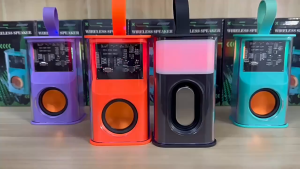
Mini Mecha Bluetooth Speakers Transparent Wireless Sound Light Rhythm Speaker Subwoofer 6D Surround Sound TWS Audio Speaker
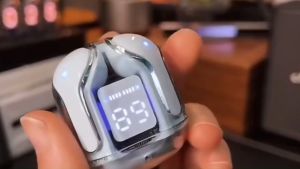
TWS Earbuds: Charging Case Headset for Sport & Transparent Digital Display
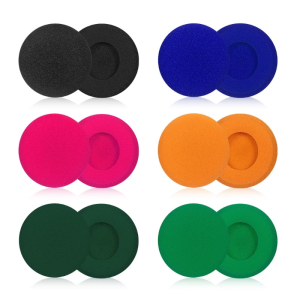
Breathable Ear Pads for PORTAPRO Headsets Density Foam Earpads Add Thickness for Improved Sound Quality Earmuff
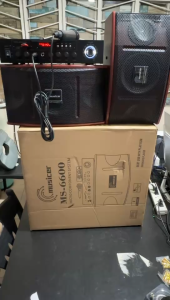
MUSICER 6.5 Inches Karaoke Micro Component System (Amplifier + Speakers) set -500Watts /MS-6600

20 Watts Motorola Walkie Talkie Long Range 25KM U/V Two Way Radio Water/dustproof IP67 Outdoor GT12 Outdoor/hotel/school/construction site
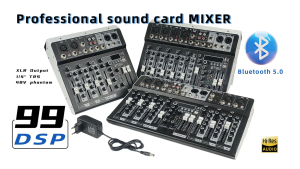
CS-4/CS-6/CS-8 Professional Mixer: 4/6/8-Channel Built-In EQ & 16DSP Recording Function

Sanag Z50s open ear air conduction TWS earphone Bluetooth wireless headphone panoramic sound sports waterproof ear clip earbuds