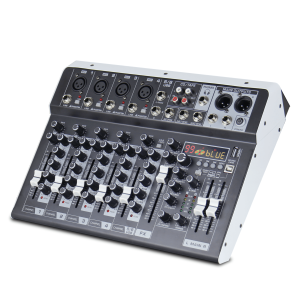
CS-4/CS-6/CS-8 Professional Mixer: 4/6/8-Channel Built-In EQ & 16DSP Recording Function
CS-4/CS-6/CS-8 Professional Mixer: 4/6/8-Channel Built-In EQ & 16DSP Recording Function
Introduction to CS-4/CS-6/CS-8 Mixers
What Are CS-4/CS-6/CS-8 Mixers?
CS-4/CS-6/CS-8 mixers are professional-grade audio mixing devices designed for seamless multi-channel audio mixing. These mixers offer built-in EQ (equalization) and DSP (digital signal processing) capabilities, making them perfect for a wide range of audio applications, from live performances to studio recordings.
Why Choose These Mixers for Your Audio Needs?
If you're looking for a reliable, high-performance audio mixer that can handle multiple channels, CS-4/CS-6/CS-8 mixers are an excellent choice. They provide top-notch sound quality, thanks to their built-in EQ and DSP, and their recording function makes it easy to capture your audio projects. With their versatile design, these mixers cater to both amateur and professional users.
Key Features of CS-4/CS-6/CS-8 Mixers
Multi-Channel Audio Mixing
The CS-4/CS-6/CS-8 mixers offer a range of channel options, from 4 to 8 channels, allowing you to mix multiple audio sources simultaneously. This makes them ideal for live performances, studio recordings, and other audio applications.
Built-In EQ & DSP
One of the standout features of these mixers is their built-in EQ and DSP capabilities. These tools enable you to fine-tune your audio signals, ensuring that your final output sounds crisp and clear. The EQ allows you to adjust the frequency response of your audio signals, while the DSP provides additional processing power for tasks like reverb, delay, and compression.
Recording Function
Another essential feature of CS-4/CS-6/CS-8 mixers is their recording function. With this feature, you can easily capture your audio projects directly from the mixer, eliminating the need for external recording devices. The mixers support various recording formats, including WAV and MP3, making it simple to store and share your audio files.
How to Use CS-4/CS-6/CS-8 Mixers
Connecting Your Audio Devices
To get started with your CS-4/CS-6/CS-8 mixer, you'll need to connect your audio devices to the appropriate channels. Each channel has input jacks for connecting microphones, instruments, and line-level sources. Once connected, you can adjust the gain and pan settings to control the level and position of each audio source.
Setting Up Your Mixer for Optimal Performance
To ensure that your CS-4/CS-6/CS-8 mixer performs at its best, you'll want to set it up correctly. This includes adjusting the gain staging, setting the proper EQ settings, and configuring the DSP effects. Additionally, you'll want to monitor your audio output using headphones or speakers to ensure that everything sounds clear and balanced.
Using Built-In EQ & DSP for Enhanced Audio Quality
The built-in EQ and DSP capabilities of CS-4/CS-6/CS-8 mixers allow you to fine-tune your audio signals for optimal sound quality. To use these features, simply adjust the EQ settings to boost or cut specific frequencies, and configure the DSP effects to add reverb, delay, or compression to your audio sources. With practice, you'll be able to achieve professional-sounding results that will impress your audience.

MOREFAND ONE
Review
You May Also Like
Car Sound Enhancements Microphones Wide Frequency Response Intelligent Noise Reductions Seamlessly Integration With Factory Dashboards
MICROPOWERTECH Jabra Elite 75t Bluetooth Earbuds - Wireless Connectivity and Unbeatable Sound
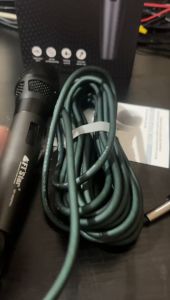
FT STAR Professional Dynamic Karaoke Microphone High-Quality Vocal Handheld Microphone MP-850PRO
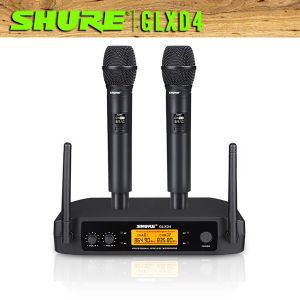
shure/GLXD4 wireless microphone original brandedUHF wireless micKaraoke MicSuitable for Professional KTV entertainmentStage performancefamily entertainment K song
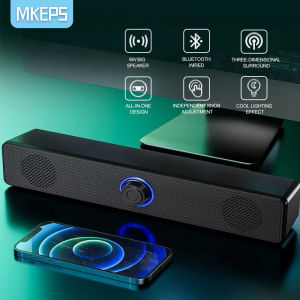
MKEPS Portable Bluetooth Speakers: HD Sound & Bass Adjustment
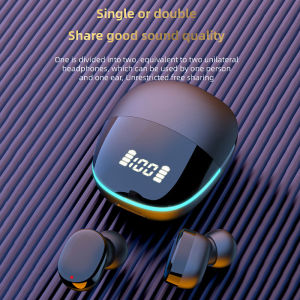
♥100%Original Product+FREE Shipping♥NEW G9S JBL Wireless Earphones Bluetooth 5.1 Gaming Headphones Noise Reduction Hifi Stereo Touch Control Earphones With Charging Box

Wireless 5.3 Invisible Earbuds - Newest Bass Stereo Earphones with Noise Cancelling Microphone - Low Profile Micro Smallest Invisible Sleeping Earbuds SeaSpark
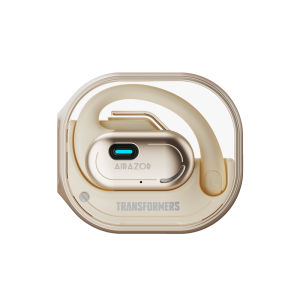
Transformers | Wireless Open Ear Sport Bluetooth Headphones
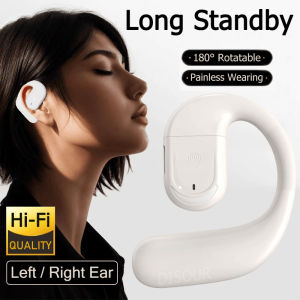
Rotatable Wireless Single Earphone: Bluetooth 5.4 & HD Mic Ear Hook Headphones

Pisen P1 True Wireless New 5.3 Bluetooth Earphone 3D Panorama Sound
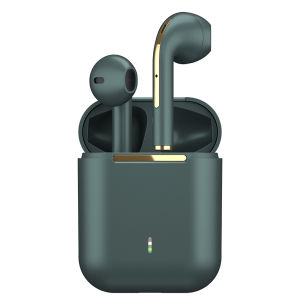
MIXTONE J18 Wireless Earbuds HiFi Bluetooth Earphones Stereo Bass Touch Control for Android iOS HarmonyOS