How to Reset Canon MC-G02 & G3820/G3821 Chips
How to Reset Canon MC-G02 & G3820/G3821 Chips
Understanding Chip Resetting
What is a Chip Reset?
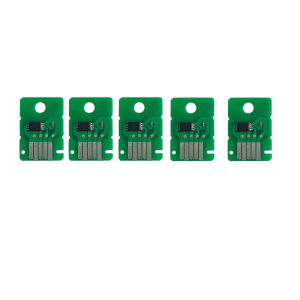
A chip reset is a process that resets the ink cartridge chip on your Canon printer, allowing you to use refilled ink cartridges instead of buying new ones from Canon. This can save you money in the long run, as refilled cartridges tend to be cheaper than new ones.
Why Reset Canon MC-G02 & G3820/G3821 Chips?
Resetting the chip on your Canon printer allows you to use refilled ink cartridges, which can save you money on printer supplies. It also extends the life of your printer by reducing the amount of waste generated from discarded ink cartridges.
Step-by-Step Guide for Resetting Canon MC-G02 & G3820/G3821 Chips
Preparing for the Reset Process
Before resetting the chip on your Canon printer, make sure you have the Canon MCG02 reset tool and a refilled ink cartridge ready. Also, ensure that your printer is turned off before starting the process.
Using the Canon MCG02 Reset Tool
- Insert the refilled ink cartridge into the appropriate slot in your Canon printer.
- Turn on the printer and wait for it to initialize.
- Connect the Canon MCG02 reset tool to the printer using the USB cable.
- Open the Canon MCG02 reset tool software and select the appropriate model of your printer.
- Click on the “Reset” button to start the chip reset process.
- Wait for the process to complete and then disconnect the reset tool from the printer.
Verifying the Reset Success
After resetting the chip on your Canon printer, verify that the process was successful by printing a test page. If the test page prints correctly, then the chip reset was successful.
Troubleshooting Common Issues
Error Messages During Reset
If you encounter error messages during the chip reset process, try restarting the printer and the reset tool software. If the error persists, check the connection between the reset tool and the printer and make sure that the software is up-to-date.
Reset Failure Solutions
If the chip reset fails, try resetting the chip again using the Canon MCG02 reset tool. If the issue persists, contact Canon support for further assistance.
Contacting Canon Support
If you have any issues with resetting the chip on your Canon printer, contact Canon support for assistance. They can help you troubleshoot the issue and provide solutions to resolve it.
Conclusion
Recap of Key Points
Resetting the chip on your Canon printer allows you to use refilled ink cartridges, which can save you money on printer supplies. To reset the chip, use the Canon MCG02 reset tool and follow the step-by-step guide provided above. If you encounter any issues during the process, contact Canon support for assistance.
Final Thoughts on Chip Resetting
Resetting the chip on your Canon printer can extend the life of your printer and save you money on printer supplies. However, make sure to use high-quality refilled ink cartridges to avoid damaging your printer. With the right tools and knowledge, you can easily reset the chip on your Canon printer and enjoy the benefits of using refilled ink cartridges.

CMYK.Print
You May Also Like
EU 604XL T604 T 604 XL T604XL Premium Compatible InkJet Ink Cartridge for Epson XP-4205 WF-2910DWF/WF-2930DWF/WF-2935DWF Printer

Epson WorkForce C878R Standard Ink Pack Cyan 182.5ml C13T05A200

2R 8pcs / 50 pesos / Matte Photo Waterproof Matte Scratch Proof 260gsm
NIIMBOT M2 Thermal Transfer 2Inch Bluetooth Label Maker: A Smart Printing Solution
AOS Compatible Brother L5900 MFC-L5900DW Fixing Film Replacement Sleeve With Grease
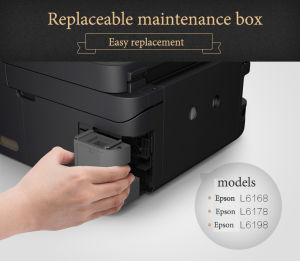
For Epson L6170 L6290 L6190 L6191 L617 L6168 L6178 L6198 M1140 ET-2700 ET-2760 Epson Maintenance Box T04D1
HP Printer / HP Smart Tank 720 Printer / All in One Printer / Printer with Scanner and Xerox / Wireless Printer / Printer Ink Tanks / Printer Refillable Ink / Printer for Student / Free Ink
Xprinter XPT80A Thermal Receipt Printer with Gift 3 Rolls 80mm Bluetooth/USB Thermal Paper Auto Cut Invoice Printer POS Xprinter Xp T80A Receipt Printers - Lazada
Functional 3D Printing Nozzle Maintenance Tool set Produced for Daily Use in Educational and Professional Setting
BrotherR DR-1000 Drum Cartridge
Bluetooth Portable Thermal printer POS Printer Handheld 58mm Receipt Printer