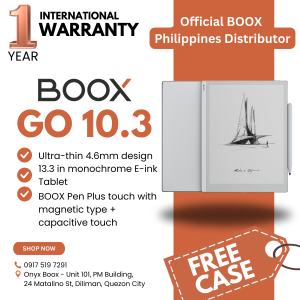
BOOX Go 10.3 Inch E-Ink Reader & 64GB Storage: A Comprehensive Guide
BOOX Go 10.3 Inch E-Ink Reader & 64GB Storage: A Comprehensive Guide
What is the BOOX Go E-Ink Reader?
The BOOX Go E-Ink Reader is a portable and stylish device designed to provide a seamless reading experience. With its 10.3-inch e-reader display, 64GB storage, and stylus included, it offers a perfect combination of portability, convenience, and functionality.
Key Features
-
10.3-inch E-Ink Display: The BOOX Go features a large, high-resolution e-reader display that provides a comfortable reading experience.
-
64GB Storage: With ample storage space, you can store thousands of books and documents on your device.
-
Stylus Included: The BOOX Go comes with a stylus that allows you to take notes, highlight passages, and draw on the screen.
-
Official Onyx BOOX Case: Get a free official Onyx BOOX case with your purchase, providing protection and durability for your device.
Specifications
-
Display: 10.3 inches, E-Ink, 1872 x 1404 pixels
-
Storage: 64GB
-
Processor: Quad-core ARM Cortex-A53
-
Battery: 3000mAh, up to 2 weeks of battery life
-
Connectivity: Wi-Fi, Bluetooth
-
Weight: 370g
How It Compares to Other E-Readers
The BOOX Go stands out among other e-readers due to its large display, ample storage, and stylus included. While some e-readers may offer similar features, the BOOX Go's combination of these features makes it a top choice for readers who want a portable, convenient, and functional device.
BOOX Go Case: What You Need to Know
The BOOX Go comes with a free official Onyx BOOX case that provides protection and durability for your device.
Design and Build Quality
The BOOX Go case is designed to fit snugly around your device, providing a secure and comfortable grip. It is made of high-quality materials that are durable and long-lasting.
Protection and Durability
The BOOX Go case offers excellent protection against scratches, drops, and other damage. Its rugged design ensures that your device stays safe and secure.
Compatibility with Other Accessories
The BOOX Go case is compatible with other accessories, such as screen protectors and stylus holders, allowing you to customize your device to suit your needs.
Getting Started with BOOX Go
Getting started with the BOOX Go is easy and straightforward. Follow these steps to set up your e-reader and start reading.
Setting Up Your E-Reader
- Charge your BOOX Go using the included charger.
- Connect your device to Wi-Fi to download books and access other features.
- Customize your settings to suit your preferences.
Downloading and Reading Books
To download and read books on your BOOX Go:
- Connect to Wi-Fi.
- Download books from online stores or libraries.
- Open the book and start reading.
Using the Stylus for Note-Taking
To use the stylus for note-taking:
- Open the book you want to take notes on.
- Tap the screen with the stylus to bring up the note-taking menu.
- Select the option to write notes, highlight passages, or draw on the screen.
Tips and Tricks for Maximizing Your BOOX Go Experience
To get the most out of your BOOX Go, here are some tips and tricks:
Customizing Settings
Customize your settings to suit your preferences. You can adjust the font size, line spacing, and other settings to make reading more comfortable.
Organizing Your Library
Organize your library by creating folders and sorting your books by author, title, or genre. This makes it easy to find the books you want to read.
Exploring Additional Features
Explore additional features such as the built-in dictionary, the ability to search for words and phrases, and the option to adjust the brightness and contrast of the display.

Onyx Boox
You May Also Like
For Nokia 206 2060 Original Unlocked Phone Dual Sim 2G GSM 1.3MP 1100mAh
Refurbished Phone Xiaomi 11 Ultra(5G)Smartphone Unlocked 256GB ROM 12GB RAM All Colours Good Condition
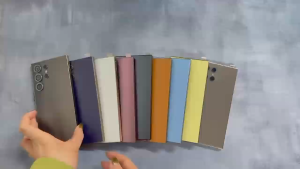
NEW AB1-S25 Ultra 4G/5G Ultra-thin Smartphone 6.8inch Full Screen Memory 16GB+1TB Mobile Phone With Pen Android 13.0
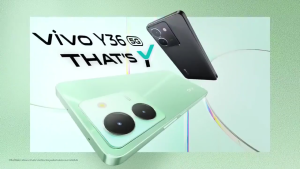
𝐕𝐈𝐕𝐎 Y36 5G Smartphone 12GB RAM + 512GB ROM | 6.64" HD+ Display | 50MP AI Camera | 5000mAh Battery
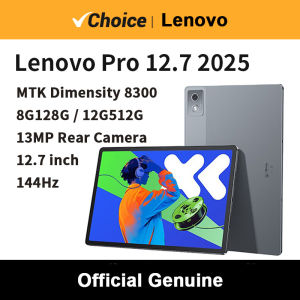
2025 Lenovo Xiaoxin Pad Pro 12.7 Dimensity 8300 2.9K Display 8GB+256GB Gray for Work Study Entertainment withSuper Connectivity
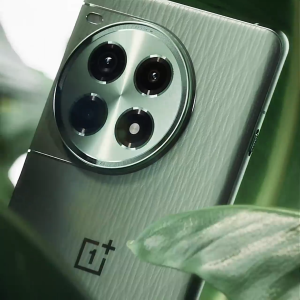
OnePlus Ace 3 Pro 5G Smart phone 6.78inch 3D AMOLED Snapdragon 8 Gen 3 50MP 6100mAh 100W SuperVOOC NFC IP65
Original Unlocked Motorola V360 Flip GSM Mobile Phone Cell Phones with Russia/Arabic Language - Lazada

Stylish Beaded Star Phone Chain Multifuntional Beads Accessory Keyring Decors Phone Strap for Fashion Enthusiasts
Cute Mini Fashionable Phone A88 R11 i8: Unlocked Dual Sim Feature Phone
Fast Delivery Original Nokia C3-00 Classic Phone
Four 4 Sim Cards Elderly Push Button Mobile Phone 2.8\" Large Display Big Key Long Standby Senior Cellphone Quick Dial Low Price