



Sandisk Extreme SD Card UHS-I: A Comprehensive Guide
Sandisk Extreme SD Card UHS-I: A Comprehensive Guide
Understanding Sandisk Extreme SD Card UHS-I
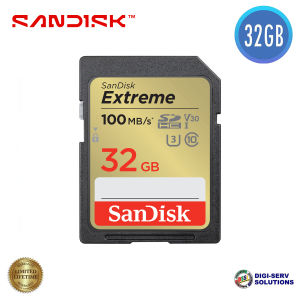
The Sandisk Extreme SD Card UHS-I is a high-speed SD card designed for photographers, videographers, and other professionals who demand reliable storage solutions. With its UHS-I interface, these cards offer exceptional read and write speeds, making them ideal for capturing and storing large files, such as 4K videos and high-resolution images.
Key Features of Sandisk Extreme SD Card UHS-I
- High-Speed Performance: These cards boast sequential read speeds of up to 100MB/s and write speeds of up to 60MB/s for the 32GB model, up to 170MB/s read and 80MB/s write for the 64GB model, and up to 180MB/s read and 90MB/s write for the 128GB model.
- Compatibility: The Sandisk Extreme SD Card UHS-I is compatible with various devices, including digital cameras, camcorders, drones, and action cameras.
- Durability: These cards are shockproof, waterproof, and X-ray-proof, ensuring they can withstand harsh conditions and accidental drops.
Storage Capacity Options: 32GB, 64GB, and 128GB SD Cards
Sandisk offers three storage capacity options for the Extreme SD Card UHS-I:
- 32GB: This card has a sequential read speed of up to 100MB/s and write speed of up to 60MB/s.
- 64GB: With a sequential read speed of up to 170MB/s and write speed of up to 80MB/s, this card is perfect for capturing more files.
- 128GB: Offering the highest capacity, this card boasts sequential read speeds of up to 180MB/s and write speeds of up to 90MB/s.
Compatibility & Performance
These cards are compatible with a wide range of devices, including digital cameras, camcorders, drones, and action cameras. To ensure optimal performance, it is recommended to use a SanDisk SD UHS-I Card Reader, which supports speeds up to 180MB/s.
Choosing the Right Sandisk Extreme SD Card UHS-I
When selecting the right Sandisk Extreme SD Card UHS-I, consider the following factors:
- Storage Needs: Determine the amount of storage required based on the number and size of files you plan to capture.
- Device Compatibility: Verify that the card is compatible with your device(s).
- Performance Requirements: Assess the read and write speeds needed for your specific use case.
Comparing 32GB, 64GB, and 128GB SD Cards
| Capacity | Read Speed | Write Speed | | --- | --- | --- | | 32GB | Up to 100MB/s | Up to 60MB/s | | 64GB | Up to 170MB/s | Up to 80MB/s | | 128GB | Up to 180MB/s | Up to 90MB/s |
Factors to Consider When Selecting Sandisk Extreme SD Card UHS-I
- Capacity: Choose the appropriate storage capacity based on your needs.
- Read and Write Speeds: Evaluate the read and write speeds to ensure they meet your requirements.
- Compatibility: Verify that the card is compatible with your device(s).
How to Use Sandisk Extreme SD Card UHS-I
To get the most out of your Sandisk Extreme SD Card UHS-I, follow these steps:
Setting Up Sandisk Extreme SD Card UHS-I
- Insert the card into your device.
- Format the card if necessary.
- Start capturing files.
Maximizing Performance with SanDisk SD UHS-I Card Reader
To achieve optimal performance, use a SanDisk SD UHS-I Card Reader, which supports speeds up to 180MB/s.
Tips for Optimal Performance
- Use a SanDisk SD UHS-I Card Reader: This will ensure you get the best possible transfer speeds.
- Keep the card clean: Regularly clean the card contacts to maintain optimal performance.
- Backup files: Regularly back up important files to prevent data loss.
Additional Features & Benefits of Sandisk Extreme SD Card UHS-I
In addition to its high-speed performance, the Sandisk Extreme SD Card UHS-I offers several features and benefits:
Shockproof, Waterproof, and X-ray-proof
These cards are built to withstand harsh conditions and accidental drops, making them ideal for outdoor use.
SanDisk RescuePRO Deluxe Software
Included with the card is the SanDisk RescuePRO Deluxe software, which can help recover lost or deleted files.
Limited Lifetime Warranty
Sandisk offers a limited lifetime warranty for these cards, providing peace of mind for users.

DSSi
You May Also Like
Sata Interface Network Gamestar Adapter For Sony PS2 Fat Game Console SATA HDD Hard Disk For Playstation 2 Gaming Accessories
Aluminum M.2 SSDs Enclosure Universal Type C Compatibility Toolless Installation Portable Design USB 3.1 10Gbps Data Transfer
seagate external hard drive storage expansion USB 3.0 HDD 1TB 2TB Portable 2.5" hard drive for PC Laptop Windows
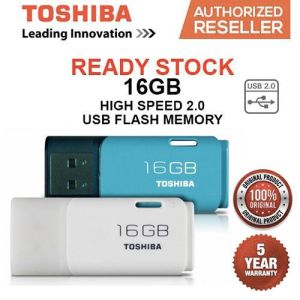
🔥FREE Shipping+COD🔥 Toshiba 16GB USB 2.0 Trans Memory Hayabusa Stylish & Compact USB Flash Drive
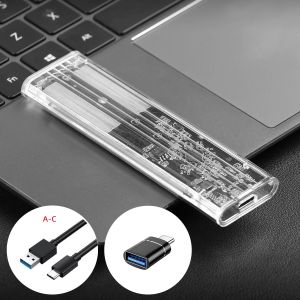
M.2 SATA SSD Enclosure USB 3.1 Gen 1(5Gbps) Type-C External SSD Adapter for M2 SATA NGFF 2242/2260/2280 SSD with B Key/B+M Key
Hard Shell Carrying Case for RTX5080 16G GPU Waterproof and Shockproof for Reliable Storage Solution
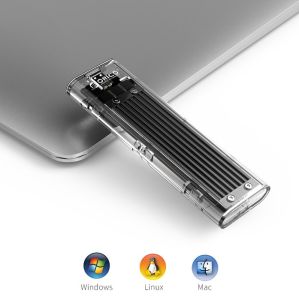
ORICO 20Gpbs M2 SSD Case NVME SSD Enclosure M.2 to USB Type C Transparent Hard Drive Enclosure
Efficient Mini PCIe to SATA3.0 Double/Four Port Converter Extension for DIY System Storage Enhancements
ORICO 1000MB/S Extreme Portable SSD USB 3.2 Gen2 Metal Body Type-C 1TB/2TB PSSD For Laptop Mobile Traveler/Photographer
2-In-1 Type-C Huawei Mobile Phone Card Reader Suitable for Apple 17 DSLR Camera SD Card USB Computer Transfer UGULINK Simple Style
UTHAI G13 New Product Aluminum Alloy USB3.0 High Speed 7mm Mobile Hard Disk Enclosure 2.5 British SATA Hard Disk Enclosure



















