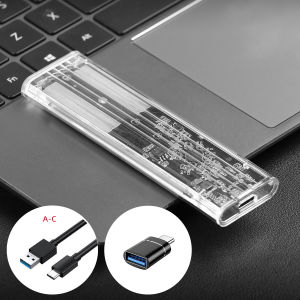
M.2 SATA SSD Enclosure USB 3.1 Gen 1(5Gbps) Type-C External SSD Adapter for M2 SATA NGFF 2242/2260/2280 SSD with B Key/B+M Key
M.2 SATA SSD Enclosure USB 3.1 Gen 1(5Gbps) Type-C External SSD Adapter for M2 SATA NGFF 2242/2260/2280 SSD with B Key/B+M Key
What is an M.2 SATA SSD Enclosure?
An M.2 SATA SSD enclosure is a portable, external storage solution that allows users to utilize M.2 SATA SSDs (Solid State Drives) in a USB-based format. These enclosures enable M.2 SATA SSDs to be connected to computers, laptops, and other devices via a USB interface, allowing for faster data transfer speeds and increased portability.
Key Features
- Compatibility: M.2 SATA SSD enclosures support various M.2 SATA SSD form factors, including 2242, 2260, and 2280 sizes.
- USB 3.1 Gen 1: The enclosures feature USB 3.1 Gen 1 (5Gbps) connectivity, providing fast data transfer speeds.
- Type-C Interface: Many M.2 SATA SSD enclosures come with a Type-C interface, allowing for easy connection to modern devices.
- Compact Design: M.2 SATA SSD enclosures are lightweight and compact, making them easy to carry and store.
Types of M.2 SATA SSD Enclosures
There are two main types of M.2 SATA SSD enclosures: those with a B-key slot and those with a B+M-key slot. The B-key slot supports M.2 SATA SSDs, while the B+M-key slot supports both M.2 SATA and M.2 NVMe SSDs.
How to Choose the Right M.2 SATA SSD Enclosure
When selecting an M.2 SATA SSD enclosure, there are several factors to consider:
Considerations for Choosing an M.2 SATA SSD Enclosure
- Compatibility: Ensure that the enclosure supports the form factor and key type of your M.2 SATA SSD.
- Speed: Look for enclosures that support USB 3.1 Gen 1 (5Gbps) or higher data transfer speeds.
- Connectivity: Choose an enclosure with a Type-C interface for compatibility with modern devices.
- Durability: Opt for enclosures with sturdy construction and good build quality.
Popular M.2 SATA SSD Enclosure Brands
Some popular brands offering M.2 SATA SSD enclosures include:
- Sabrent
- UGREEN
- Anker
- ADATA
How to Install and Use an M.2 SATA SSD Enclosure
Installing and using an M.2 SATA SSD enclosure is straightforward. Follow these steps:
Step-by-Step Installation Guide
- Insert the M.2 SATA SSD: Carefully insert the M.2 SATA SSD into the enclosure, ensuring it is securely seated.
- Connect the Enclosure: Connect the enclosure to your computer or device using the included USB cable.
- Format the Drive (Optional): If needed, format the drive using a file management utility.
- Transfer Data: Copy files to and from the enclosure as needed.
Troubleshooting Common Issues
If you encounter issues with your M.2 SATA SSD enclosure, try the following troubleshooting steps:
- Check Connections: Ensure that the enclosure is securely connected to your device and that the USB cable is properly seated.
- Update Drivers: Update your computer's USB drivers to ensure compatibility with the enclosure.
- Check Power Supply: If using a powered USB hub, ensure it provides sufficient power to the enclosure.
Benefits of Using an M.2 SATA SSD Enclosure
Using an M.2 SATA SSD enclosure offers several advantages:
Increased Storage Capacity
M.2 SATA SSD enclosures allow users to expand their storage capacity by utilizing M.2 SATA SSDs in a USB-based format.
Improved Data Transfer Speeds
With USB 3.1 Gen 1 (5Gbps) connectivity, M.2 SATA SSD enclosures offer faster data transfer speeds compared to traditional USB flash drives.
Enhanced Portability & Convenience
M.2 SATA SSD enclosures are lightweight and compact, making them easy to carry and store. They can be easily connected to various devices, providing a convenient solution for transferring files and expanding storage.
Conclusion
An M.2 SATA SSD enclosure is a valuable addition to any computer user's toolkit. By providing increased storage capacity, improved data transfer speeds, and enhanced portability, M.2 SATA SSD enclosures offer a convenient solution for managing files and expanding storage. When selecting an enclosure, consider compatibility, speed, connectivity, and durability to ensure the best possible performance.

Global Merch Park
Review
You May Also Like
Hard Drive Blank Caddy Filler 2.5inch Sff For Dl380 G8 G9 670033-001 652991-001 2.5inch Server Hard Drive Tray Bracket
KODAK USB 3.1 Metal USB Flash Drive 64GB 128GB 256GB Pen Drive Creative Personality Car Music Gift High Speed USB PenDrive
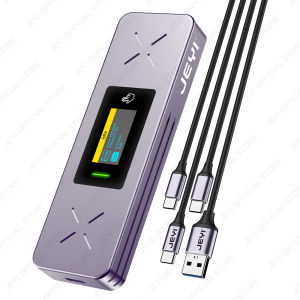
JEYI Visual Smart M.2 NVMe & SATA SSD Enclosure: A Comprehensive Guide
Do It Home Kingston KFD-32GB Flash Drive: Your Portable Storage Solution
ORICO 2.5/3.5\" HDD Case Hard Drive Station Type-C 5Gbps with Offline Clone Heat Dissipation Stronger
2TB 1TB seagate external hard drive expansion disque portable 2.5‘’ USB 3.0 hard drive storage for PC Windows HDD
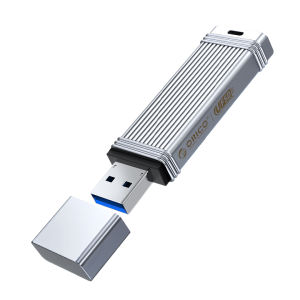
ORICO 100MB/S USB3.2 Gen1 USB Flash Drive Pendrive32GB 64GB 128GB 256GB Memory Stick Type-C USB A Devices
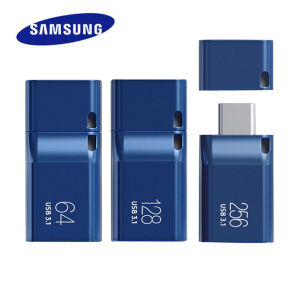
SAMSUNG USB3.1 Flash Drive Disk: A Comprehensive Guide
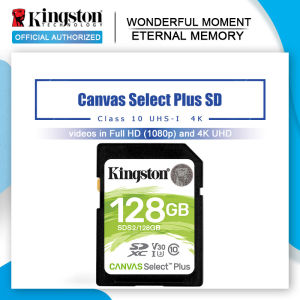
💖FREE+COD+Ready Stock💖Kingston SD Card 32GB 64GB 128GB Memory Card Cartao De Memoria SDHC/SDXC Micro SD Card 256GB For HD 1080P And 4K Video Camera
SanDisk 128GB Ultra Dual Drive OTG USB Type C SDDDC2 Black USB3.1 Type C Reversible Connector Retractable Design On-the-Go Storage Device for Type-C Enabled Android devices 5-Year Limited Warranty / SDDDC2-128G-G46
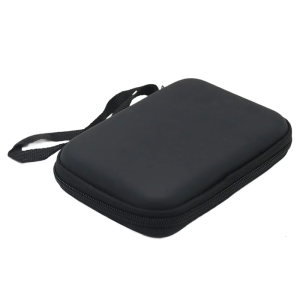
Travel Friendly EVA Case For 2.5Inch Hard Drives And Small Gadgets Carrying Bag Ensuring Secure Storage Travel Pouch