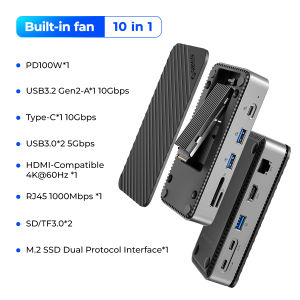
ORICO USB C HUB with Cooling Fan M.2 NVMe SATA SSD Enclosure External 10Gbps 4K 60Hz HDMI RJ45 SD/TF Docking Station
ORICO USB C HUB with Cooling Fan M.2 NVMe SATA SSD Enclosure External 10Gbps 4K 60Hz HDMI RJ45 SD/TF Docking Station
Introduction to ORICO USB C HUB
The ORICO USB C HUB is a versatile device designed to enhance the connectivity and functionality of your laptop or desktop computer. It features a cooling fan to maintain optimal performance, a M.2 NVMe SATA SSD enclosure, a 10Gbps external docking station, a 4K 60Hz HDMI port, and an SD/TF card reader. This hub is compatible with various devices, making it a valuable addition to any tech-savvy individual's arsenal.
Key Features of the Hub
- Cooling Fan: The built-in cooling fan ensures that the hub operates at its best, even under heavy workloads.
- M.2 NVMe SATA SSD Enclosure: This enclosure allows you to easily install and use an M.2 NVMe SATA SSD, providing faster data transfer speeds and increased storage capacity.
- 10Gbps External Docking Station: With support for 10Gbps transfer speeds, the docking station enables fast data transfer and connectivity to multiple devices.
- 4K 60Hz HDMI Port: Connect your monitor or TV to enjoy high-definition visuals at 4K resolution and 60Hz refresh rate.
- SD/TF Card Reader: Quickly transfer files from your camera or other devices using the built-in SD/TF card reader.
Compatibility with Various Devices
The ORICO USB C HUB is compatible with a wide range of devices, including laptops, desktop computers, tablets, and smartphones. It supports Windows, macOS, and Linux operating systems, making it a versatile choice for users of different platforms.
Understanding the M.2 NVMe SATA SSD Enclosure
The M.2 NVMe SATA SSD enclosure is a compact and convenient solution for upgrading your computer's storage capacity. It supports both NVMe and SATA interfaces, allowing you to choose the best option for your needs.
How to Install the SSD Enclosure
To install the SSD enclosure, simply slide the M.2 NVMe SATA SSD into the slot and secure it with the included screws. Connect the enclosure to the hub using the provided USB-C cable, and you're ready to go.
Benefits of Using the SSD Enclosure
Using the M.2 NVMe SATA SSD enclosure offers several benefits, including:
- Faster Data Transfer: Enjoy faster read and write speeds compared to traditional hard drives.
- Increased Storage Capacity: Upgrade your computer's storage capacity without replacing your existing hard drive.
- Compact Design: The compact design makes it easy to carry the enclosure with you wherever you go.
Exploring the 10Gbps External Docking Station
The 10Gbps external docking station provides fast data transfer speeds and connectivity to multiple devices. It supports USB-C and USB-A ports, allowing you to connect various peripherals such as mice, keyboards, and printers.
What is a 10Gbps Docking Station?
A 10Gbps docking station is a device that allows you to connect multiple devices to your computer at high speeds. It supports 10Gbps transfer rates, making it ideal for transferring large files and streaming high-definition content.
How to Connect the Docking Station
To connect the docking station, simply plug the USB-C cable into the hub and the other end into your computer. Once connected, you can start using the various ports and features of the docking station.
Discovering the 4K 60Hz HDMI Port
The 4K 60Hz HDMI port allows you to connect your monitor or TV to enjoy high-definition visuals at 4K resolution and 60Hz refresh rate. It supports both audio and video signals, providing a seamless viewing experience.
What is 4K 60Hz?
4K 60Hz refers to a resolution of 3840 x 2160 pixels and a refresh rate of 60 frames per second. This combination offers a sharp and smooth viewing experience, making it ideal for gaming, video editing, and other demanding tasks.
Connecting Devices to the HDMI Port
To connect a device to the HDMI port, simply plug the HDMI cable into the port and the other end into your monitor or TV. Once connected, you can start enjoying high-definition visuals.
SD/TF Card Reader Overview
The SD/TF card reader allows you to quickly transfer files from your camera or other devices using the built-in SD/TF card reader. It supports both SD and TF cards, making it a versatile choice for various devices.
What is an SD/TF Card Reader?
An SD/TF card reader is a device that allows you to read and write data from SD and TF cards. It provides a convenient way to transfer files from your camera or other devices to your computer.
How to Use the SD/TF Card Reader
To use the SD/TF card reader, simply insert the SD or TF card into the slot and connect the hub to your computer using the provided USB-C cable. Once connected, you can start transferring files between your devices.

OricoCN
Review
You May Also Like
USB C HUB 8 in 1 USB C/USB3.0 Adapter Docking Station with 3xUSB2.0+1xUSB3.0+1xType C Reader Adapter Laptop Dock
Seagate external hard disk 1TB 2TB External Hard Drive with Password USB 3.0 Free Rescue Data Recovery Free Soft Bag backup plus slim
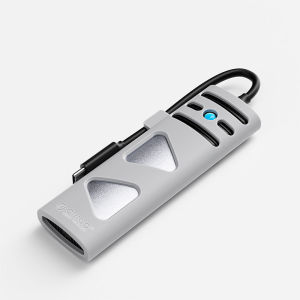
ORICO Portable M.2 NVMe SSD Enclosure NVME SATA Dual Protocol Case Tool Free M.2 SSD Enclosure
SanDisk Max Endurance Micro SD: A High-Endurance Solution for CCTV & Dashcams

Car music flash drive with USB Car mini USB flash drive Music storage disk Mini metal car USB flash drive
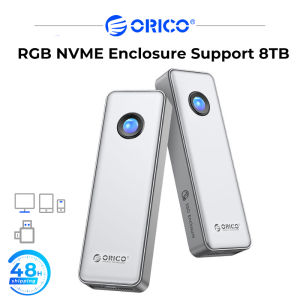
ORICO USB3.2 40Gbps M.2 NVME SSD Enclosure 8TB Large CapacityCompatible with Thunderbolt 3 4 for 2230/2242/2260/2280 NVME SSD
ORICO T3 MicroSD Card: High-Speed Storage Solution for Your CCTV & Dash Cam
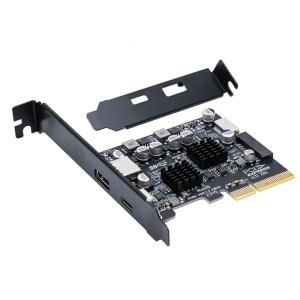
Desktop USB Expansion PCIe 4X to Internal USB 3.2 External 10Gbps Type C Adapter for Desktop Motherboard
Car Music Mini Metal USB Flash Drive High Speed Song Thumb USB Flash Drive
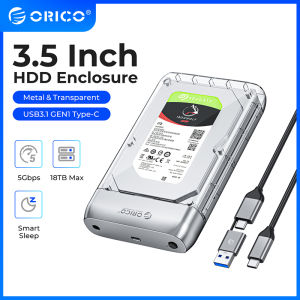
ORICO 3.5 Inch Transparent Type-C Hard Drive Enclosure: A Comprehensive Guide
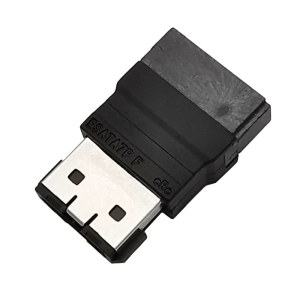
eSATA to SerialATA Adapter 7P Female eSATA to Male Fast Speed Data Transfer