ORICO T3 MicroSD Card: High-Speed Storage Solution for Your CCTV & Dash Cam
ORICO T3 MicroSD Card: High-Speed Storage Solution for Your CCTV & Dash Cam
What is the ORICO T3 MicroSD Card?
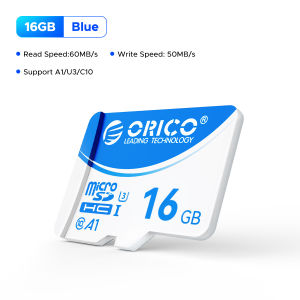
The ORICO T3 MicroSD Card is a high-performance storage solution designed specifically for security cameras and dash cams. It offers reliable data storage with fast read and write speeds, making it an ideal choice for capturing high-resolution video footage. The card comes in various capacity options, including 128GB, 64GB, 32GB, and 16GB, to cater to different storage needs.
Key Features
- UHS-I compatible
- Fast read and write speeds
- Durable design for long-term use
- Suitable for both indoor and outdoor applications
Capacity Options
ORICO T3 MicroSD Card is available in four different capacity options, allowing users to choose the one that best suits their storage requirements. Here's a brief overview of the available capacities:
- 128GB: Ideal for users who require extensive storage for high-resolution video footage.
- 64GB: A good balance between cost and storage capacity for most users.
- 32GB: Suitable for users with moderate storage needs or those who want to save on costs.
- 16GB: Perfect for budget-conscious users who only need basic storage.
How to Choose the Right Capacity for Your Needs
Selecting the appropriate capacity for your ORICO T3 MicroSD Card depends on several factors, including the resolution of your security camera or dash cam, the number of cameras you have, and the duration of recording you require. Here's how to assess your storage requirements:
- Resolution: Higher resolution requires more storage space. For example, a 1080p camera will consume more storage than a 720p camera.
- Number of Cameras: If you have multiple cameras, you'll need more storage capacity to accommodate all the footage.
- Recording Duration: Longer recording times mean more data storage is required.
Once you've determined your storage needs, compare the available ORICO T3 MicroSD Card sizes to find the best fit for your situation.
How to Install the ORICO T3 MicroSD Card in Your CCTV Camera or Dash Cam
Installing the ORICO T3 MicroSD Card in your security camera or dash cam is a straightforward process. Follow these step-by-step instructions to ensure proper installation:
- Turn off your camera and unplug it from the power source.
- Locate the MicroSD card slot on your camera.
- Insert the ORICO T3 MicroSD Card into the slot, ensuring it is properly seated.
- Reconnect the power source and turn on your camera.
If you encounter any issues during installation, refer to the troubleshooting guide below:
Troubleshooting Common Issues
- Card Not Detected: Check if the card is properly inserted and try inserting it again.
- Slow Read/Write Speeds: Ensure your camera supports UHS-I speeds and that the card is formatted correctly.
- Data Loss: Regularly back up important footage to prevent data loss due to hardware failure.
Benefits of Using the ORICO T3 MicroSD Card for High-Speed Recording
The ORICO T3 MicroSD Card offers several advantages for users who require high-speed recording capabilities:
- Fast Read & Write Speeds: Thanks to its UHS-I compatibility, the ORICO T3 MicroSD Card can handle high-resolution video footage with ease.
- Compatibility with UHS-I Devices: This ensures seamless integration with most modern security cameras and dash cams.
Conclusion: Why Choose the ORICO T3 MicroSD Card for Your Security Needs
In summary, the ORICO T3 MicroSD Card is a reliable and efficient storage solution for security cameras and dash cams. With its UHS-I compatibility, fast read and write speeds, and various capacity options, it caters to a wide range of users' needs. By choosing the ORICO T3 MicroSD Card, you'll enjoy peace of mind knowing your valuable footage is safely stored and easily accessible whenever needed.

ORICO HOME
You May Also Like

Yoobao A-L01 USB-A Female to Lightning Male OTG Adapter High Quality with Lanyard For Apple Devices
KODAK Professional SD Memory Card V60 Class 10 U3 UHS-II 128GB 256GB 512GB SDXC UP to 280MB/s Memory Card for Camera 4K HD
Lossless Car Music Usb Flash Drive Classic Nostalgic English Songs High Quality Golden Song Usb Flash Drive

ACOUSTIC MUSIC COLLECTION | USB Flash Drive with Song Music | MP3 320 KBPS HIGH QUALITY MUSIC | ROADTRIP MUSIC

KODAK Metal USB 2.0 Flash Drive Keychain Design 32G 64G128G Mini Pendrive memory Memory Stick Key Usb Device Pen Drive for Car
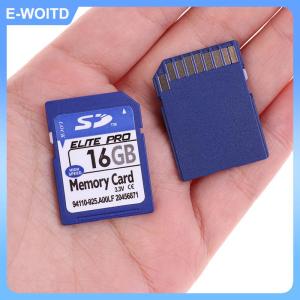
【E-WOITD】 SD Card 1GB 2GB 4GB 8GB 16GB 32GB 64GB Secure Digital Flash Memory Card
128GB Ultra Micro Flash SD Card Memory Card Microsd Card High-Speed TF Card Expansion Card for multi-purpose
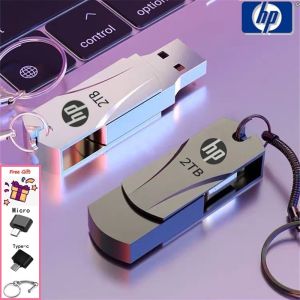
🔥FREE Shipping+COD🔥 Hp USB flash drive USB2.0 waterproof metal flashdrive
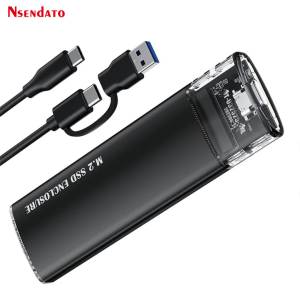
M.2 2280 NVMe PCIe & USB Type C SSD: A Comprehensive Guide

Kodak Ultra Memory Card 128GB Micro SD Card MicroSDXC Class10 SD High Speed Memory Card Original TF Flash Card
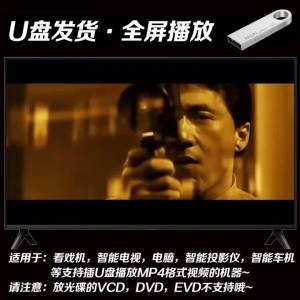
【现货2024新款】(现货速发)成龙粤语电影57部U盘合集国语粤语高清MP4视频通用usb优盘(Ready to ship) Jackie Chan movie USB flash drive collection of 58 Mandarin Cantonese high-definition MP4 videos universal USB flash drive