CROWNSTAR 120W Fast Charge Cable: A Comprehensive Guide
CROWNSTAR 120W Fast Charge Cable: A Comprehensive Guide
Introduction to CROWNSTAR 120W Fast Charge Cable
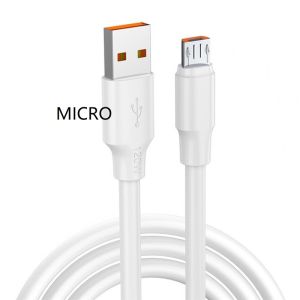
The CROWNSTAR 120W Fast Charge Cable is a high-performance charging cable designed specifically for Android devices. This Type-C Fast Charge Cable offers 6A fast charging for mobile devices, providing a convenient and efficient way to power up your device quickly. With its 1-meter length, it is perfect for use at home, in the office, or on-the-go.
Key Features & Benefits
- High-Speed Charging: The CROWNSTAR 120W Fast Charge Cable delivers up to 6A of power, allowing your device to charge faster than ever before.
- Compatibility: Compatible with most Android devices featuring a Type-C or Micro USB port.
- Durability: Built with high-quality materials, this cable is designed to withstand daily wear and tear.
- Convenience: Its compact size and lightweight design make it easy to carry around.
Compatibility with Android Devices
The CROWNSTAR 120W Fast Charge Cable is compatible with a wide range of Android devices, including smartphones, tablets, and other portable devices. It supports both Type-C and Micro USB ports, making it a versatile charging solution for various devices.
How to Choose the Right Fast Charging Cable
When selecting a fast charging cable, there are several factors to consider. Here are some tips to help you choose the best cable for your device:
Understanding Different Types of Fast Charging Cables
There are two primary types of fast charging cables: Type-C and Micro USB. Type-C cables are becoming increasingly popular due to their higher data transfer rates and ability to deliver more power. Micro USB cables, on the other hand, are still widely used but may not offer the same level of performance as Type-C cables.
Selecting the Best Cable for Your Device
To ensure optimal performance, it's essential to choose a cable that is compatible with your device's charging requirements. Check your device's specifications to determine which type of cable you need. Additionally, consider the cable's length, durability, and charging speed when making your selection.
Setting Up & Using CROWNSTAR 120W Fast Charge Cable
Once you have chosen the right cable for your device, it's time to set it up and start using it. Here are some steps to follow:
Connecting the Cable to Your Device
- Locate the charging port on your device.
- Insert the appropriate end of the CROWNSTAR 120W Fast Charge Cable into the charging port.
- Connect the other end of the cable to a compatible power source, such as a wall charger or computer USB port.
Maximizing Charging Speed & Efficiency
To get the most out of your CROWNSTAR 120W Fast Charge Cable, follow these tips:
- Use a compatible power adapter with sufficient wattage to support fast charging.
- Charge your device in a well-ventilated area to prevent overheating.
- Avoid using your device while it is charging to maximize charging speed.
Troubleshooting Common Issues
If you experience any issues with your CROWNSTAR 120W Fast Charge Cable, here are some troubleshooting tips to help resolve them:
Identifying & Resolving Charging Problems
- If your device is not charging, check the connection between the cable and your device.
- Ensure that the power source is functioning correctly.
- Try using a different cable or power adapter to rule out any compatibility issues.
Tips for Maintaining Cable Performance
- Store your cable in a cool, dry place when not in use.
- Avoid bending or twisting the cable excessively.
- Clean the charging port on your device regularly to prevent dust buildup.
Conclusion & Next Steps
In conclusion, the CROWNSTAR 120W Fast Charge Cable is a reliable and efficient charging solution for Android devices. By following the guidelines outlined in this guide, you can ensure optimal performance and longevity of your cable. If you're looking for additional fast charging options, consider exploring other products from CROWNSTAR or other reputable brands.

CROWNSTAR.PH
Review

You May Also Like
Ultra-Thin Full-Coverage Magnetic-Suction Phone Case for Samsung ZFold5 W24 Foldable Screen High-End Naked Leather W25 Rear Shell W26
Xiaomi Triple A Rainbow Batteries (10 pcs)

Outdoor Phone 2W Flexible Solar Panel with USB Port Camping Charging for Mobilephone
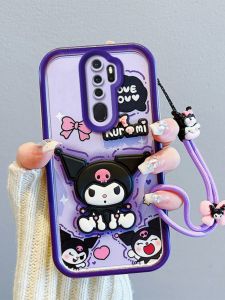
Applicable to Oppo A9 New Overseas Edition Phone Case A5 New Airbag Drop-Resistant Soft A31 New Full Covered International Edition Protective Case Stylish Creative Three-Dimensional Cartoon Cute Trendy Female New
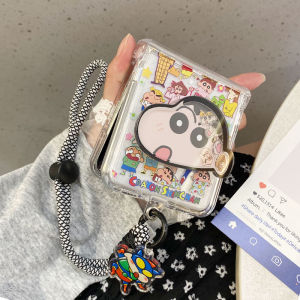
Cartoon Waxy New Motorola Razr50/60Ultra Xiaomi MIXFlip2 Huawei Purax Phone Case with Stand Protection for Honor MagicVFlip
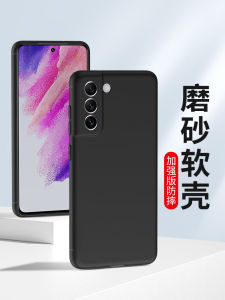
Ultimate Guide to Samsung S23 Phone Cases: From Drop-Resistant to Anti-Fingerprint
![[COD] KOQZM KITCHEN 34.4mm 44.4mm 51.4mm 51.5mm Audio Driver Speaker Titanium Film Treble Voice Reel Tweeter](https://img.lazcdn.com/g/p/f8ecf06927dd2985f1e9b7c295c22f87.jpg_300x300q80.jpg)
[COD] KOQZM KITCHEN 34.4mm 44.4mm 51.4mm 51.5mm Audio Driver Speaker Titanium Film Treble Voice Reel Tweeter
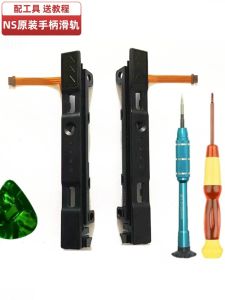
Switch Handheld Game Console Joycon Slide Rail Side Track Recognition Problem: DS 3DS Pen Accessories and Gaming Community Support

LPO Laptop Battery A32-K53 A31-K53 Compatible with Asus K53 K43 K43S A32 K53 A42 K53 K53E K53S X53 X53E X54C
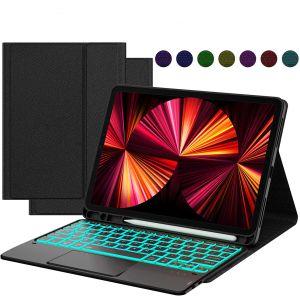
MD iPad Mini 2 Keyboard - 7.9 Inch Mini 1/3/model a1599/4/5 Generation Case 7 Colors Backlight Wireless Bluetooth Detachable Keyboard Thin & Protective Stand Magnetic Cover Type-C Rechargeable Black

Light luxury pearl crystal phone chain fashionable and elegant car keychain ins style high-end alloy bag decoration