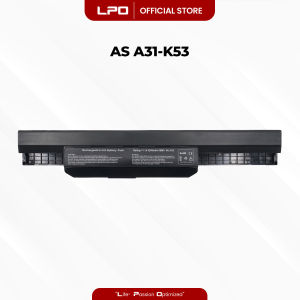
LPO Laptop Battery A32-K53 A31-K53 Compatible with Asus K53 K43 K43S A32 K53 A42 K53 K53E K53S X53 X53E X54C
LPO Laptop Battery A32-K53 A31-K53 Compatible with Asus K53 K43 K43S A32 K53 A42 K53 K53E K53S X53 X53E X54C
What is LPO Laptop Battery A32-K53 & A31-K53?
The LPO Laptop Battery A32-K53 and A31-K53 are high-quality replacement batteries designed specifically for Asus laptops, including models K53, K43, K43S, A32, K53E, K53S, X53, X53E, and X54C. These batteries provide reliable power to keep your laptop running smoothly throughout the day.
Key Features & Benefits
- High-Quality Construction: LPO Laptop Batteries are made with high-quality materials that ensure long-lasting performance and durability.
- Compatibility: These batteries are designed to fit seamlessly into the specified Asus laptop models, ensuring a perfect fit every time.
- Energy Efficiency: LPO Laptop Batteries are energy-efficient, providing longer battery life and reducing power consumption.
- Reliable Performance: These batteries have been rigorously tested to provide consistent and reliable performance, ensuring that your laptop runs smoothly.
Compatible Models
LPO Laptop Battery A32-K53 and A31-K53 are compatible with the following Asus laptop models:
- Asus K53
- Asus K43
- Asus K43S
- Asus A32
- Asus K53E
- Asus K53S
- Asus X53
- Asus X53E
- Asus X54C
How to Choose the Right Battery for Your Asus Laptop
Choosing the right battery for your Asus laptop is crucial to ensure optimal performance and longevity. Here are some steps to help you find the perfect battery:
Identifying Your Laptop Model
The first step in choosing the right battery is to identify your laptop model. You can usually find this information on the bottom of your laptop or in the documentation that came with your device. If you're still unsure, you can visit the Asus website and enter your laptop's serial number to find out its model.
Finding the Best Battery for Your Needs
Once you've identified your laptop model, you can search for batteries that are specifically designed for that model. LPO Laptop Batteries A32-K53 and A31-K53 are compatible with a wide range of Asus laptops, including the models listed above. When selecting a battery, consider factors such as capacity, voltage, and compatibility to ensure that it meets your needs.
How to Install LPO Laptop Battery A32-K53 & A31-K53
Installing a new battery in your Asus laptop is a straightforward process. Here are some steps to help you get started:
Preparing Your Laptop for Installation
Before installing the new battery, ensure that your laptop is powered off and unplugged from any power sources. Remove the existing battery from your laptop by following the manufacturer's instructions.
Installing the Battery
Once you've removed the old battery, carefully insert the new LPO Laptop Battery A32-K53 or A31-K53 into the designated slot. Make sure that the battery is properly seated and securely connected to the laptop.
Maintaining Your LPO Laptop Battery A32-K53 & A31-K53
Maintaining your LPO Laptop Battery A32-K53 and A31-K53 is essential to ensure optimal performance and longevity. Here are some tips to help you take care of your battery:
Proper Charging Techniques
To extend the life of your battery, avoid overcharging or completely discharging it. Charge your battery when it reaches around 20% capacity and unplug it when it reaches 80-100%. This will help to prolong the battery's lifespan and maintain its performance.
Extending Battery Life
To further extend the life of your LPO Laptop Battery A32-K53 and A31-K53, consider the following tips:
- Reduce screen brightness and adjust power settings to conserve energy.
- Close unnecessary applications and programs to reduce power consumption.
- Regularly clean your laptop's vents and fans to prevent overheating.
By following these steps, you can ensure that your LPO Laptop Battery A32-K53 and A31-K53 provides reliable power to keep your Asus laptop running smoothly throughout the day.

LPO
You May Also Like

Kids Cute Case for Samsung Galaxy Tab A9 Plus: 2023's Ultimate Protection & Convenience
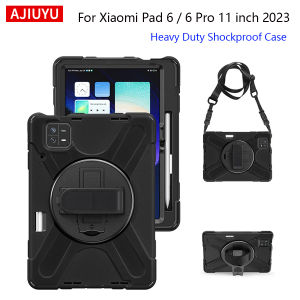
Case For Xiaomi Pad 6 11" Mi Pad 6 Pro 2023 MiPad 6 Pro 11 inch Kids Case Heavy Duty Shockproof Rugged Cover With Shoulder Strap

Leather Three-Dimensional Puppy Patch 15 for Apple 16promax Phone Case Iphone14 Retro 15 Pompons 13

Benefit Cute KT Cat Floral Magnetic Phone Case for iPhone 16 pro Max Apple 15 pro Crystal Shield Anti-Fall 14 Set 12 Iceberg Pattern

Suitable for Case for Huawei Y9s Y9 Prime 2019 HONOR 20 pro Lite phone casing Softcase Silicone shockproof Cover new design aesthetic Rotatable mirror Cute Bear with holder JTXXZJ01

Reno6 Pro Case YIYONG Original Soft Liquid Silicone Cover For OPPO Reno 5 4 6 Pro Plus 5G Reno5 Reno4 5G Shockproof Phone Cases
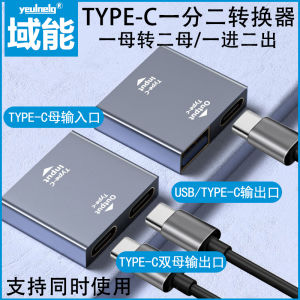
Dual Type-C Interface USB-A Mother One in Two out Extension Adapter Converter Notebook Computer Mobile Phone Extension Adapter

Sunnylife Shadow RS 4 Pro & RSC 2 Accessories: A Comprehensive Guide

Case for xiaomi poco x6 pro 5G M6 PRO 4G redmi 13c 5g M6 5g F6 PRO phone casing Softcase shockproof Cover new design aesthetic Cartoon Cat with Lanyard for girls YTSTHM01

Genuine Leather Cover For Airpods 3 Leather Case With Hook Bluetooth Wireless Funda Charging Box Airpod Accessories

Comprehensive Guide to Choosing the Best Sport Strap for Your Smartwatch